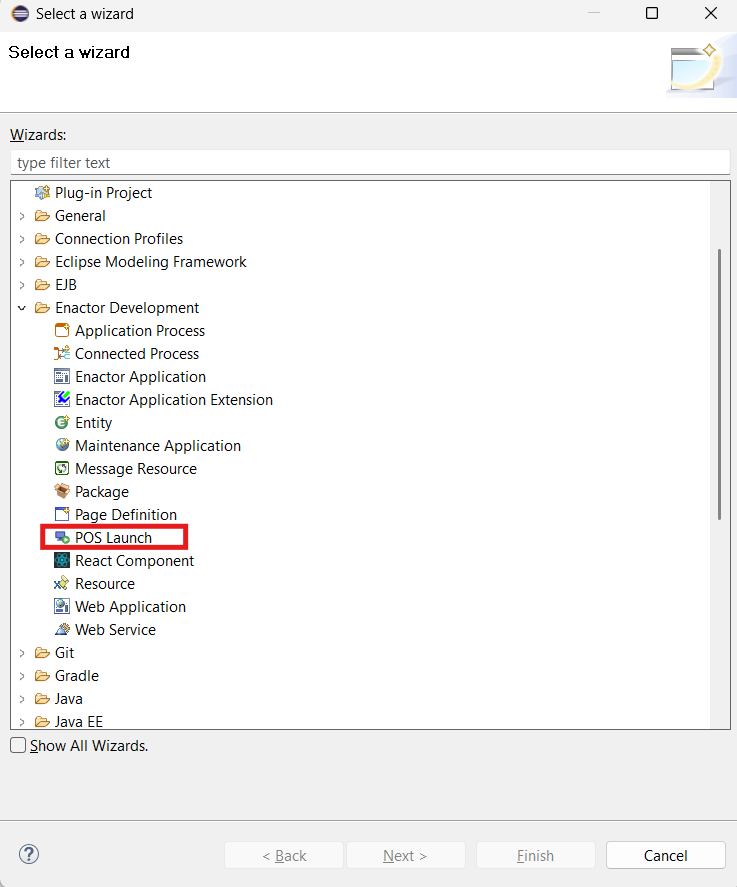
Enactor Tools - 1.4.148
Overview
Enactor Tools version 1.4.148 features a new POS Launch Wizard that allows developers to run Enactor POS projects. It also introduces comprehensive dark theme support across the plugin. The release also upgrades the POS Extension Wizard with local single-page application capabilities.
Deliverables and Versions
If Your Workspace Platform Version is TRUNK-SNAPSHOT, 2.7-SNAPSHOT or above 2.7.1615 (i.e Compiler Compliance Level of the Projects is Java 1.8)
Download :Eclipse 2026-06
For Other Platform Versions (i.e Compiler Compliance Level of the Projects is Java 1.7)
Download :Eclipse 2024-06
-
Eclipse Changes
Required Eclipse Changes
- Due to changes in the newer versions of the Java Virtual Machine that prevent JAXB from using reflection, following change need to be done in the eclipse.ini configuration file
Ensure that you have exited the Eclipse application.Navigate to the eclipse installation directory and select to edit the Eclipse.ini configuration file
eg. C:\Users\[USER_NAME]\eclipse\[ECLIPSE_VERSION]\eclipse
--add-opens=java.base/java.lang=ALL-UNNAMED
- Due to an Eclipse update, the following ensures the Enactor Tools plugin does not attempt to access its preferences before they have been initialised, the existing
-Dosgi.dataAreaRequiresExplicitInitargument value should be updated tofalsein the same eclipse.ini file
-Dosgi.dataAreaRequiresExplicitInit=false
- If you are using a Linux with the Wayland Display Server and have issues with the Enactor Tools not working properly, you can force Eclipse to use X11 as a GDK backend by using a script to launch Eclipse and adding
export GDK_BACKEND=x11to it:
#/bin/bash
export GDK_BACKEND=x11
./eclipse "$@"
On HiDPI screens it may also be necessary to define the UI scale and DPI in this script, for example export GDK_SCALE=2 and export GDK_DPI_SCALE=0.5.
-
If your Eclipse Version is 2026-06
-
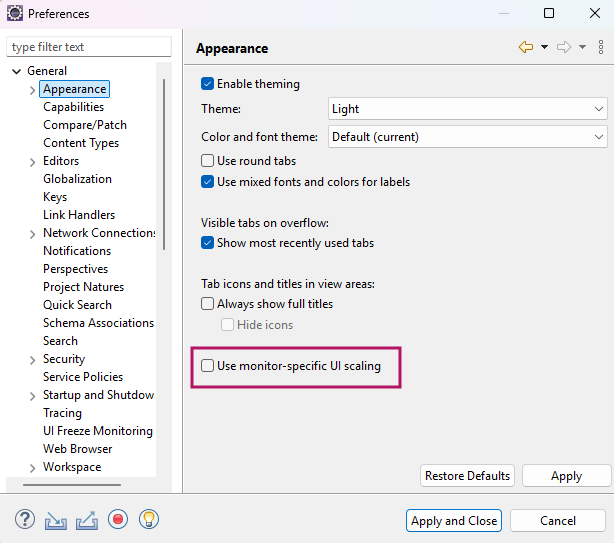
Eclipse 2026-06 has an issue with per-monitor DPI scaling on windows UI Scaling Issue in Windows
-
Windows users should apply below settings to resolve it
- Window -> Preferences -> General -> Appearence
- Disable the Use monitor-specific UI scaling checkbox
-
-
Eclipse 2026-06 has an issue with tm.terminal package Missing TM Terminal dependencies
-
Follow these steps to downgrade to a stable Terminal version
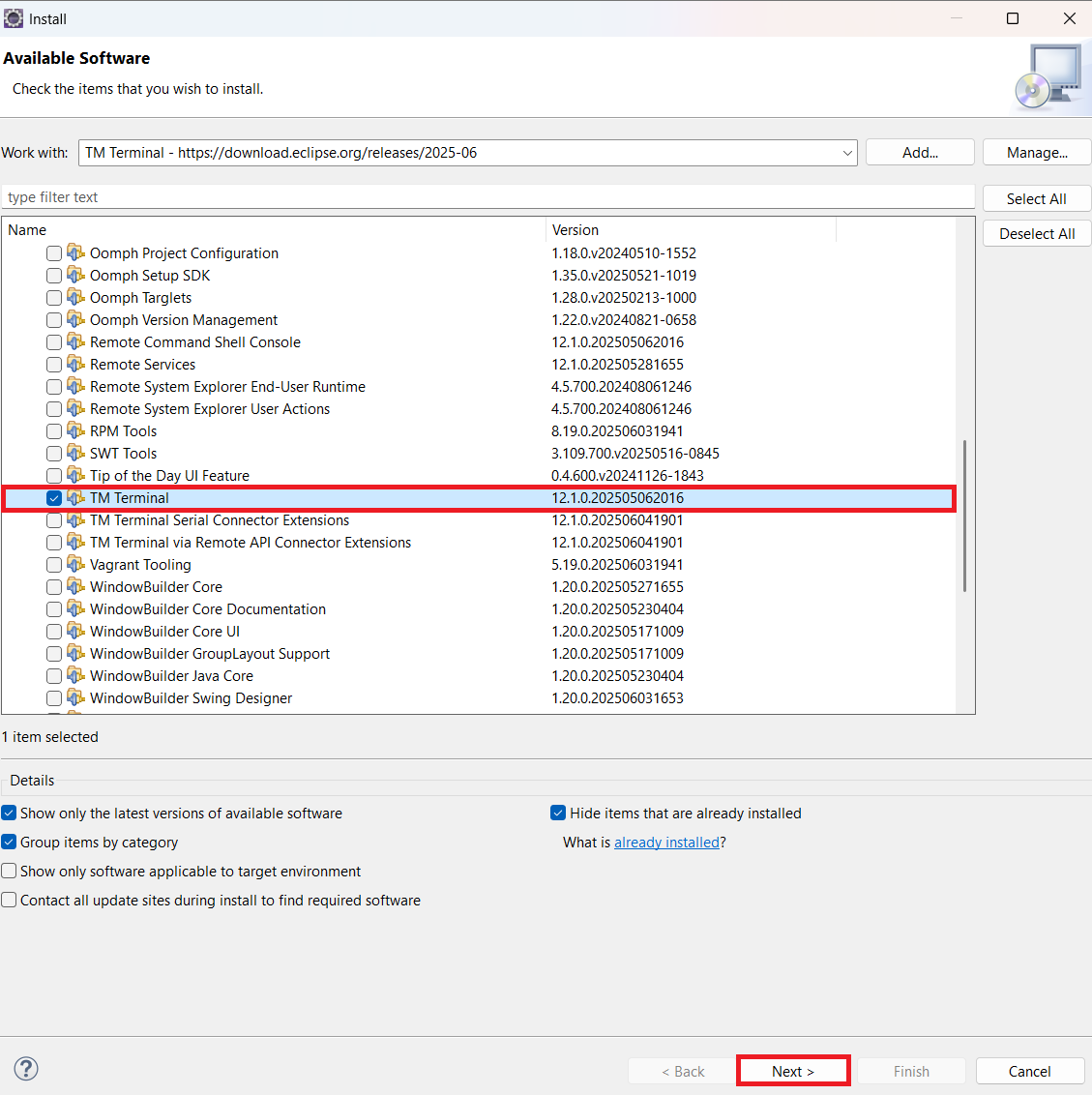
1.Install Stable Version
- Help -> Install New Software -> Add.
Name: TM Terminal
Location: https://download.eclipse.org/releases/2025-06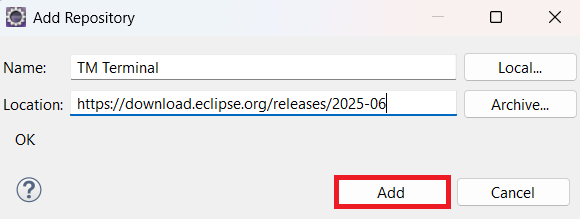
- Untick "Contact all update sites during install to find required software".
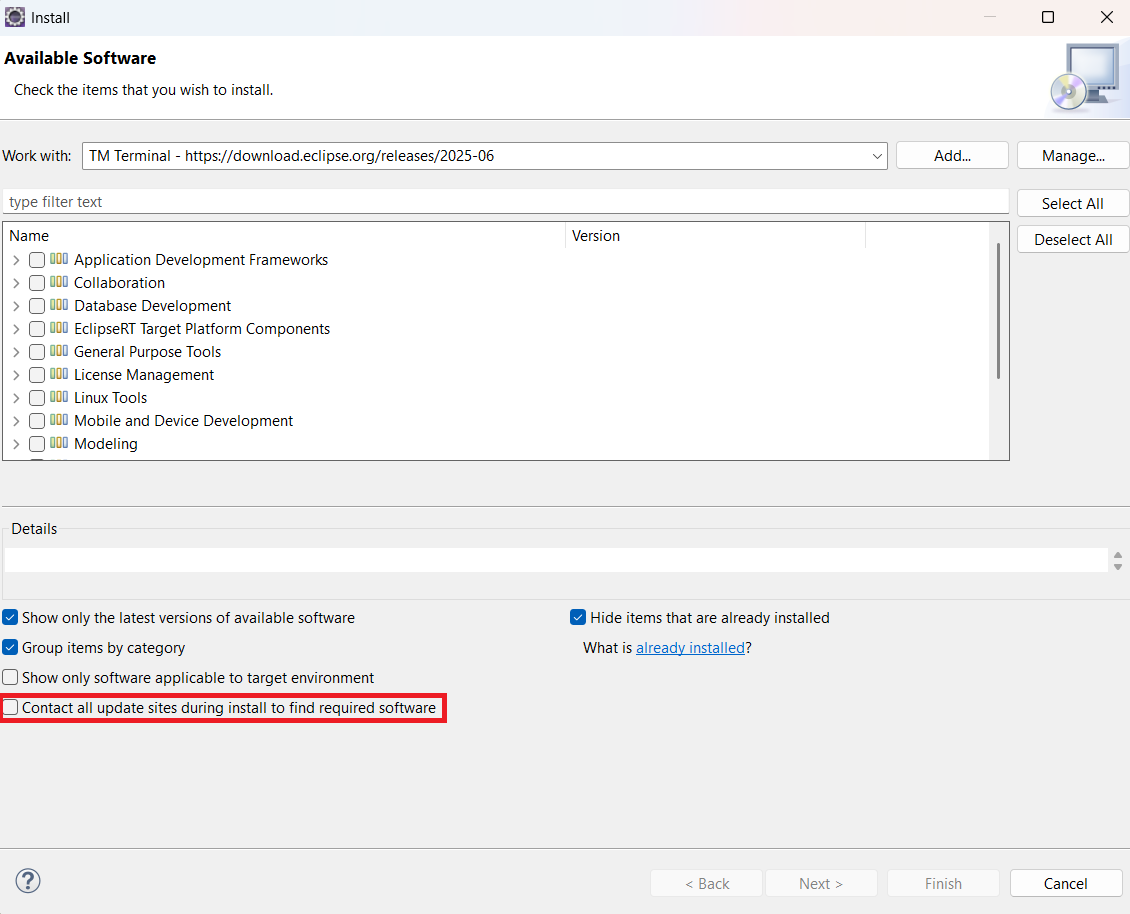
- Expand General Purpose Tools, check TM Terminal, and complete the installation.
-
Restart Eclipse.
-
Finally, go to Window -> Preferences -> Available Software Sites and tick the checkboxes.
-
-
-
If your Eclipse Version is 2024-06
-
Eclipse 2024-06 has an issue with inbuilt M2Eclipse2.6.1 plugin
-
Update the plugin to latest version with below steps.
-
Help -> Install New Software -> Add
Name : M2Eclipse
Location Eclipse software repository, The Eclipse Foundation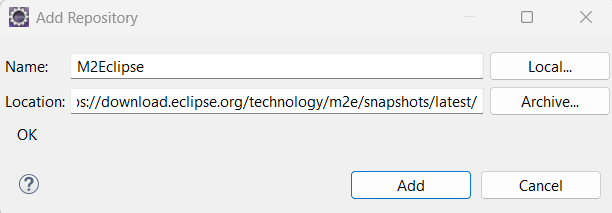
Install and restart eclipse. If you have already imported maven projects, Right Click -> Maven -> Update Project -
Restart Eclipse for the changes to take effect.
-
-
-
Optional Eclipse Changes
- Eclipse can be given more RAM if the host machine has the capacity.To do this, update the values for the argument
-Xmsand-Xmxin the eclipse.ini
-Xms512m
-Xmx4096m
Restart Eclipse for the changes to take effect.
-
Minimum Eclipse Version
-
OS
Tested On - Mac 26.5.2, Ubuntu - 26.04.2 LTS, Windows - 11
Changes
| Ref | Summary |
|---|---|
| DT-1005 | POS Launch Wizard - launch an Enactor POS project directly from Eclipse |
| DT-1029 | Dark theme support added across the Enactor Tools plugin |
| DT-1021 | Refactor BeanShellScript with EnactorScript |
| DT-1022 | POS Extension Wizard - extend an Extension project with a new local single page application |
Bug Fixes
| Ref | Summary |
|---|---|
| DT-995 | Java Application - environment variables defined in all capital letters |
| DT-996 | Correct missing src folder build paths and plugin classpath generation in Tools workspace setup |
| DT-1001 | Build warning: "The CJS build of Vite's Node API is deprecated" |
| DT-1002 | The Node version should come from the version map |
| DT-1003 | Run with dev server should check if the port is already running |
POS Launch Wizard
Launch an Enactor POS project straight from Eclipse - covering project creation, database configuration, POS configuration, connection strategy, connectivity and server URLs.
For detailed instructions, see the POS Launch Wizard guide.