Enactor Tools - Version 1.4.49
Release Date - October 21,2025
Overview
This release includes several CRs related to Upgrading Toolkit Compilation Baseline and Enactor Hello World Applications along with multiple bug fixes.
Deliverables and Versions
| Enactor Tools | Version: 1.3.608 |
|---|---|
| Recommended Eclipse Version | If Your Workspace Platform Version is TRUNK-SNAPSHOT, 2.7-SNAPSHOT or above 2.7.1615 (i.e Compiler Compliance Level of the Projects is Java 1.8) Eclipse 2025-06 Eclipse 2025-06 has an issue with per-monitor DPI scaling on windows UI Scaling Issue in WindowsWindows users should apply below settings to resolve it Window -> Preferences -> General -> Appearence Disable the Use monitor-specific UI scaling checkbox 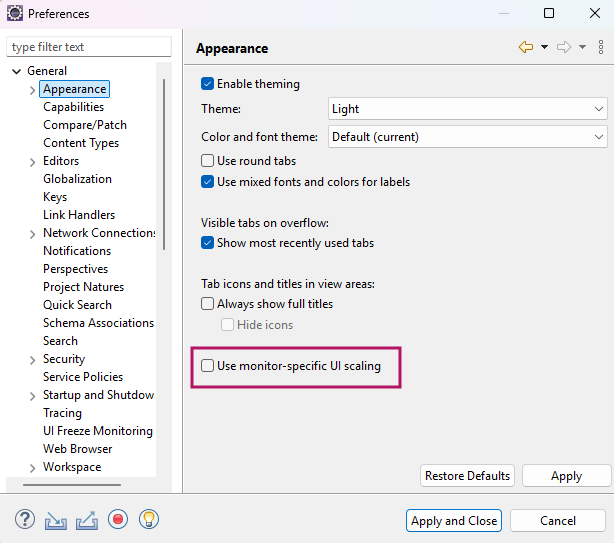 For Other Platform Versions (i.e Compiler Compliance Level of the Projects is Java 1.7) Eclipse 2024-6 Eclipse 2024-6 has an issue with inbuilt M2Eclipse2.6.1 pluginUpdate the plugin to latest version with below steps Help -> Install New Software -> Add Name : M2Eclipse2.8.1 Location Eclipse software repository, The Eclipse Foundation 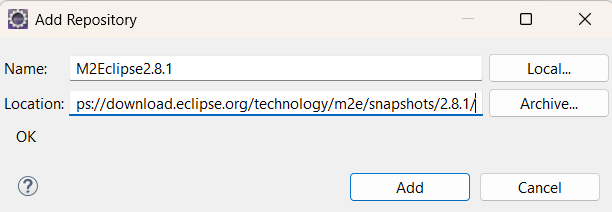 Install and restart eclipse. If you have already imported maven projects, Right Click → Maven → Update Project Eclipse 2024-6 has an issue with inbuilt Search Functionality Eclipse File Search IDE issueTo resolve it follow the below steps Close the Eclipse Application Locate the Eclipse Executable - On Windows: Use eclipsec.exe - On macOS/Linux: eclipse or eclipsec inside the Eclipse installation directory.Navigate to the Eclipse Installation Directory where the Executable is present Run the Commands Using the Executable On Windowseclipsec.exe -application org.eclipse.equinox.p2.director -uninstallIU org.eclipse.search.coreOn macOS/Linux:./eclipse -application org.eclipse.equinox.p2.director -uninstallIU org.eclipse.search.coreInstall an older version of plugin from a Repository On Windows:eclipsec.exe -application org.eclipse.equinox.p2.director -repository https://download.eclipse.org/releases/2023-12/ -installIU org.eclipse.search.coreOn macOS/Linux:./eclipse -application org.eclipse.equinox.p2.director -repository https://download.eclipse.org/releases/2023-12/ -installIU org.eclipse.search.coreStart the Eclipse Application |
| Minimum Eclipse Version | Eclipse 2022-6 |
| OS | Tested On - Mac 13.0.1, Ubuntu - 24.04.2 LTS, Windows - 11 |
IMPORTANT
- Add the following parameter to eclipse.ini if it does not exist:
--add-opens=java.base/java.lang=ALL-UNNAMED
IMPORTANT
-
If you are using Ubuntu 22 or above and have issues with Enactor Tools not working properly Go to /etc/gdm3/custom.conf and uncomment below line.
-
WaylandEnable=false
-
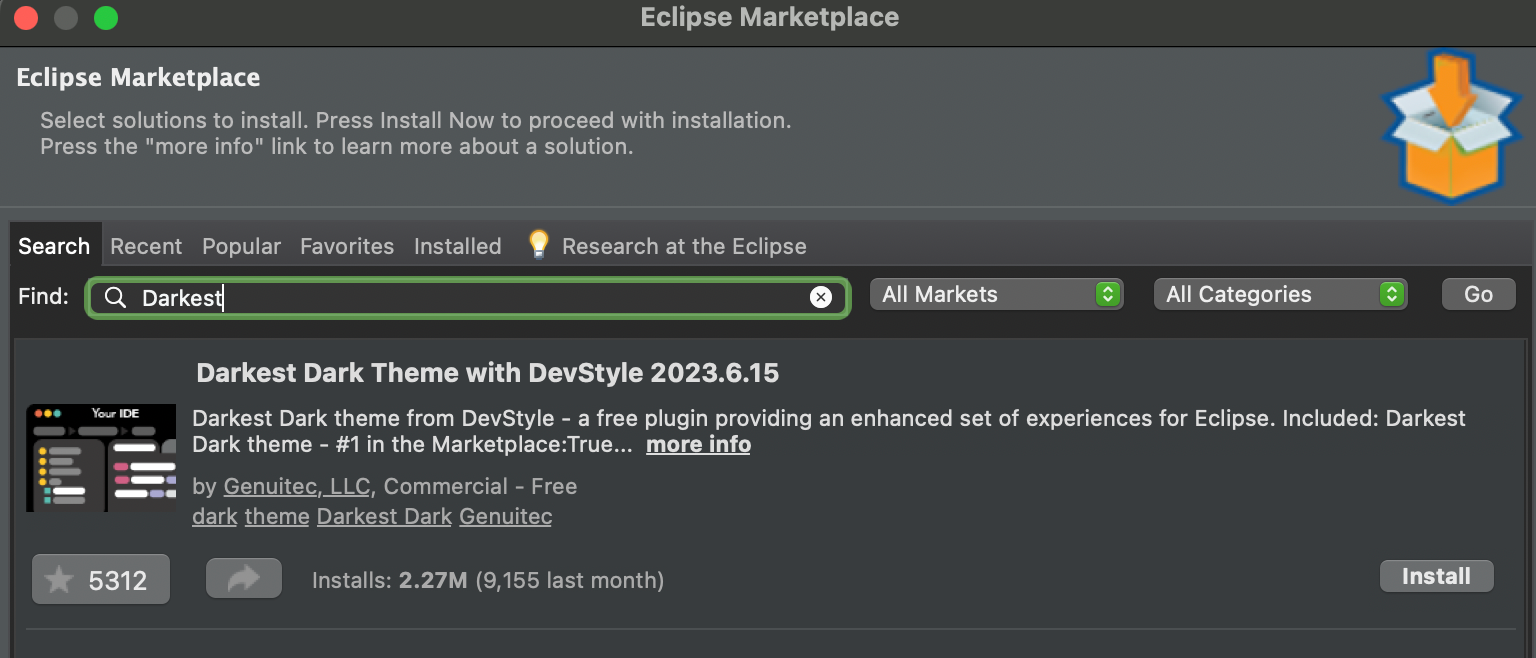
If you prefer to use a dark theme for Eclipse for better user experience we recommend to use the Darkest Dark Theme
-
Go to Help -> Eclipse Marketplace
-
Find Darkest Dark Theme
-
Install
Changes
| Ref | Summary |
|---|---|
| DT-928 | Support for Hello World Applications to run with Java 17 |
| DT-926 | Integrate Enactor Hello World Applications with Versions Map |
| DT-921 | Upgrade Tools Compilation Baseline to Eclipse 2022-06 |
Bug Fixes
| Ref | Summary |
|---|---|
| DT-909 | Android App option under Enactor Application Wizard - Additional launches is not visible in dark mode |
| DT-907 | Reduced Framework Hello World Application is not compiling due to recent changes done to Reduced Framework |
| DT-847 | Context menu is empty when right-clicking on a Process |
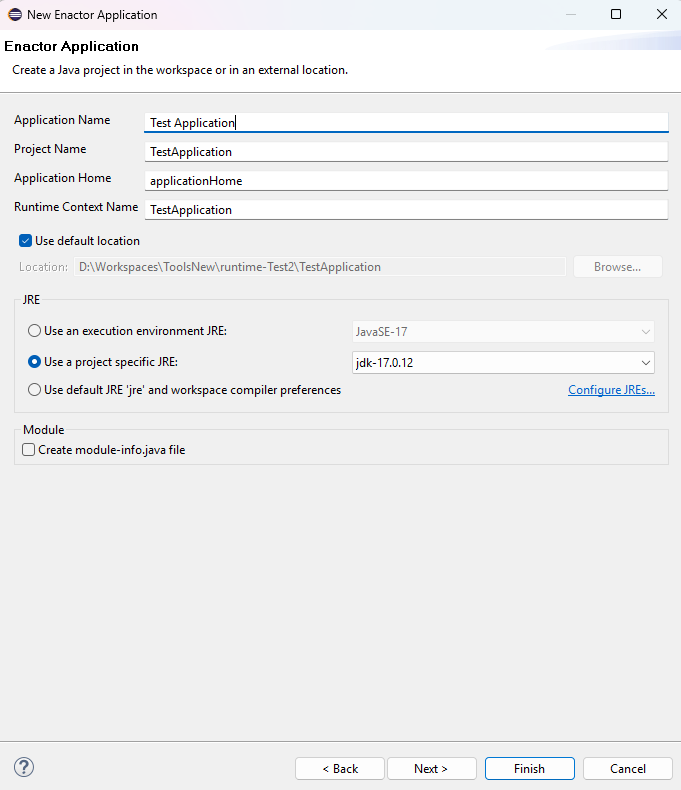
Support for Hello World Applications to run with Java 17
The latest tools introduces the support for Hello World Applications to run with Java 17
Versions Map Integration for Hello World Applications
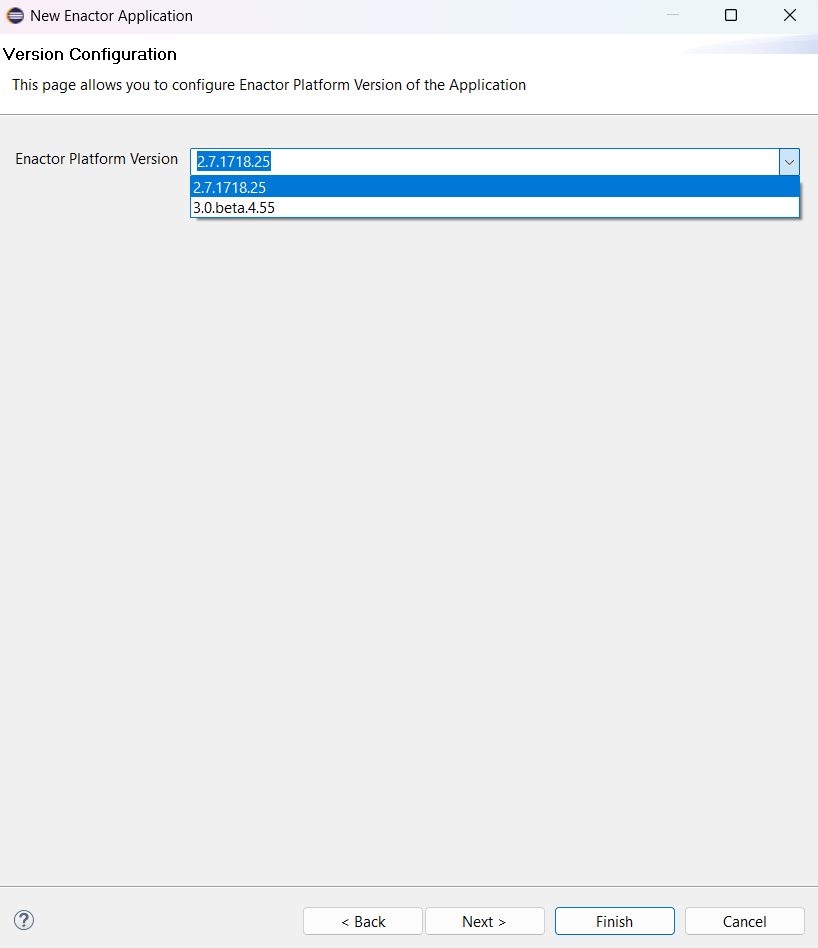
The Enactor Platform Version on the Version Configuration page of the Hello World Applications now gets populated from the VersionsMap.
This includes the recommended platform release versions.
Upgrade Tools Compilation Baseline to Eclipse 2022-06
The toolkit is now built with Eclipse 2022-06 dependencies. Therefore the minimum supported Eclipse version is Eclipse 2022-06.