Enactor Tools - Version 1.4.87
Release Date - February 18,2026
Overview
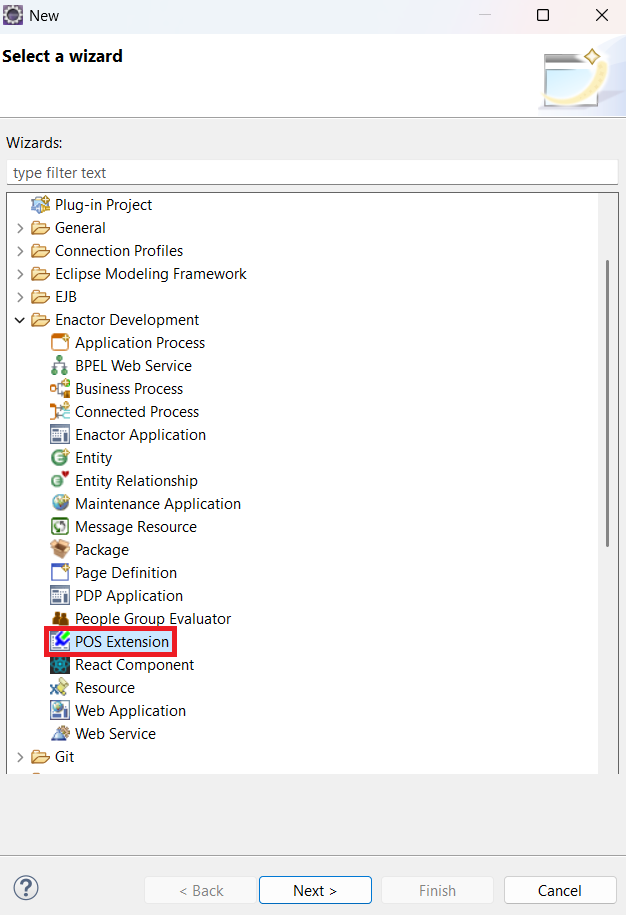
This release introduces a Wizard to generate POS Extensions where you can easily generate POS Extensions. Additionally, this version addresses critical installation issue identified in Eclipse 2025-09, ensuring full compatibility with the latest IDE releases.
Deliverables and Versions
If Your Workspace Platform Version is TRUNK-SNAPSHOT, 2.7-SNAPSHOT or above 2.7.1615 (i.e Compiler Compliance Level of the Projects is Java 1.8)
Download :Eclipse 2025-09
For Other Platform Versions (i.e Compiler Compliance Level of the Projects is Java 1.7)
Download :Eclipse 2024-06
-
Eclipse Changes
Required Eclipse Changes
- Due to changes in the newer versions of the Java Virtual Machine that prevent JAXB from using reflection, following change need to be done in the eclipse.ini configuration file
Ensure that you have exited the Eclipse application.Navigate to the eclipse installation directory and select to edit the Eclipse.ini configuration file
eg. C:\Users\[USER_NAME]\eclipse\[ECLIPSE_VERSION]\eclipse
--add-opens=java.base/java.lang=ALL-UNNAMED
- Due to an Eclipse update, the following ensures the Enactor Tools plugin does not attempt to access its preferences before they have been initialised, the existing
-Dosgi.dataAreaRequiresExplicitInitargument value should be updated tofalsein the same eclipse.ini file
-Dosgi.dataAreaRequiresExplicitInit=false
- If you are using a Linux with the Wayland Display Server and have issues with the Enactor Tools not working properly, you can force Eclipse to use X11 as a GDK backend by using a script to launch Eclipse and adding
export GDK_BACKEND=x11to it:
#/bin/bash
export GDK_BACKEND=x11
./eclipse "$@"
On HiDPI screens it may also be necessary to define the UI scale and DPI in this script, for example export GDK_SCALE=2 and export GDK_DPI_SCALE=0.5.
-
If your Eclipse Version is 2025-09
-
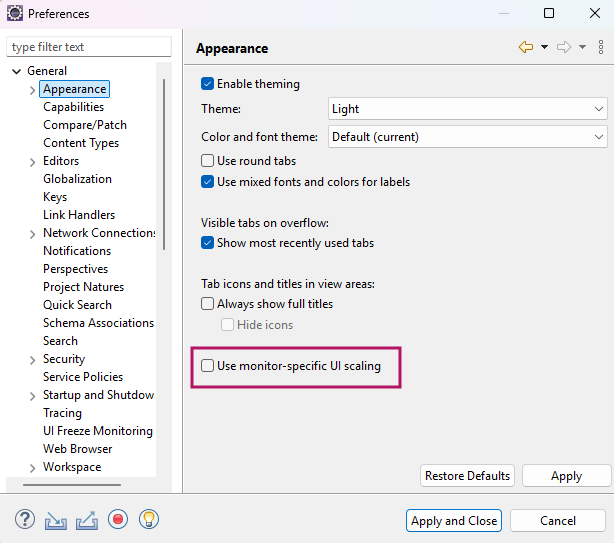
Eclipse 2025-09 has an issue with per-monitor DPI scaling on windows UI Scaling Issue in Windows
-
Windows users should apply below settings to resolve it
- Window -> Preferences -> General -> Appearence
- Disable the Use monitor-specific UI scaling checkbox
-
-
Eclipse 2025-09 has an issue with tm.terminal package Missing TM Terminal dependencies
-
Follow these steps to downgrade to a stable Terminal version
-
Disable Update Sites
-
Window -> Preferences -> search Available Software Sites.
-
Untick Latest Eclipse IDE Packages Release and Latest Eclipse Simultaneous Release.
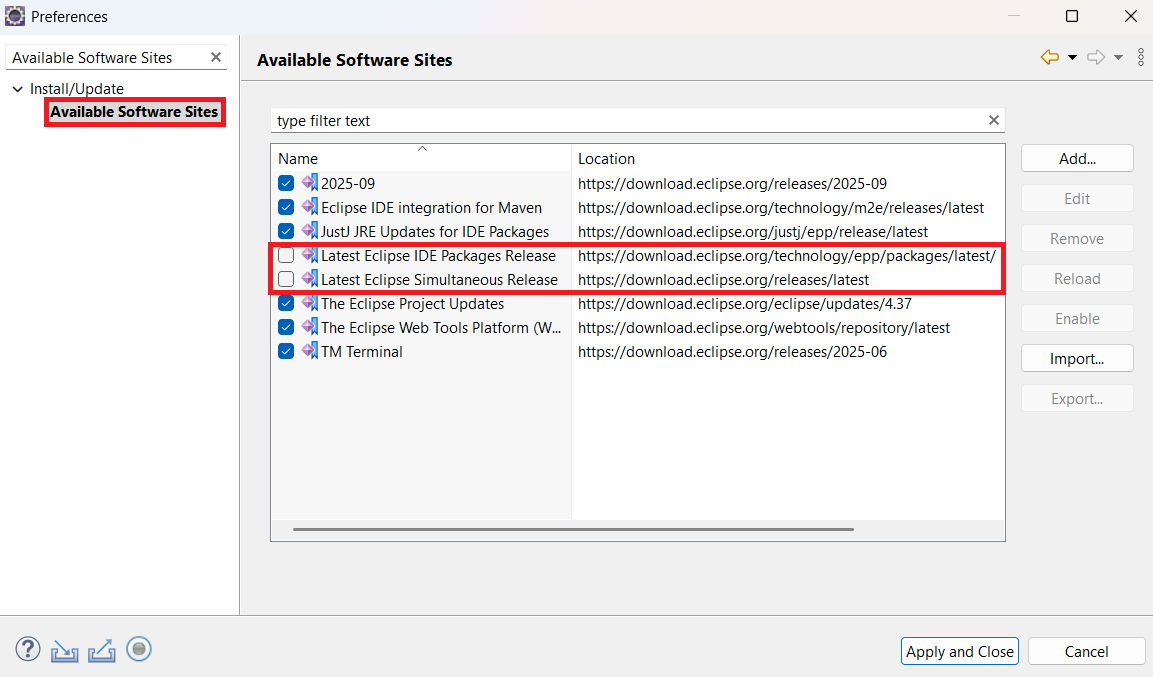
- Click Apply and Close.
-
-
Uninstall Current Terminal
-
Help -> Install New Software -> click the already installed link.
-
Search for TM Terminal, select the TM Terminal entry, and click Uninstall.
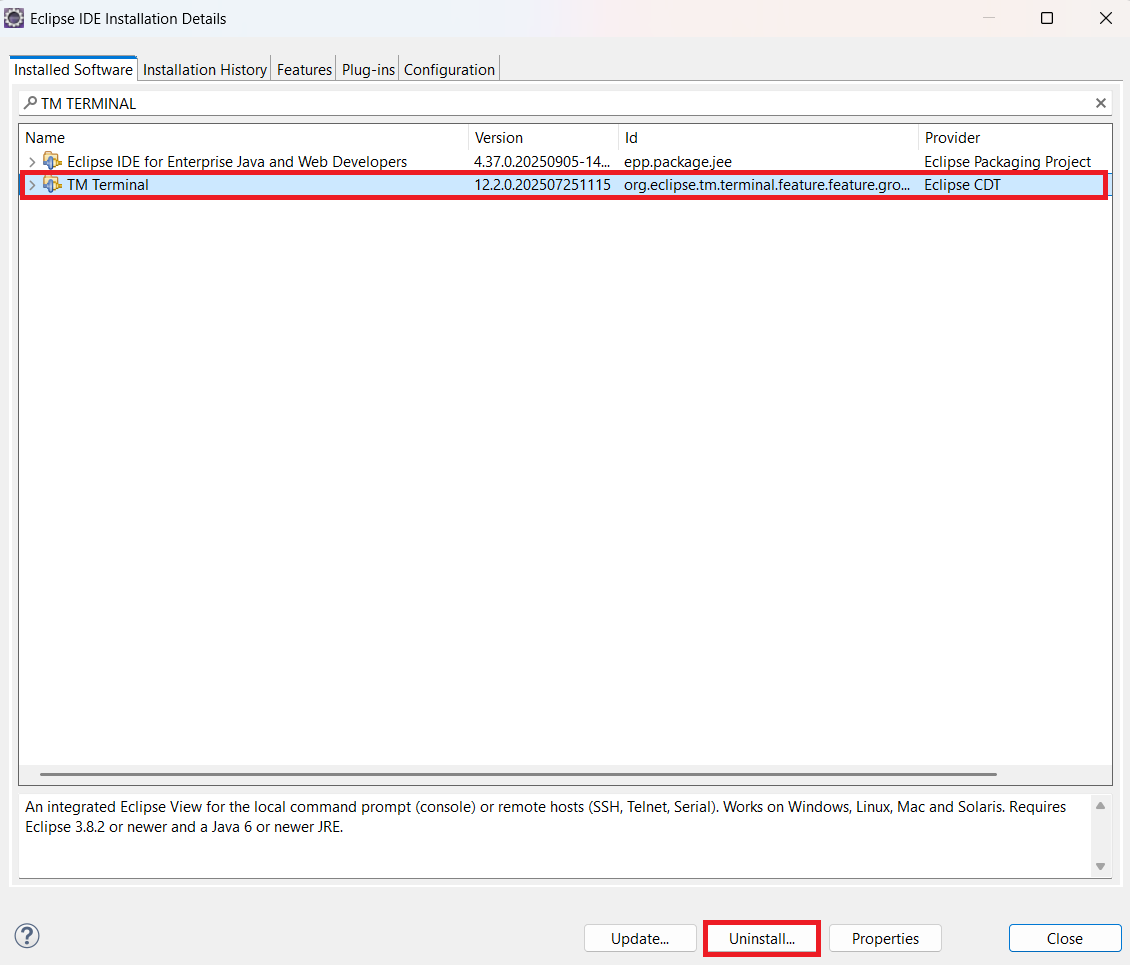
- Restart Eclipse.
-
-
Reinstall Stable Version
- Help -> Install New Software -> Add.
Name: TM Terminal
Location: https://download.eclipse.org/releases/2025-06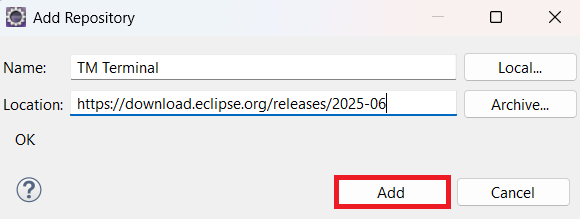
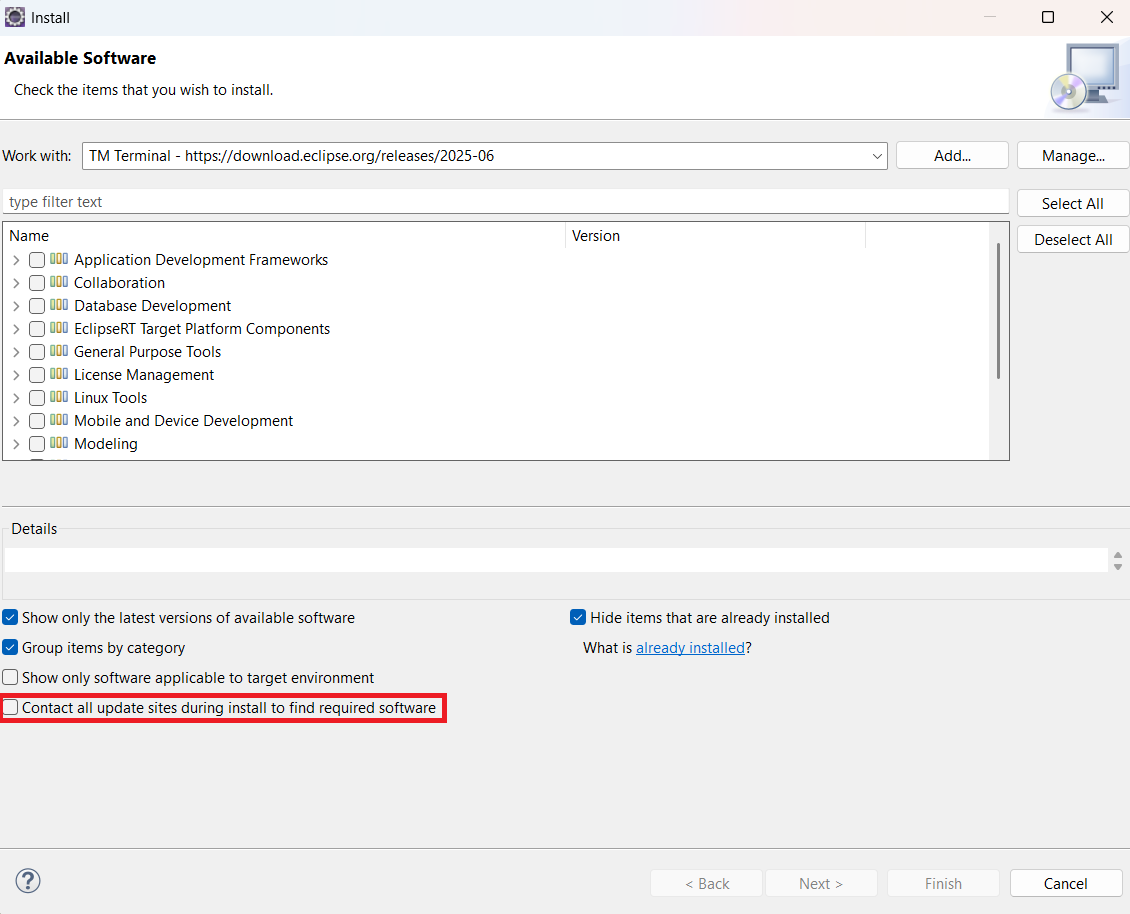
- Untick "Contact all update sites during install to find required software".
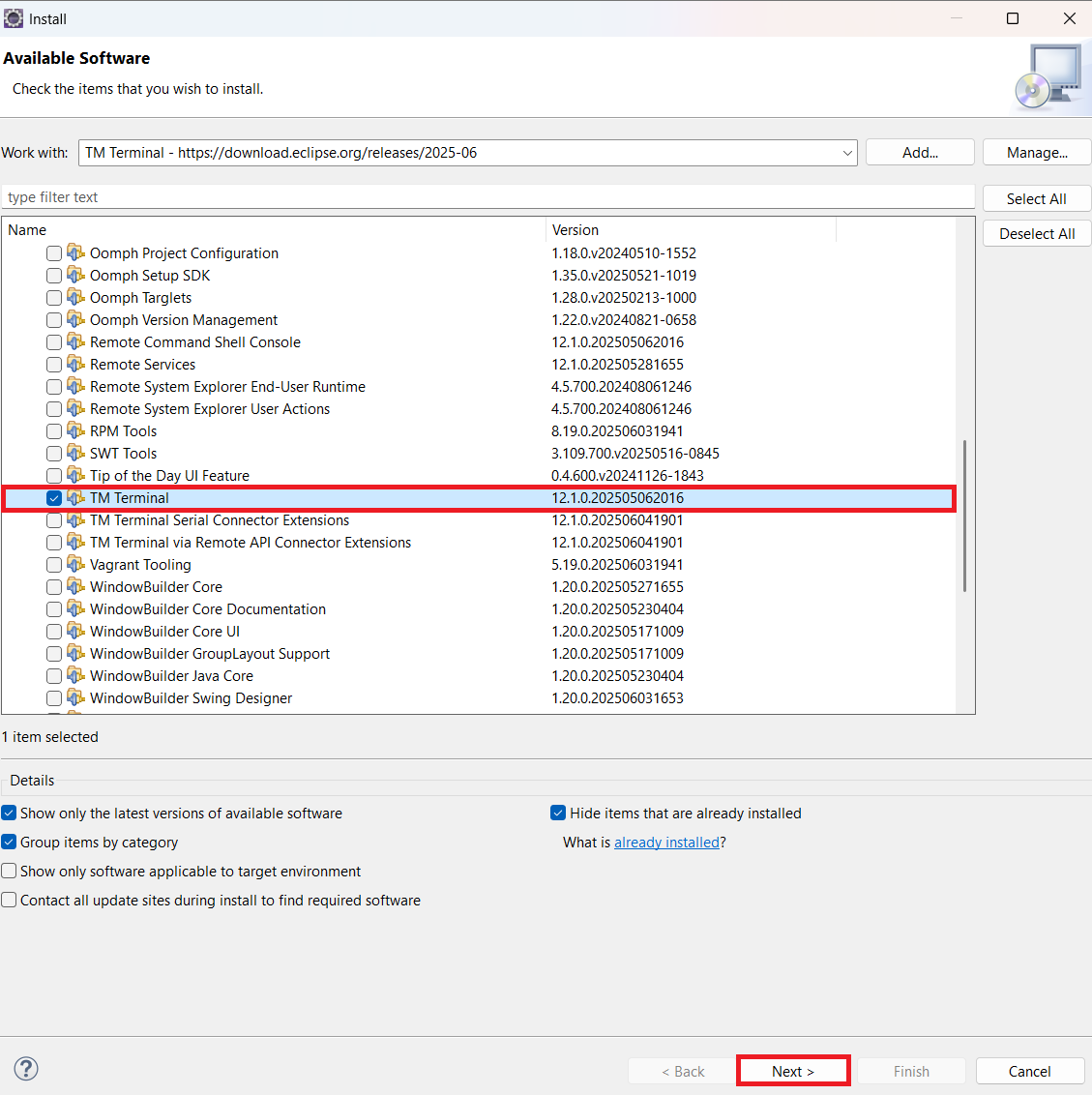
- Expand General Purpose Tools, check TM Terminal, and complete the installation.
-
Restart Eclipse.
-
Finally, go to Window -> Preferences -> Available Software Sites and tick the checkboxes that were unticked in Step 1.
-
-
-
-
If your Eclipse Version is 2024-06
-
Eclipse 2024-06 has an issue with inbuilt M2Eclipse2.6.1 plugin
-
Update the plugin to latest version with below steps.
-
Help -> Install New Software -> Add
Name : M2Eclipse2.11.0
Location Eclipse software repository, The Eclipse Foundation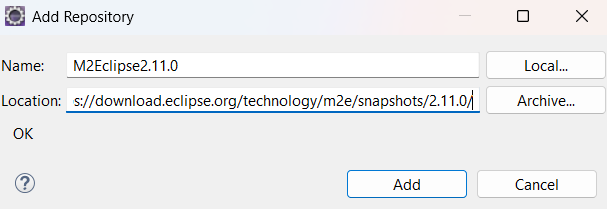
Install and restart eclipse. If you have already imported maven projects, Right Click → Maven → Update Project -
Restart Eclipse for the changes to take effect.
-
-
-
Optional Eclipse Changes
- Eclipse can be given more RAM if the host machine has the capacity.To do this, update the values for the argument
-Xmsand-Xmxin the eclipse.ini
-Xms512m
-Xmx4096m
Restart Eclipse for the changes to take effect.
-
Minimum Eclipse Version
-
OS
Tested On - Mac 13.0.1, Ubuntu - 24.04.2 LTS, Windows - 11
Changes
| Ref | Summary |
|---|---|
| DT-939 | POS Extension Wizard |
Bug Fixes
| Ref | Summary |
|---|---|
| DT-935 | Cannot Install Enactor Tools Plugin on Eclipse 2025-9 |
POS Extension Wizard
The latest tools introduce a wizard to generate POS Extensions, where you can easily create POS Extensions.
To enable this feature, add the -Denactor.tools.enableExperimentalFeatures=true property to the eclipse.ini file.