Extension Management

Replacing an Entire Process
Extension Management - Replacing an Entire Process

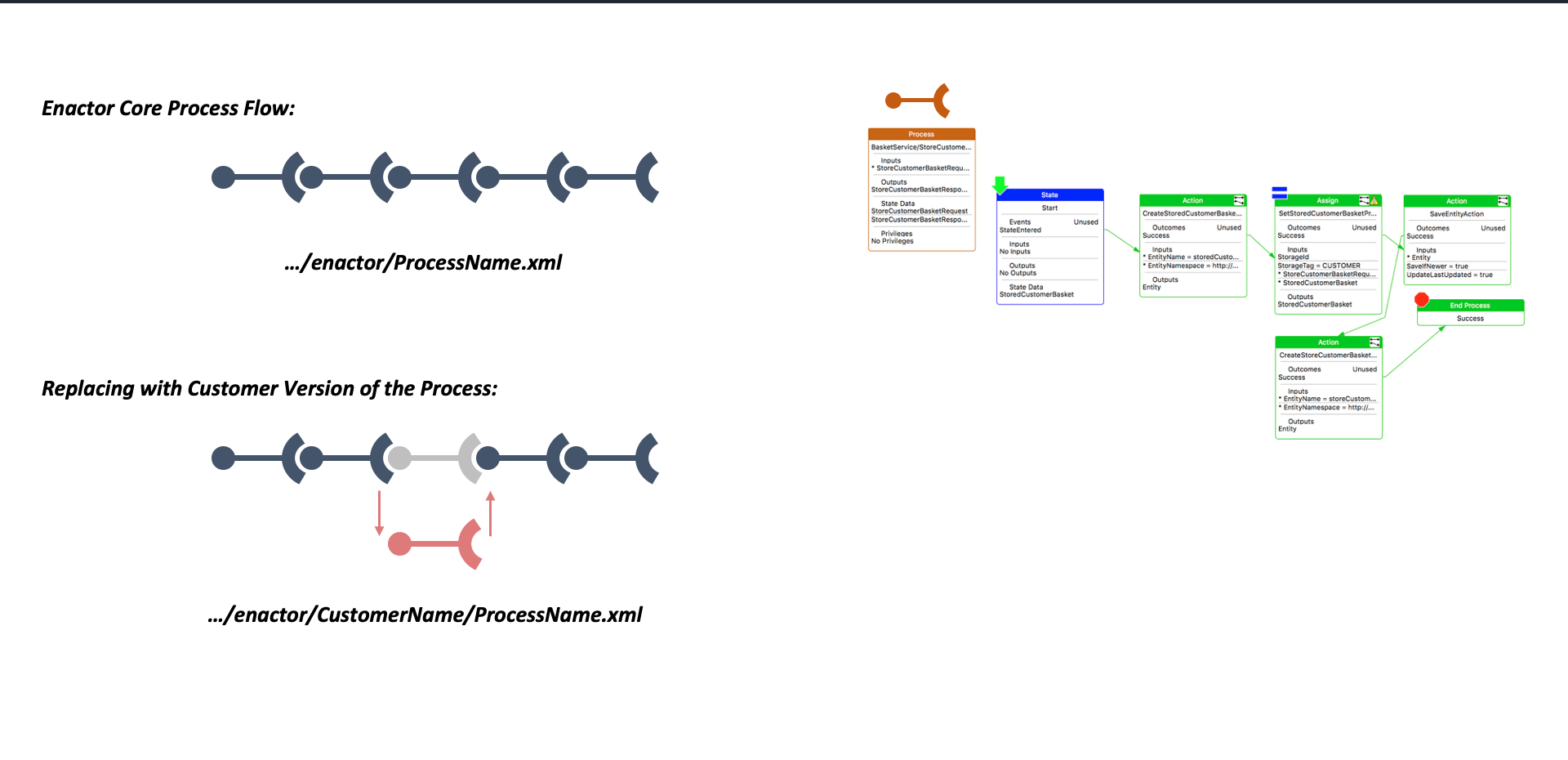
A customer can replace an entire Enactor core process flow:

  • Enactor Core Process Flow: .../enactor/ProcessName.xml
  • Customer Version: .../enactor/CustomerName/ProcessName.xml

The customer version completely replaces the core process, giving full control over the flow. Example: BasketService/StoreCustomerBasket process with State, CreateStoredCustomerBasket Action, SetStoredCustomerBasketPr Assign, and SaveEntityAction nodes.

Utilising Extension Points

Extension Management - Utilising Extension Points

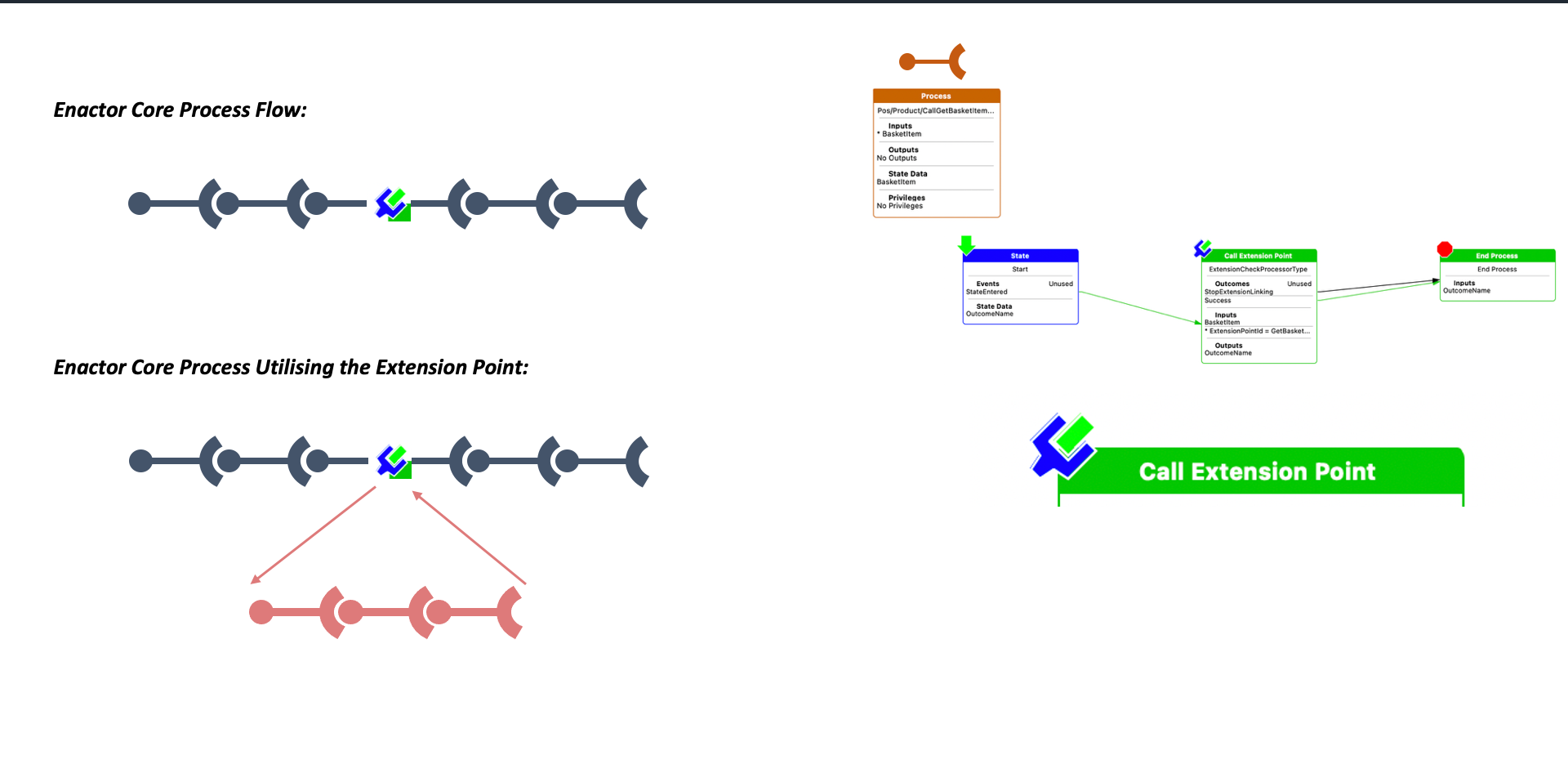
Extend a core process without replacing it entirely:

  • The core process flow includes a Call Extension Point node
  • When utilised, a custom sub-process branches off from the extension point and returns to the main flow
  • The core process remains unchanged - only the extension is added

Example: Pos/Product/CallGetBasketItem process with a Call Extension Point for ExtensionCheckProcessorType. This approach allows targeted extensions without modifying the core process.

Extensions Layering

Extensions

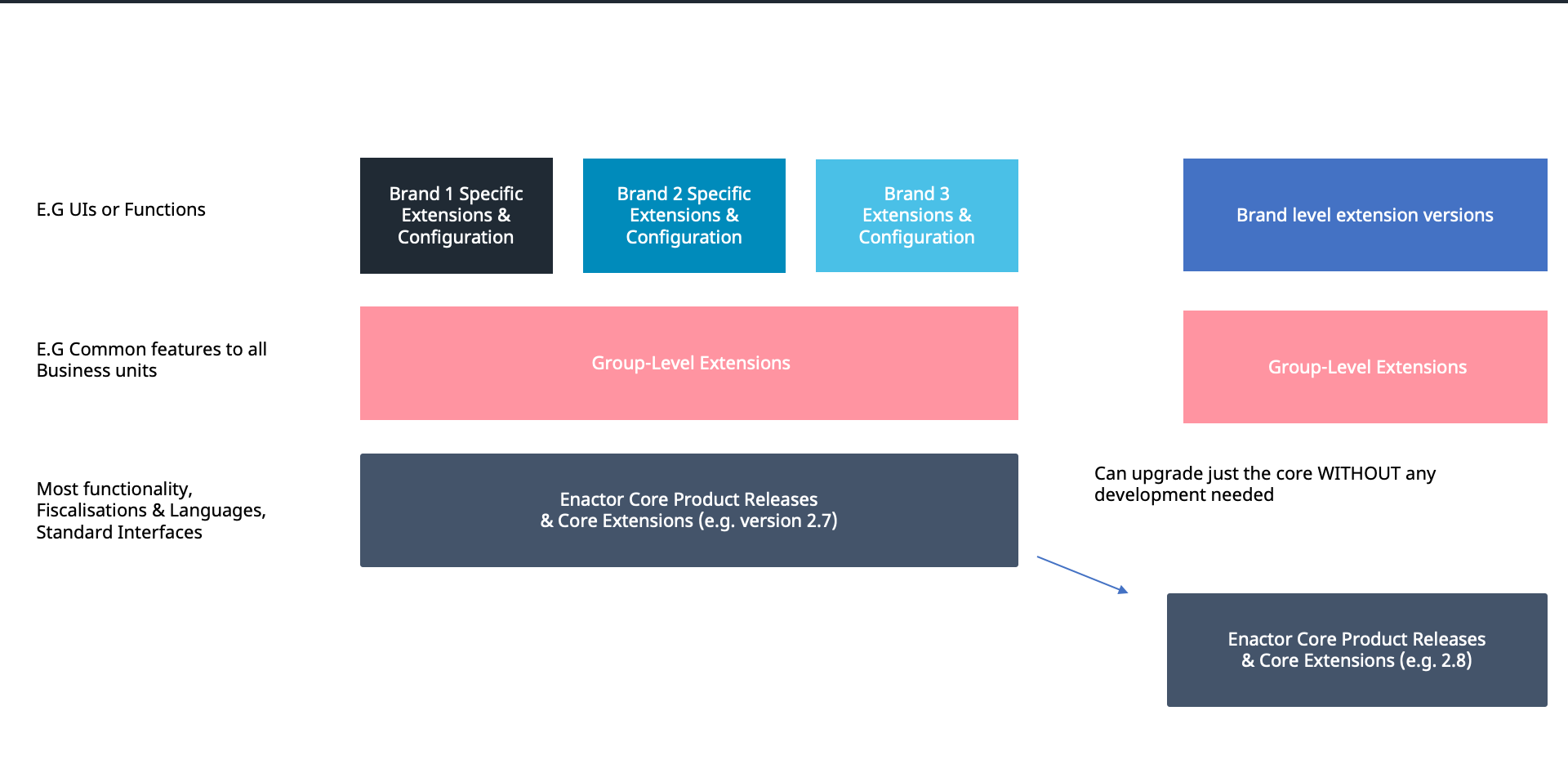
Three-layer extension model enabling clean upgrades:

LayerScopeDescription
Brand-Specific ExtensionsE.G UIs or Functions per brandBrand 1, Brand 2, Brand 3 specific extensions and configuration
Group-Level ExtensionsE.G Common features to all Business UnitsShared extensions across all brands in the group
Enactor Core Product ReleasesMost functionality, Fiscalisations and Languages, Standard InterfacesCore Extensions (e.g. version 2.7)

Key benefit: Can upgrade just the core (e.g. from 2.7 to 2.8) WITHOUT any development needed - brand level and group level extensions remain unchanged.


Further Reading

DocumentDescription
Configuring POS ExtensionsManaging POS extension packages
UC API - Extension PointsAPI-level extension points
Configuring MenusConfiguring POS menu layouts and behaviour