Low-Code Development
Changing Enactor
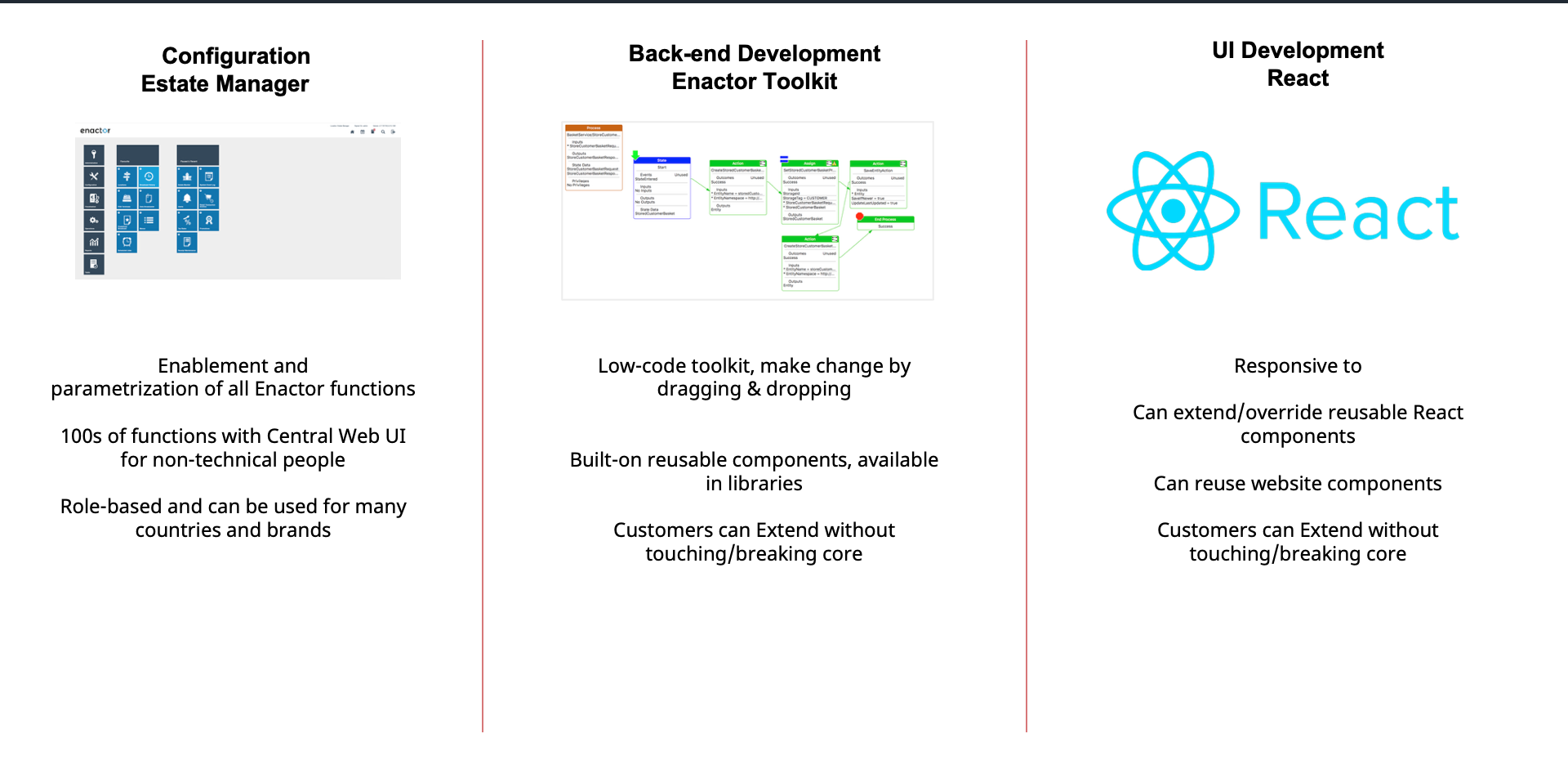
Three approaches to customising the Enactor platform:
| Approach | Tool | Description |
|---|---|---|
| Configuration | Estate Manager | Enablement and parametrisation of all Enactor functions. 100s of functions with Central Web UI for non-technical people. Role-based and can be used for many countries and brands. |
| Back-end Development | Enactor Toolkit | Low-code toolkit, make change by dragging and dropping. Built-on reusable components, available in libraries. Customers can Extend without touching/breaking core. |
| UI Development | React | Responsive to device. Can extend/override reusable React components. Can reuse website components. Customers can Extend without touching/breaking core. |
Hyper-Extensibility
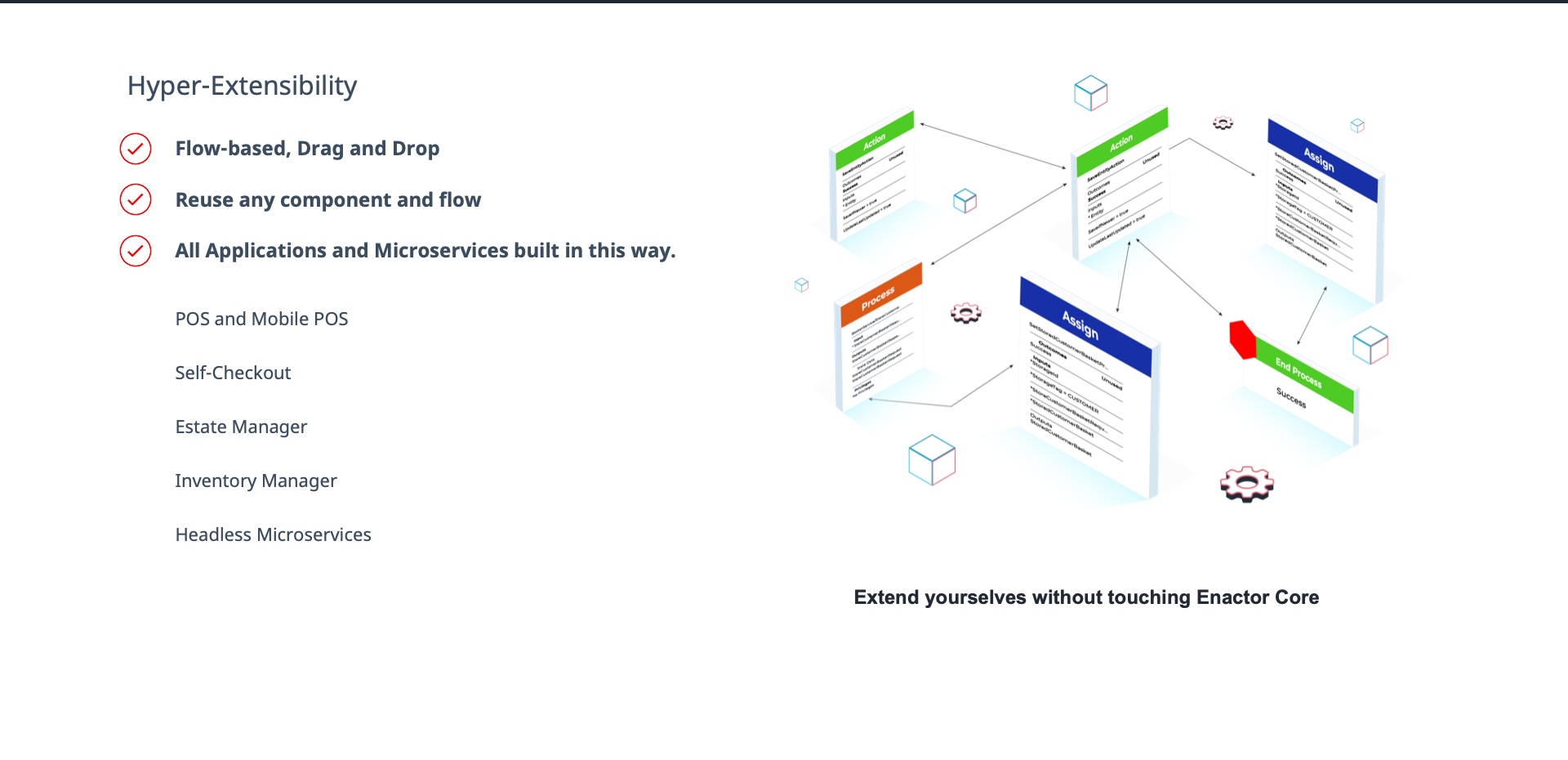
Hyper-Extensibility:
- Flow-based, Drag and Drop
- Reuse any component and flow
- All Applications and Microservices built in this way
Applications built with the low-code toolkit:
- POS and Mobile POS
- Self-Checkout
- Estate Manager
- Inventory Manager
- Headless Microservices
Extend yourselves without touching Enactor Core
Resource Libraries
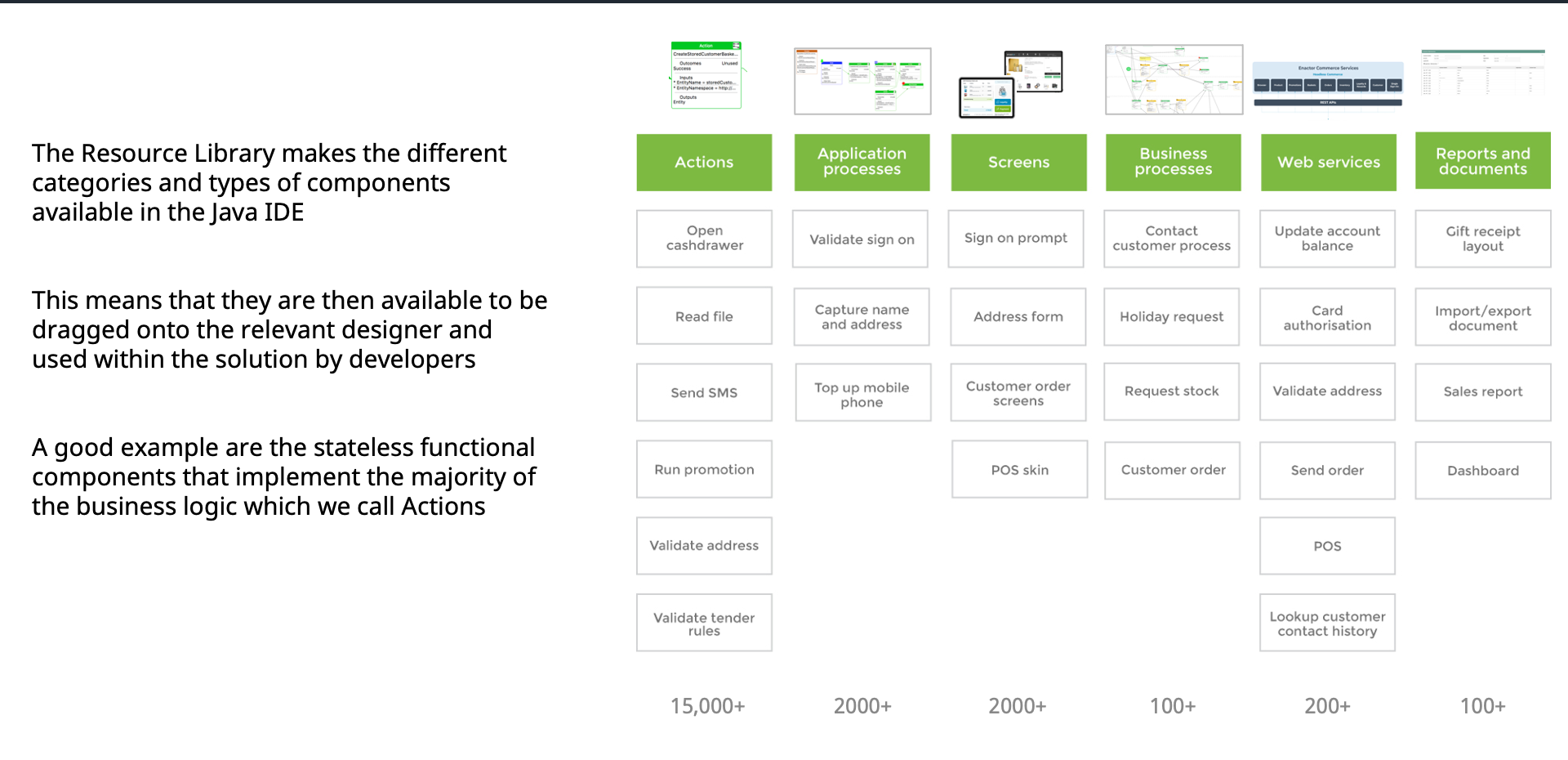
The Resource Library makes the different categories and types of components available in the Java IDE to be dragged onto the relevant designer and used within the solution by developers.
| Category | Count | Examples |
|---|---|---|
| Actions | 15,000+ | Open cashdrawer, Read file, Send SMS, Run promotion, Validate address, Validate tender rules |
| Application Processes | 2,000+ | Validate sign on, Capture name and address, Top up mobile phone |
| Screens | 2,000+ | Sign on prompt, Address form, Customer order screens, POS skin |
| Business Processes | 100+ | Contact customer process, Holiday request, Request stock, Customer order |
| Web Services | 200+ | Update account balance, Card authorisation, Validate address, Send order |
| Reports and Documents | 100+ | Gift receipt layout, Import/export document, Sales report, Dashboard |
A good example are the stateless functional components that implement the majority of the business logic which Enactor calls Actions.
Extendable POS
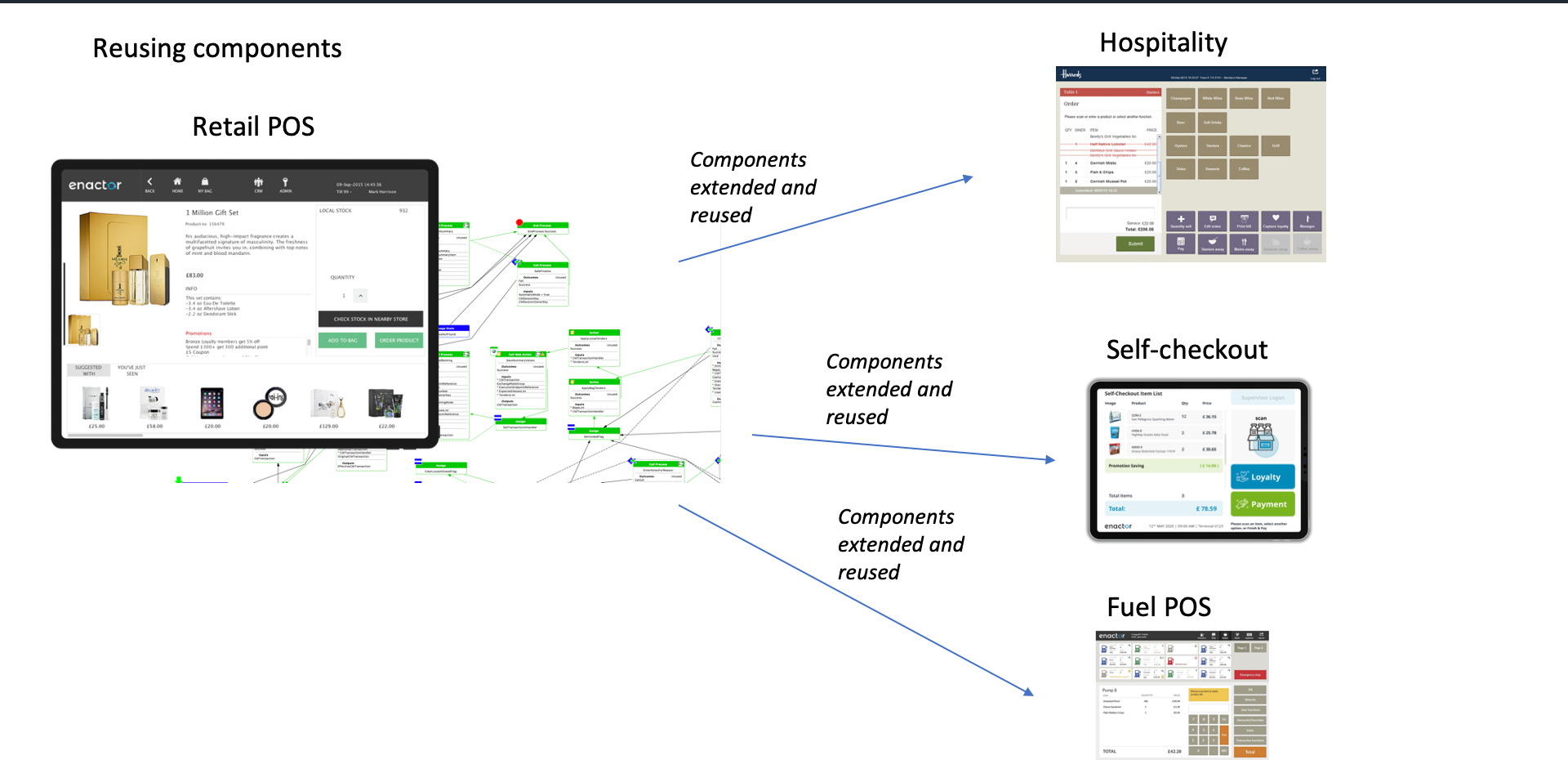
Reusing components from the core Retail POS to build vertical-specific applications:
- Retail POS - The core application with all process flow components
- Hospitality - Components extended and reused for restaurant and food service
- Self-checkout - Components extended and reused for unattended checkout
- Fuel POS - Components extended and reused for fuel forecourt operations
All vertical applications share and extend the same core POS components.
Further Reading
| Document | Description |
|---|---|
| Application Processes Best Practices | Best practices for building application processes |
| Toolkit and Low-Code Videos | Video tutorials on the Enactor low-code toolkit |