Microservice Architecture
Section Overview
This section covers three main areas:
- Microservice Architecture - Nano services, core microservices, deployment
- Container Architecture - Technology stack, versions, folder structure
- POS Internal Architecture - Device components, software layers, React UI
Architecture Overview
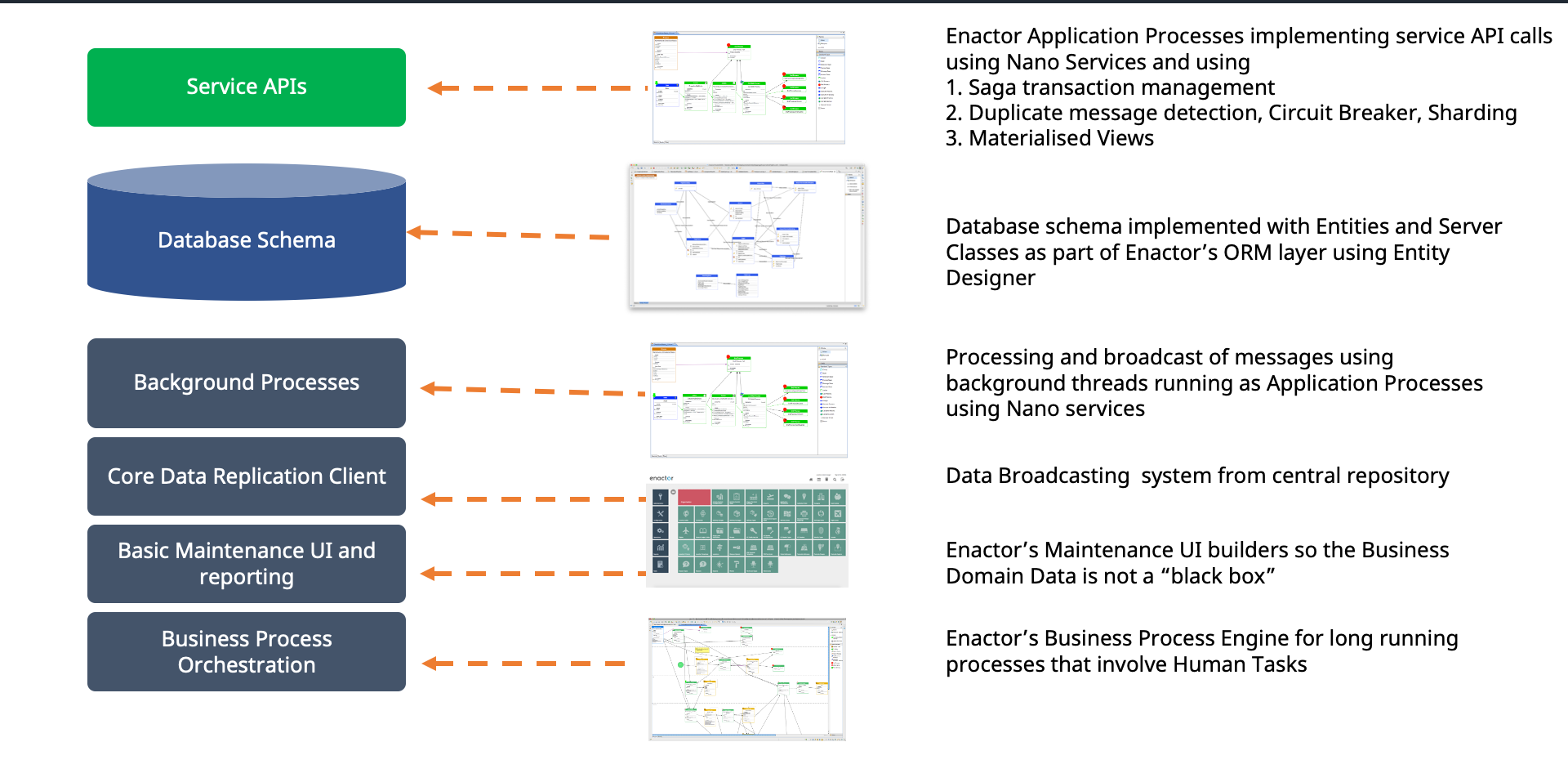
Each Enactor microservice is built from six architectural layers:
| Layer | Description |
|---|---|
| Service APIs | Enactor Application Processes implementing service API calls using Nano Services with Saga transaction management, Duplicate message detection, Circuit Breaker, Sharding, and Materialised Views |
| Database Schema | Implemented with Entities and Server Classes as part of Enactor's ORM layer using Entity Designer |
| Background Processes | Processing and broadcast of messages using background threads running as Application Processes using Nano Services |
| Core Data Replication Client | Data Broadcasting system from central repository |
| Basic Maintenance UI and Reporting | Enactor's Maintenance UI builders so the Business Domain Data is not a "black box" |
| Business Process Orchestration | Enactor's Business Process Engine for long running processes that involve Human Tasks |
Core Enactor Microservices
| Service | Description |
|---|---|
| Retail Transactions | Provides sales data and cash management services for stores and reporting services and processes retail transactions from message queues |
| Store Inventory | Provides store inventory management services and updates inventory from retail transactions message queues |
| Order Services | Provides order services, orchestrates the execution of order processes, and processes order transactions |
| Basket Services | Provides basket services to applications such as web sites and mobile applications using the same engine that the POS uses internally |
| Promotion Services | Provides promotion services to applications such as web sites and mobile applications using the same engine that the POS uses internally |
| Customer Services | Provides customer sales and loyalty services and processes customer sales and loyalty transaction data to update customer transaction history and loyalty scheme totals |
Core Microservices Diagram
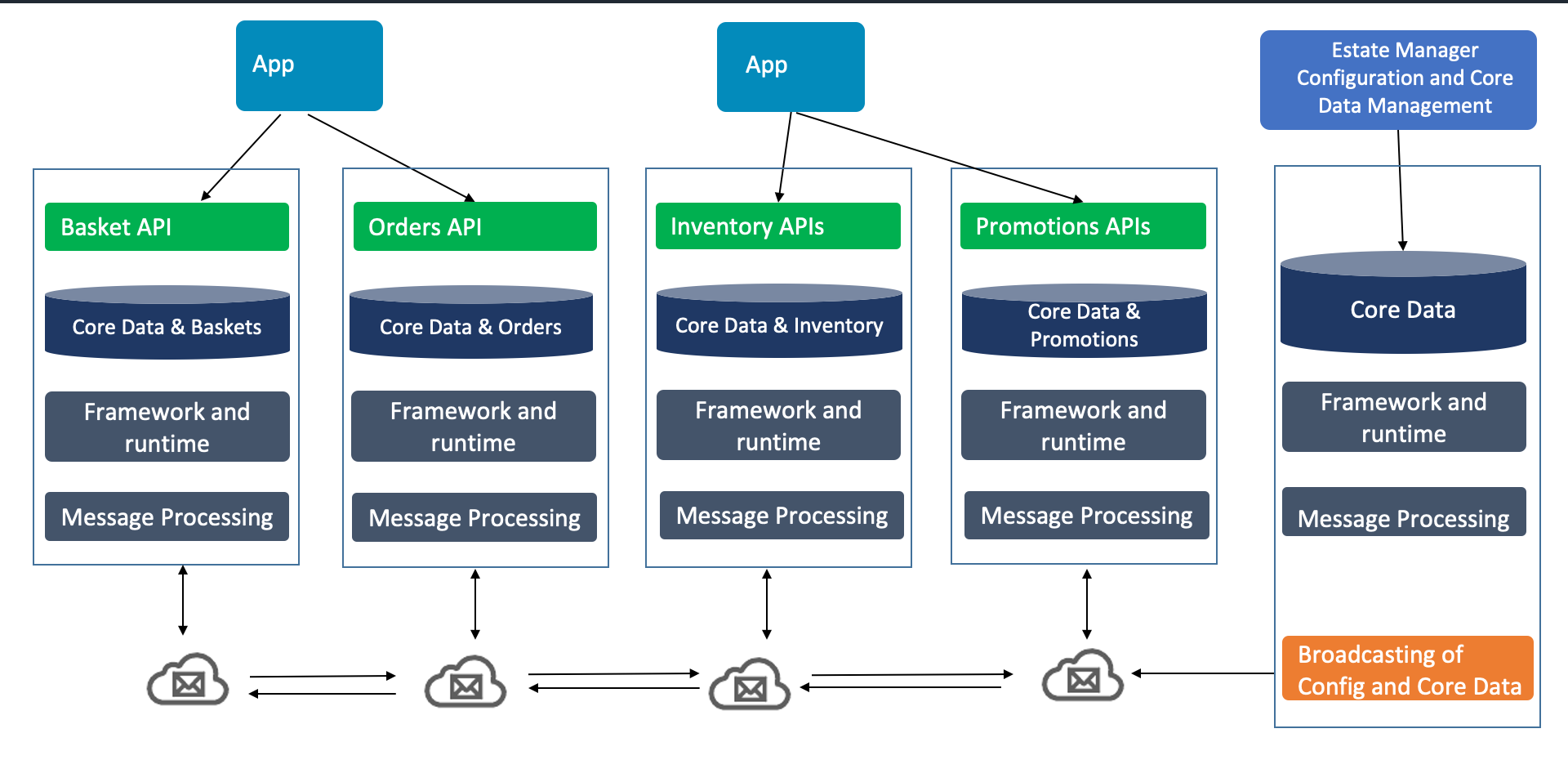
Each domain-specific microservice follows the same layered structure:
- API layer - Basket API, Orders API, Inventory APIs, Promotions APIs
- Core Data and domain data - Core Data and Baskets, Core Data and Orders, Core Data and Inventory, Core Data and Promotions
- Framework and Runtime - Shared framework layer
- Message Processing - Cloud messaging between all microservices
The Estate Manager handles Configuration and Core Data Management, broadcasting config and core data to all services.
Click and Collect User Journey
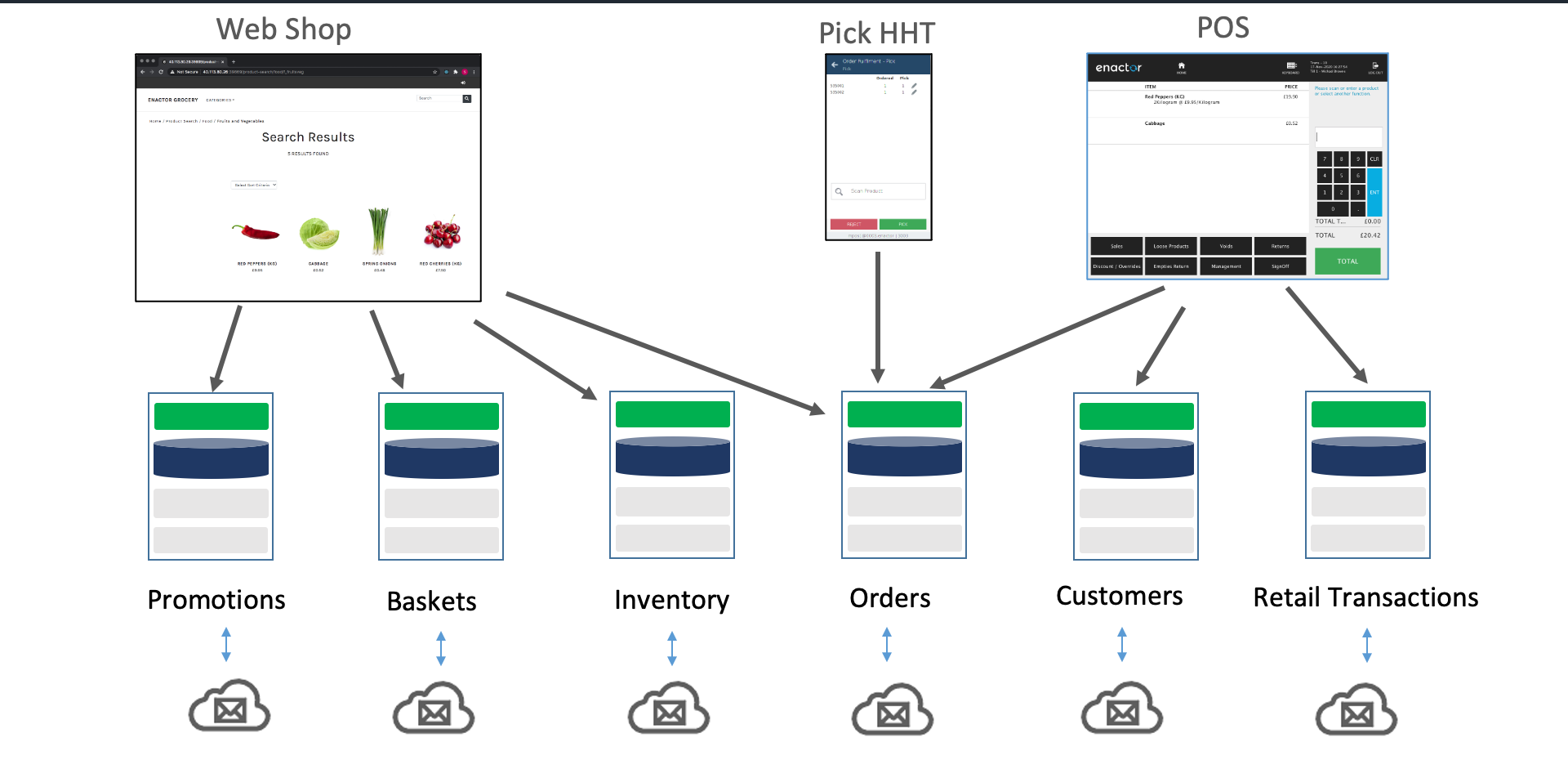
A complete omnichannel journey across three touchpoints:
- Web Shop - Customer searches and browses products online
- Pick HHT - Warehouse staff receives and fulfils the order
- POS - Customer collects and pays at checkout
Each touchpoint connects to the underlying microservices:
- Promotions - Pricing and offers across all channels
- Baskets - Shared basket engine for web and POS
- Inventory - Real-time stock across all locations
- Orders - Order orchestration and fulfilment
- Customers - Customer data and loyalty
- Retail Transactions - Transaction processing and archive
All microservices communicate via cloud messaging.
Deploying and Upgrading Microservices
- Stacks deployed by Swarm or Kubernetes automatically deploy contained components from their runtime JAR files
- A DB schema management component within each stack automatically creates necessary database instances, schemas, tables, document stores, and indexes upon first startup
- Software upgrades are delivered as new container versions from Docker registries, managed by Swarm or Kubernetes
- The DB schema management component automatically updates existing schemas, tables, and indexes (and transforms data) on the first startup after a container upgrade
- Message queues are automatically created when subscribers first register for send or receive, requiring no special handling during deployment or upgrade
Deployment Process
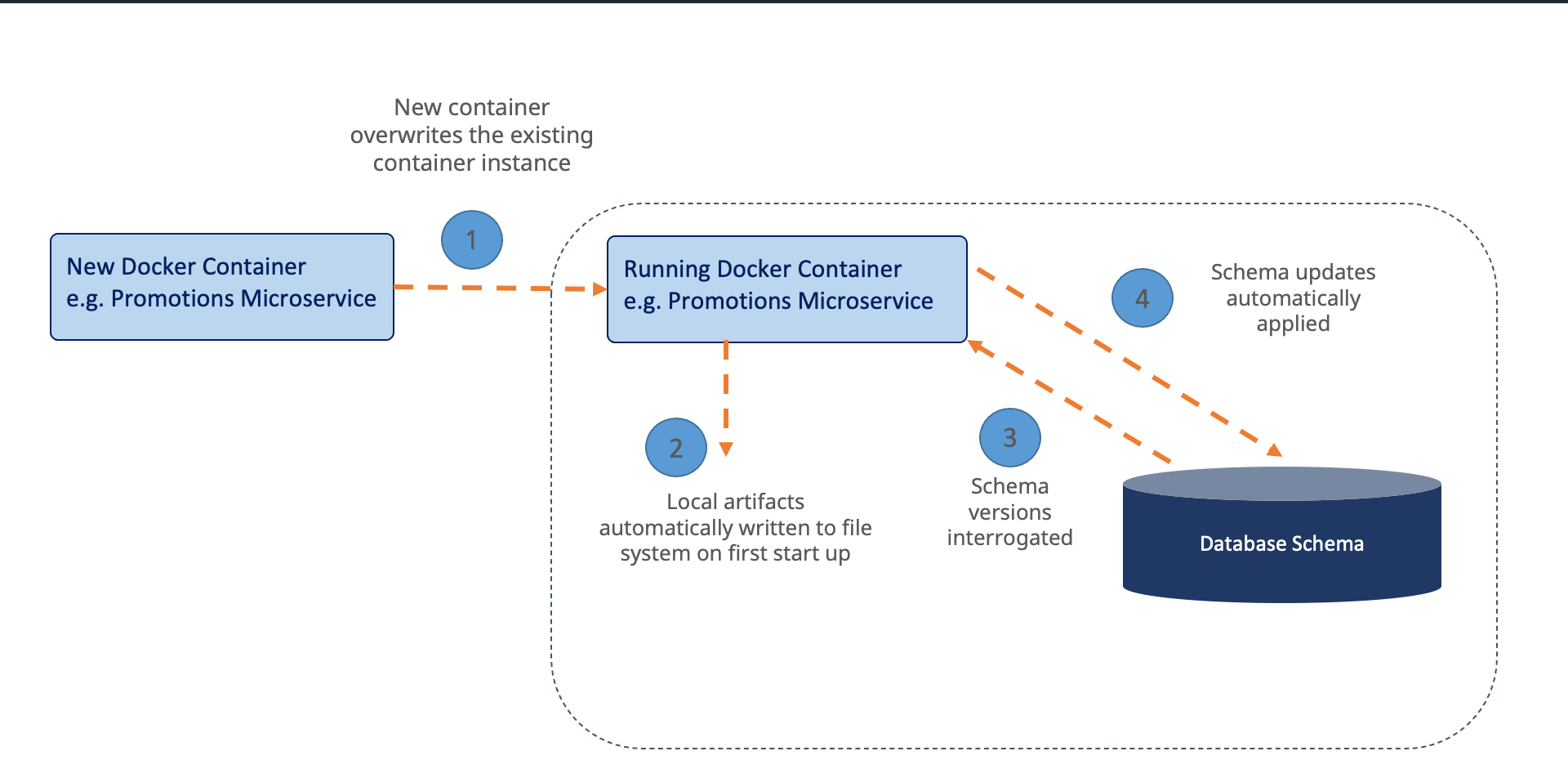
Container upgrade process (e.g. Promotions Microservice):
- Deploy - New Docker container overwrites the existing container instance
- Initialise - Local artifacts automatically written to file system on first startup
- Interrogate - Schema versions interrogated against the Database Schema
- Update - Schema updates automatically applied
Further Reading
| Document | Description |
|---|---|
| Central Application - Docker Container Deployment | Docker container deployment including technology stack |
| Central Application Deployment on Kubernetes | Kubernetes deployment and orchestration |
| EM Service Status List | Viewing microservice status in Estate Manager |