Data Management

Data Management
Slide38


Data Management - Objectives and Exercises

Objectives

At the end of this session, you will be able to:

  • Understand how master data is synchronised across the estate using Broadcast tools
  • Make data changes and broadcast them to all or specific devices
  • Configure a predefined broadcast to include specific entities and destinations
  • Understand the relationship between Configuration Data and XML Data Entities
  • Export Enactor Master Data as XML and inspect its structure and content
  • Import XML files to create or change master data entities
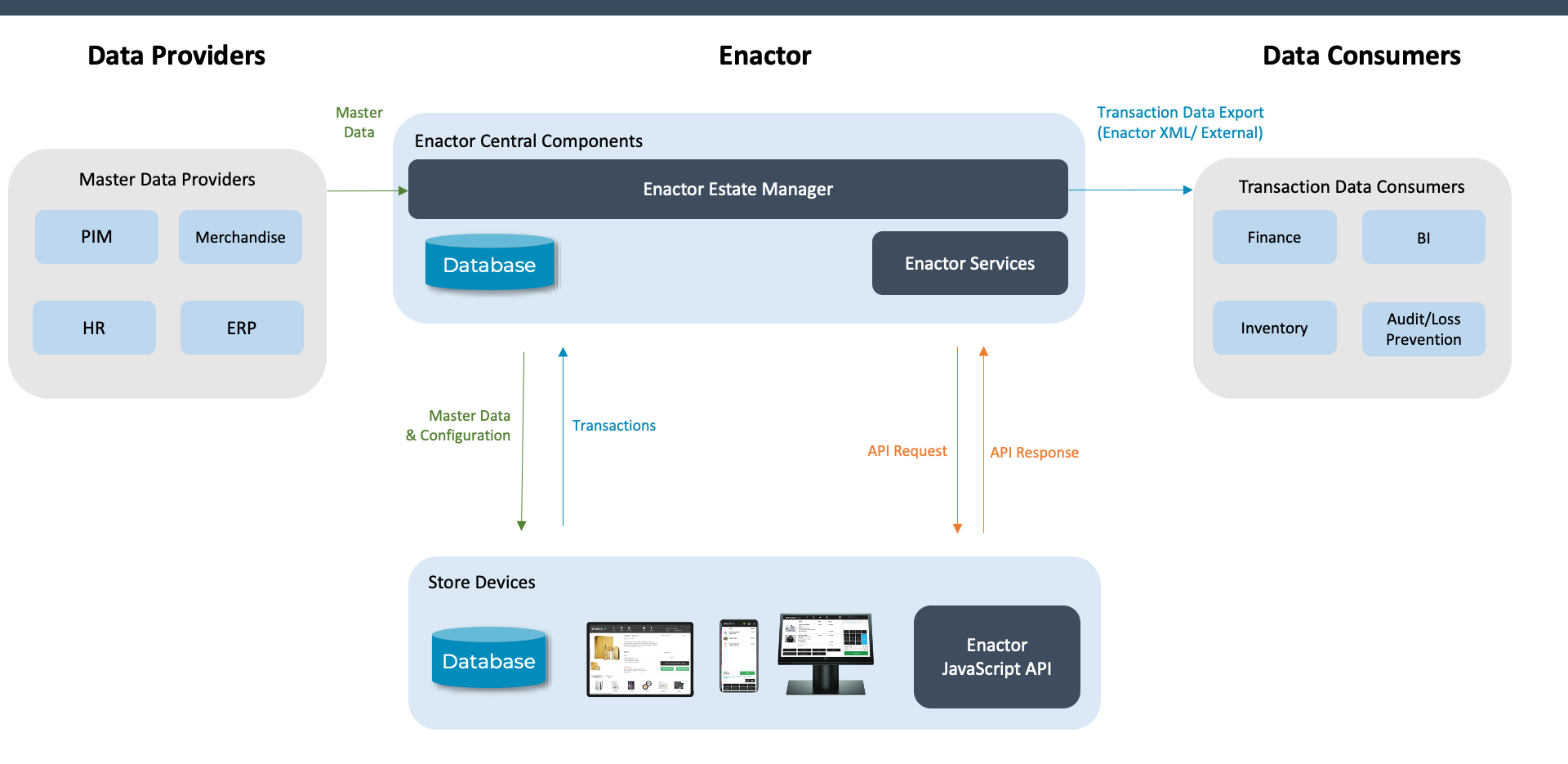
  • Understand how transaction data flows from the POS to the Estate Manager

Practical Exercises

  • Export/Import exercise
  • Broadcast exercise

Data Management - Topics

  • Master Data Management - Data Distribution (Broadcast), XML Export, XML Import
  • Transaction Data Management - Transaction flow, Inbound Documents, Retail Transaction Archive

Data Management - External

External Data Integration Architecture


Data Management - Data Broadcast Process
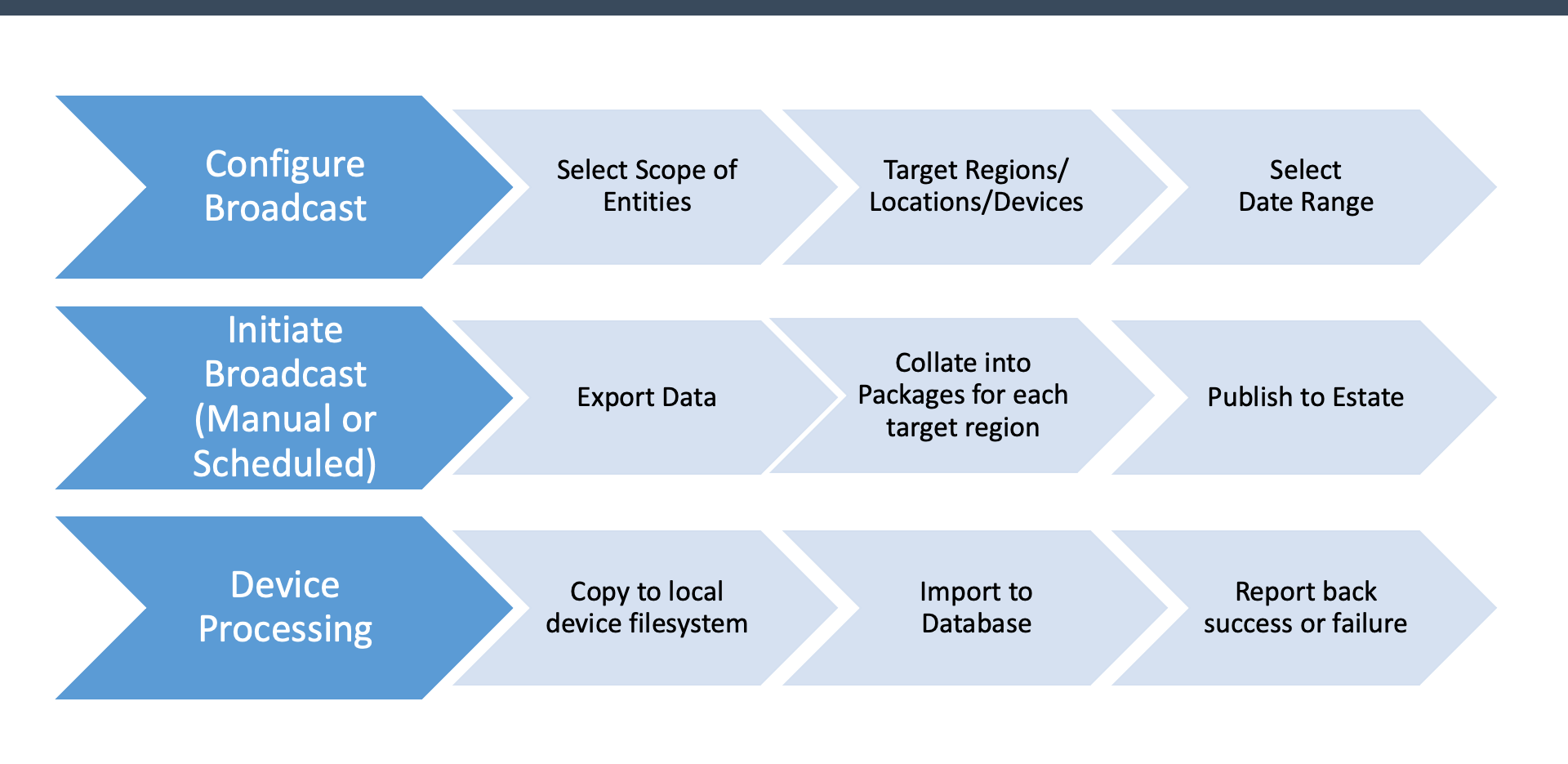
Data Broadcast Process


Data Management - Exercise 1: Export/Import

  1. Log on to the Estate Manager
  2. Navigate to File Export
  3. Select changes since the specified time
  4. Choose the Location entity
  5. Click Export and monitor progress in Scheduled Jobs
  6. Download the exported XML file
  7. Open the file in a text editor to understand its structure
  8. Edit the Location ID and description to use your TrainX ID
  9. Save the file
  10. Upload it via File Import
  11. Monitor the import job
  12. Verify the resulting data in Location Maintenance

Data Management - Exercise 2: Broadcast

  1. Log on to the Estate Manager
  2. Navigate to Predefined Broadcast
  3. Create a new broadcast configuration with your TrainX ID, name and description
  4. Enable "Select Target on Broadcast"
  5. Select entities: Group, User, Location
  6. Save the broadcast configuration
  7. Execute the broadcast targeting All Stores with changes since 9am
  8. Monitor progress on the Broadcast History page

Further Reading

For additional information and further reading on Data Management, please see the following guides:

DocumentDescription
How to: File ImportImporting data via XML files
How to: File ExportExporting data as XML files
How to: BroadcastingConfiguring and running data broadcasts