Core Payment Configuration
Core Payment Configuration
IIN Ranges
Issuer Identification Numbers
- Static data from card schemes - defines the number ranges for each card type
- Used to identify the card type and scheme from the card number (PAN)
- Maintained by Enactor - updated centrally when card schemes change their ranges
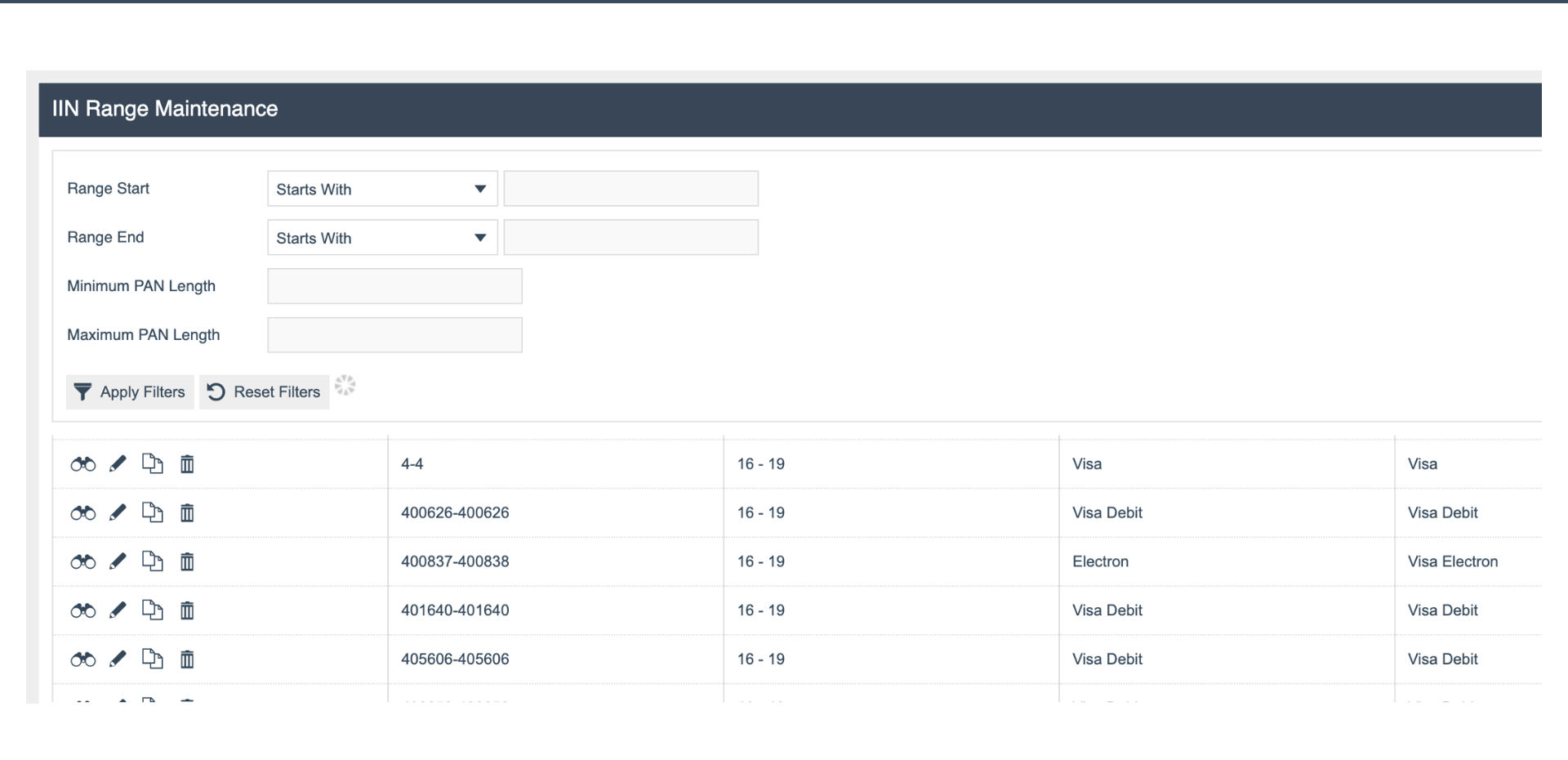
IIN Range Maintenance
IIN Range Fields
- Range Start / End - the numeric range that identifies a card scheme
- PAN Length - expected length of the Primary Account Number
- Card Types - the card types matched by this range, e.g. Visa, Visa Debit, Electron
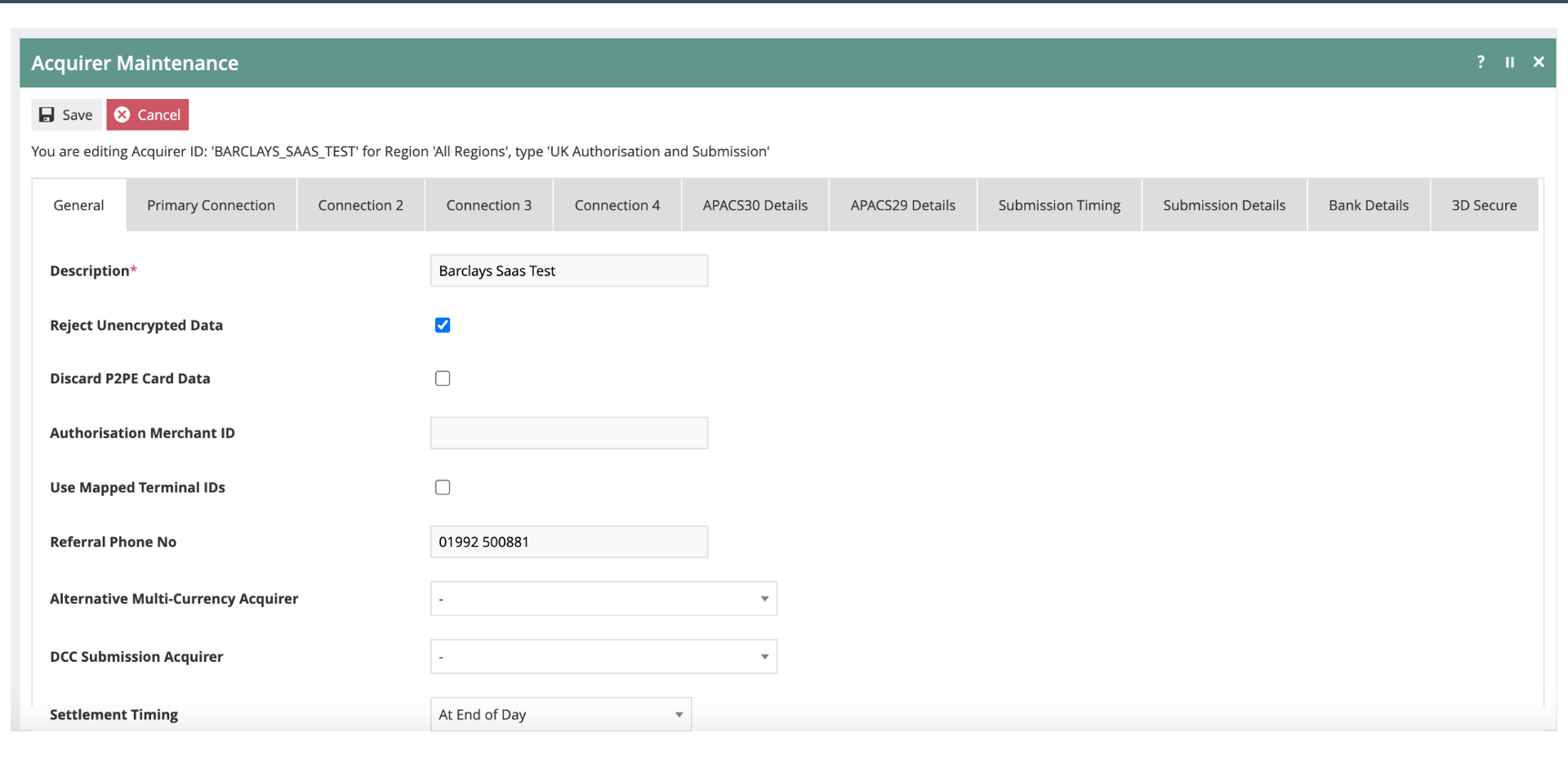
Acquirer Maintenance - General
Acquirer General Settings
- Acquirer - e.g.
BARCLAYS_SAAS_TEST - Reject Unencrypted Data - enforces P2PE by rejecting any unencrypted card data
- Settlement Timing - End of Day batch settlement
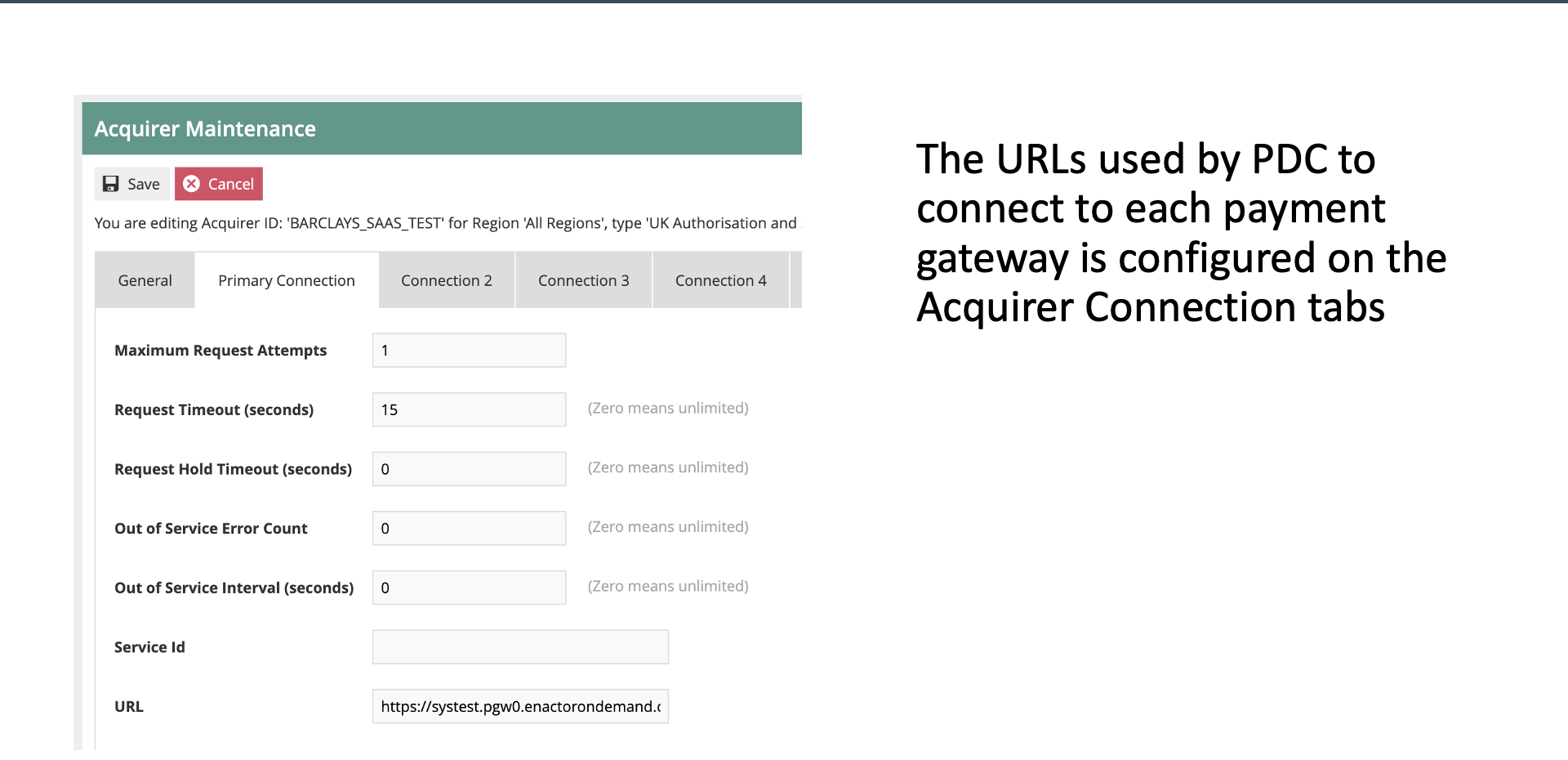
Acquirer Primary Connection
Primary Connection
- URL - the payment gateway URL for online authorisation requests
- Timeout Settings - connection and response timeout values
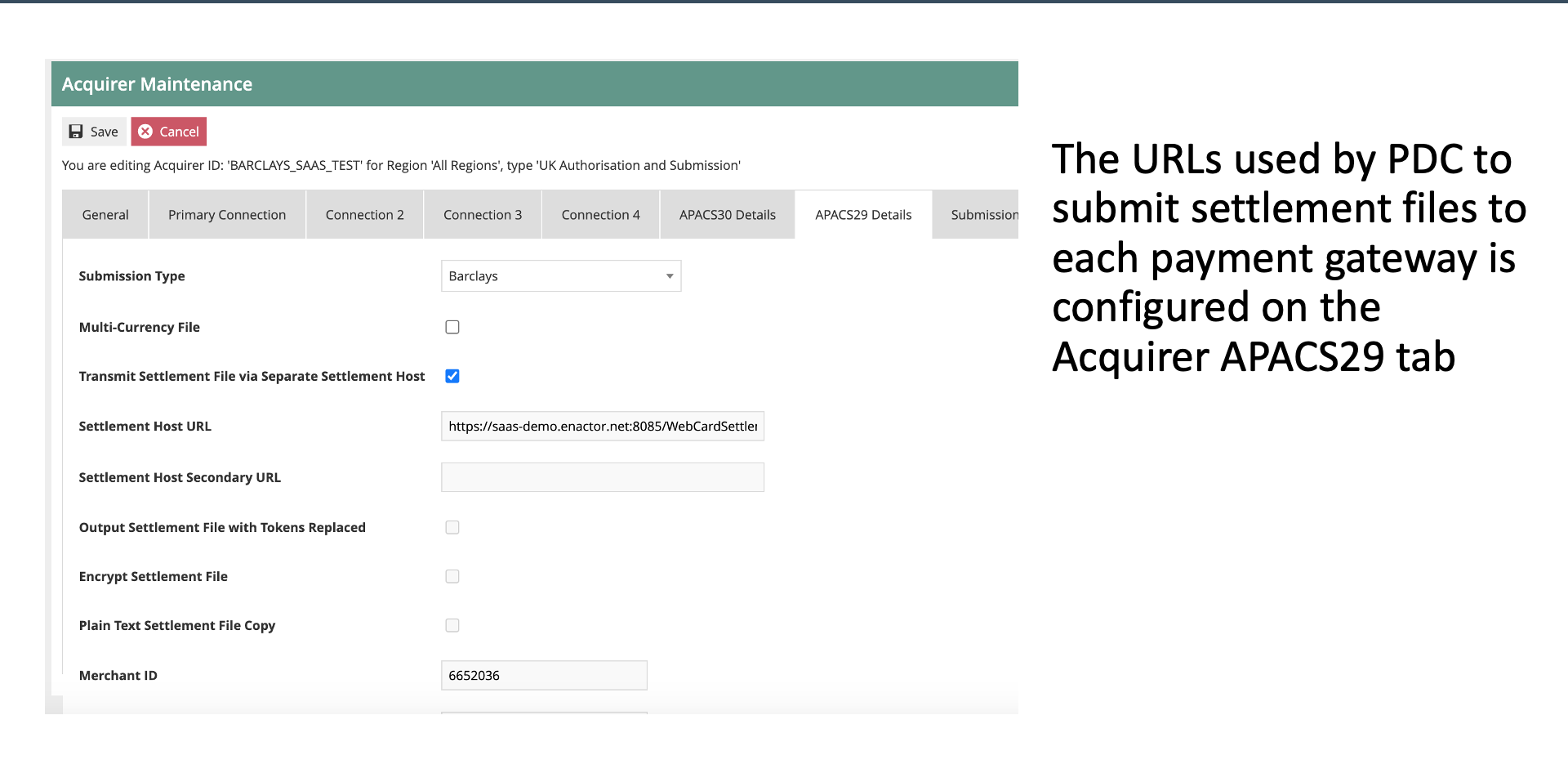
Acquirer APACS29 / Submission
Settlement Submission
- Settlement Host URL - URL for transmitting settlement files to the acquirer
- Submission Type - e.g. Barclays
- Merchant ID - the MID used for settlement submission
Card Type - General
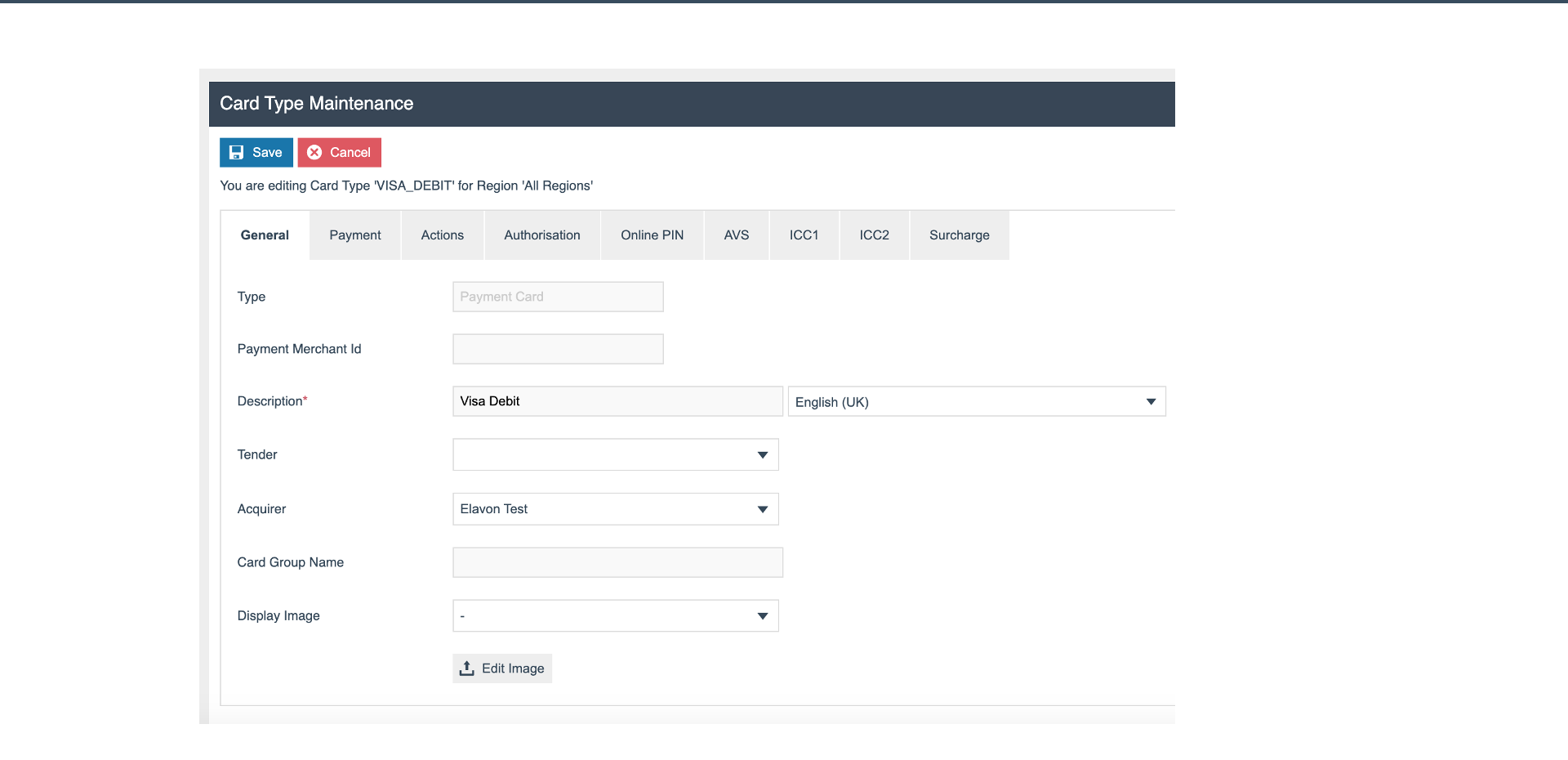
Card Type General
- Card Type - e.g.
VISA_DEBIT - Type - the card category
- Tender - the tender type this card maps to
- Acquirer - the acquirer that processes this card type
Card Type - Payment
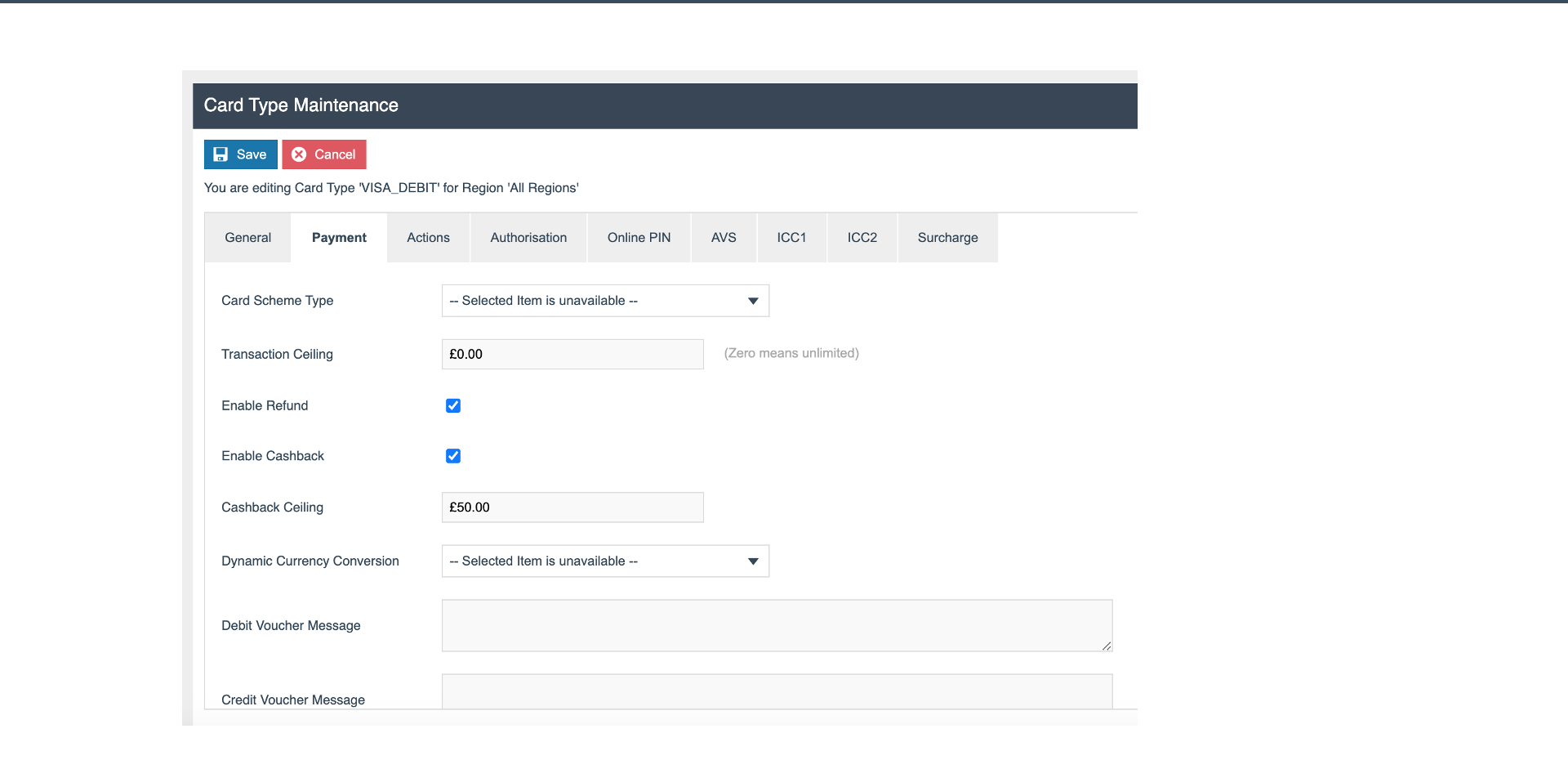
Payment Limits
- Transaction Ceiling - maximum single transaction value
- Refund - maximum refund amount
- Cashback - maximum cashback amount, e.g. 50.00
Card Type - Actions
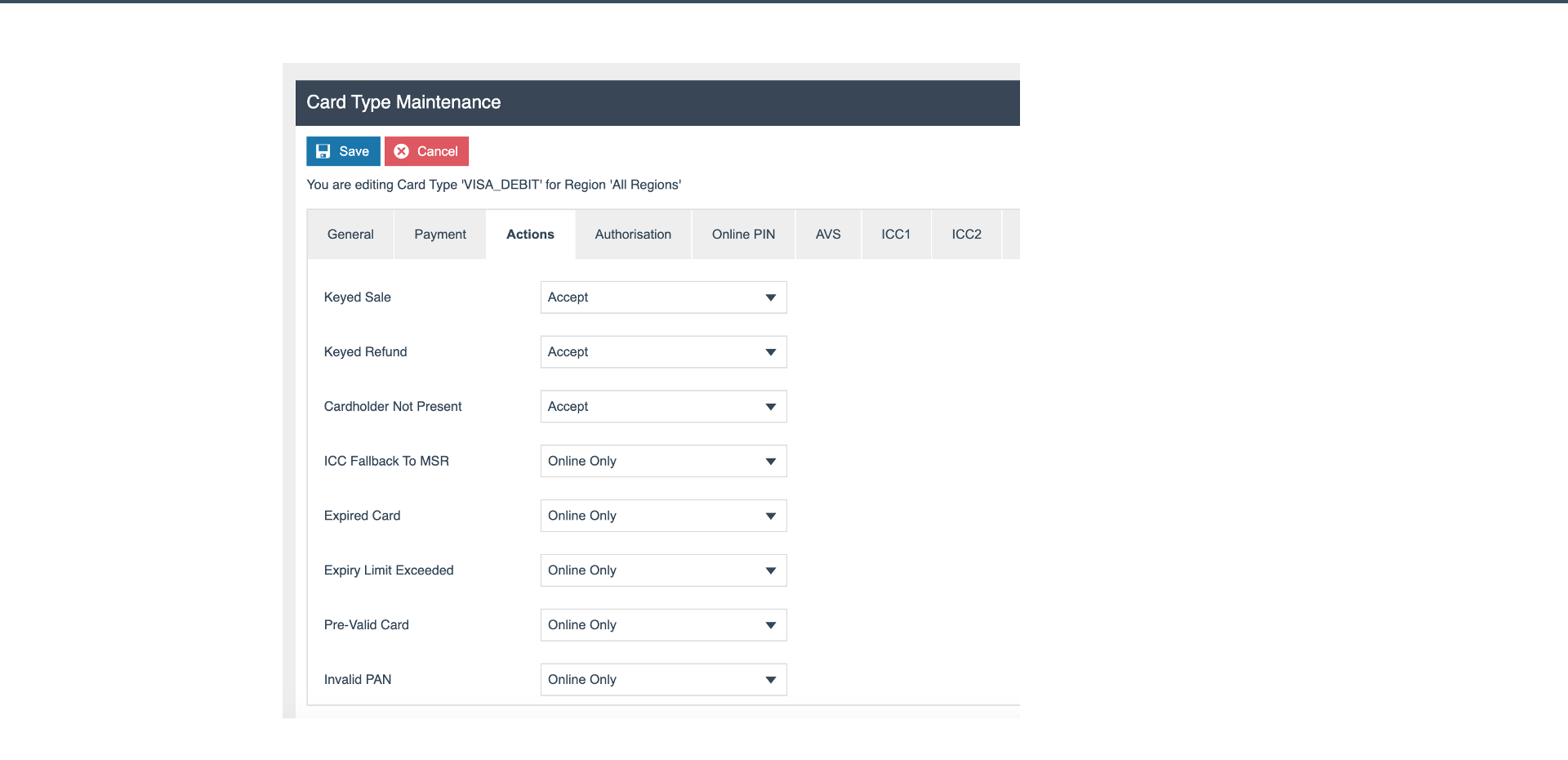
Allowed Actions
- Keyed Sale - whether manual card number entry is permitted
- ICC Fallback to MSR - allow fallback from chip to magnetic stripe if chip fails
- Expired Card Handling - rules for processing expired cards
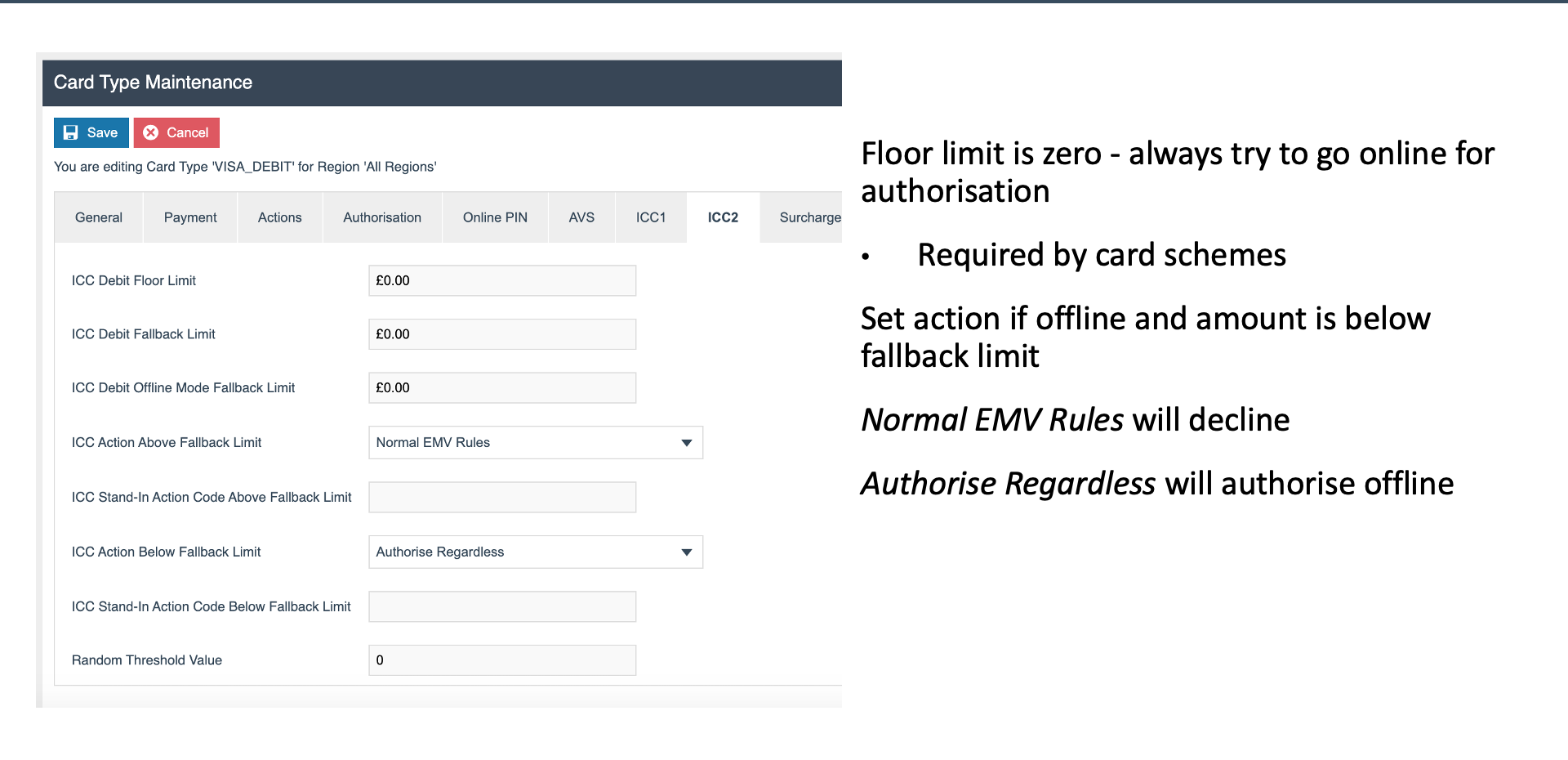
Card Type - ICC2
EMV Settings
- Floor Limit - transactions below this value may be approved offline
- Fallback Limit - limit for fallback transactions
- EMV Rules - chip card processing rules
- Authorise Regardless - force authorisation regardless of EMV outcome
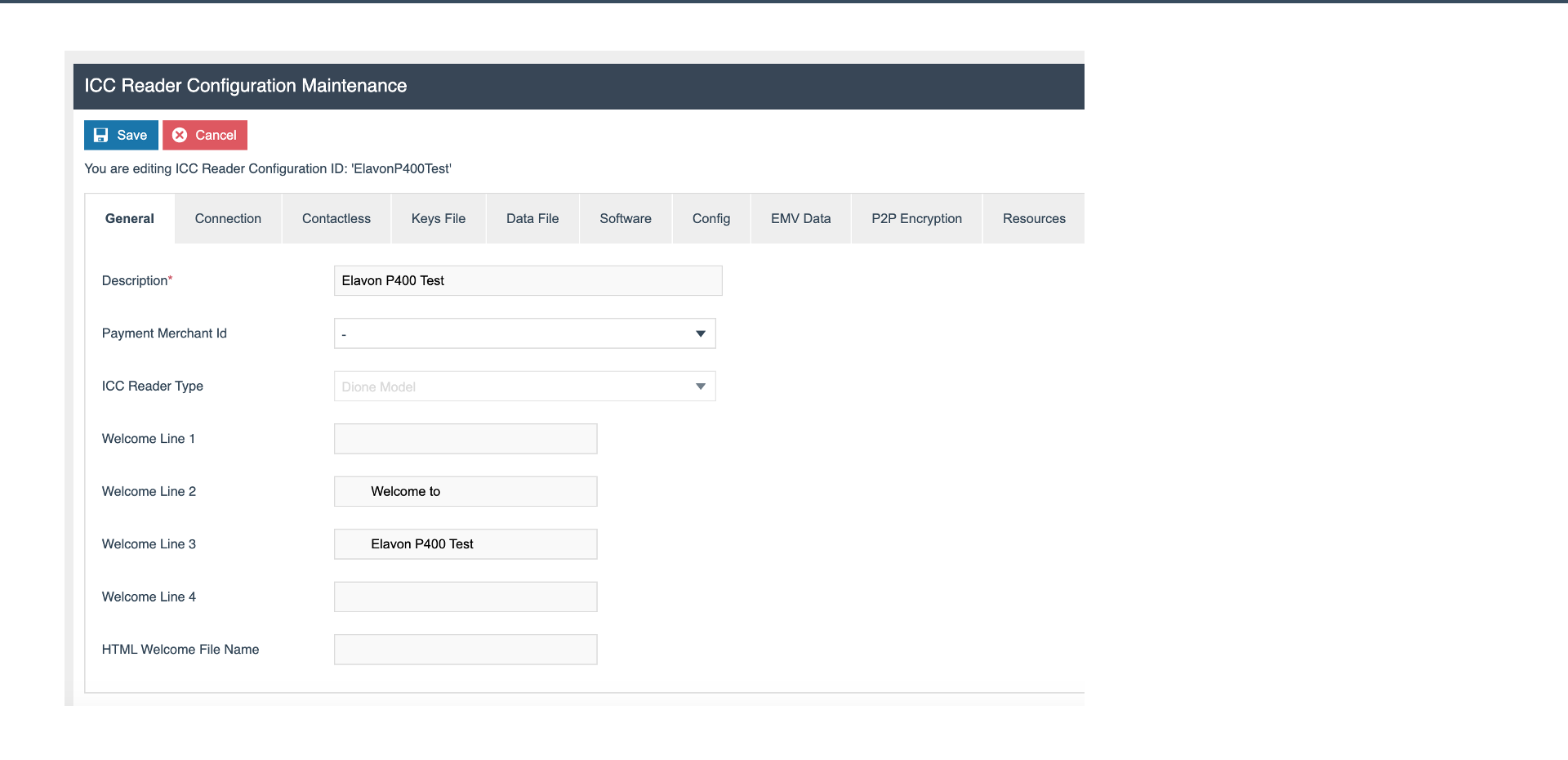
ICC Reader Config - General
Reader Configuration
- Name - e.g.
ElavonP400Test - Dione Model - Verifone PED model this config applies to
- Welcome Lines - text displayed on the PED idle screen
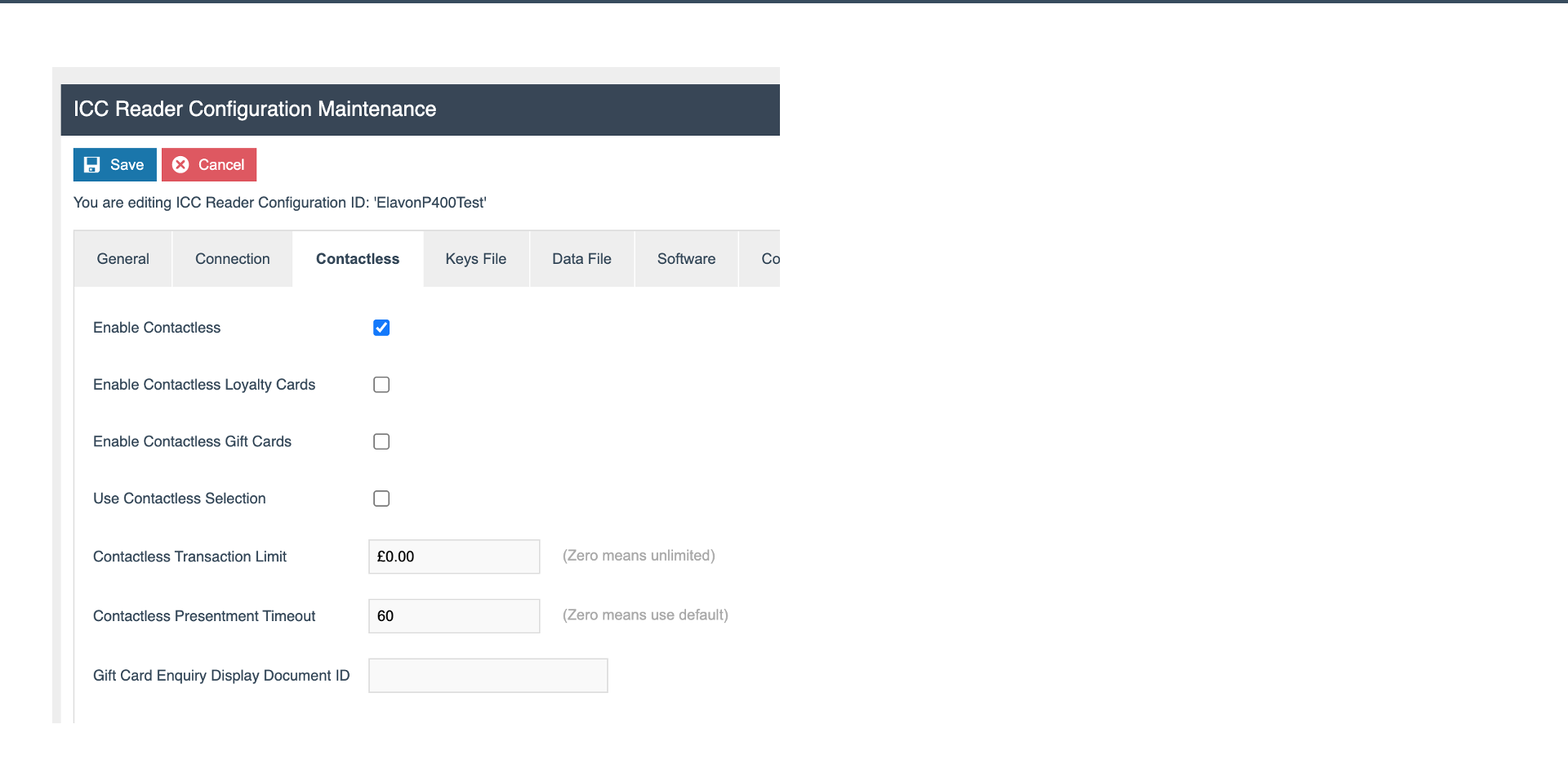
Contactless Settings
- Enable Contactless - turn contactless payments on or off
- Transaction Limit - maximum value for contactless transactions
- Timeout - time allowed for a contactless tap
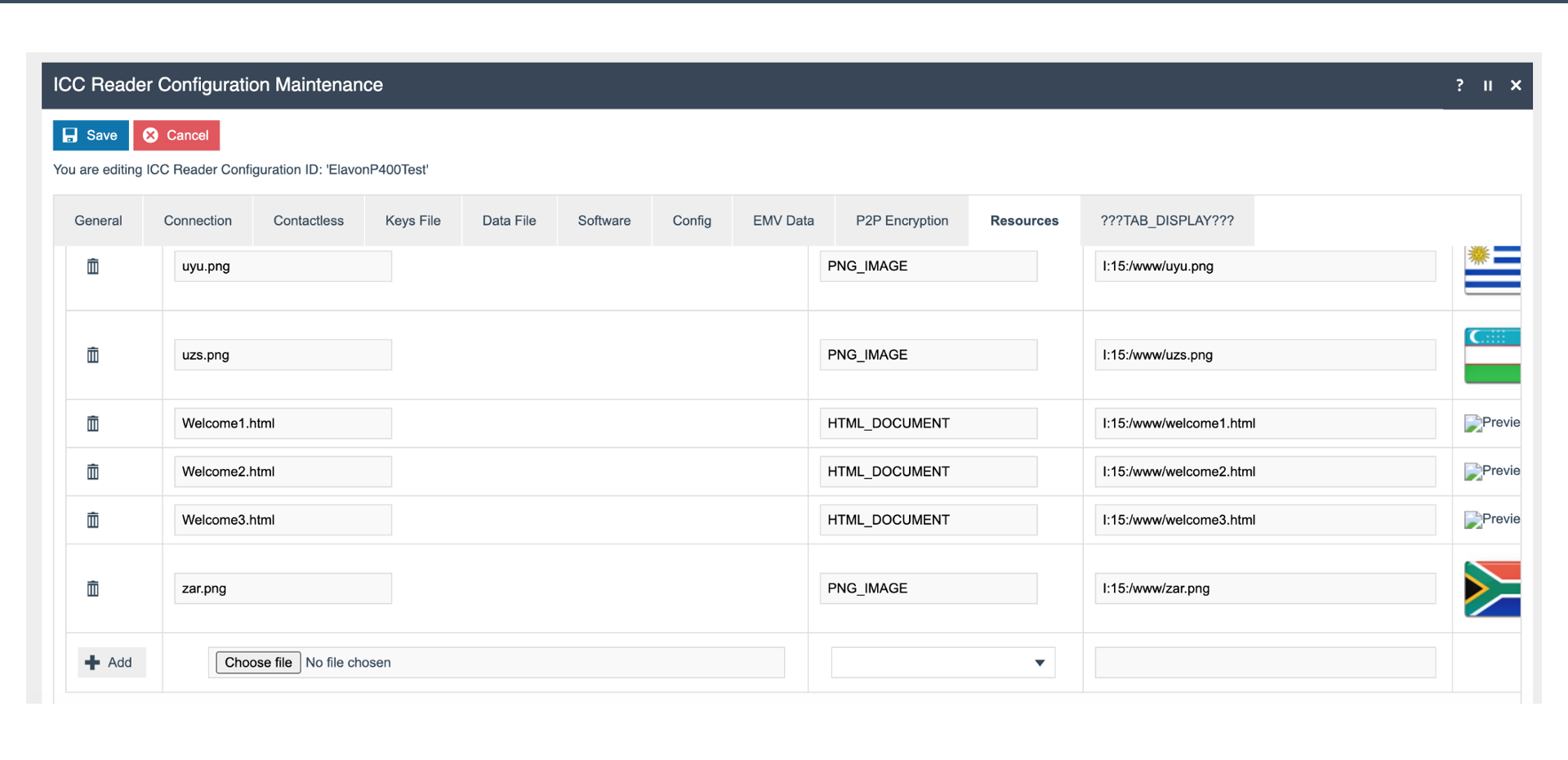
ICC Reader Config - Resources
PED Resources
- PNG Flags - country flag images displayed on the PED
- HTML Welcome Documents - rich welcome screens loaded onto the PED
Further Reading
For additional information and further reading on Core Payment Configuration, please see the following guides: