Device Configuration
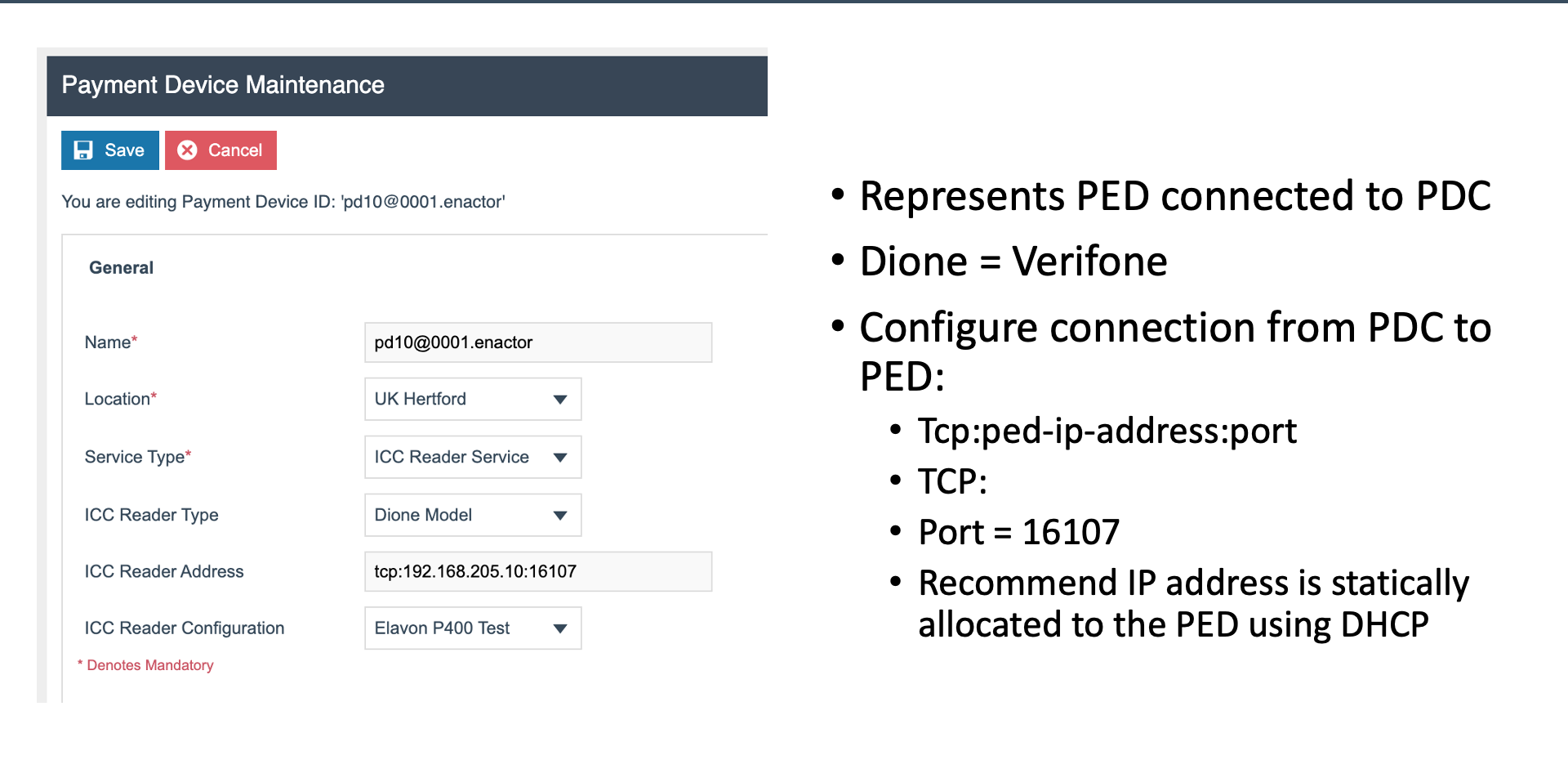
Payment Device Maintenance
Payment Device (pd10@0001)
- Name - descriptive name for the payment device
- Location - store location where the PED is deployed
- Service Type - the payment service type
- ICC Reader Type - set to Dione for Verifone PEDs
- Address - TCP connection to the PED, e.g.
tcp:<IP>:16107 - Config - device-specific configuration settings
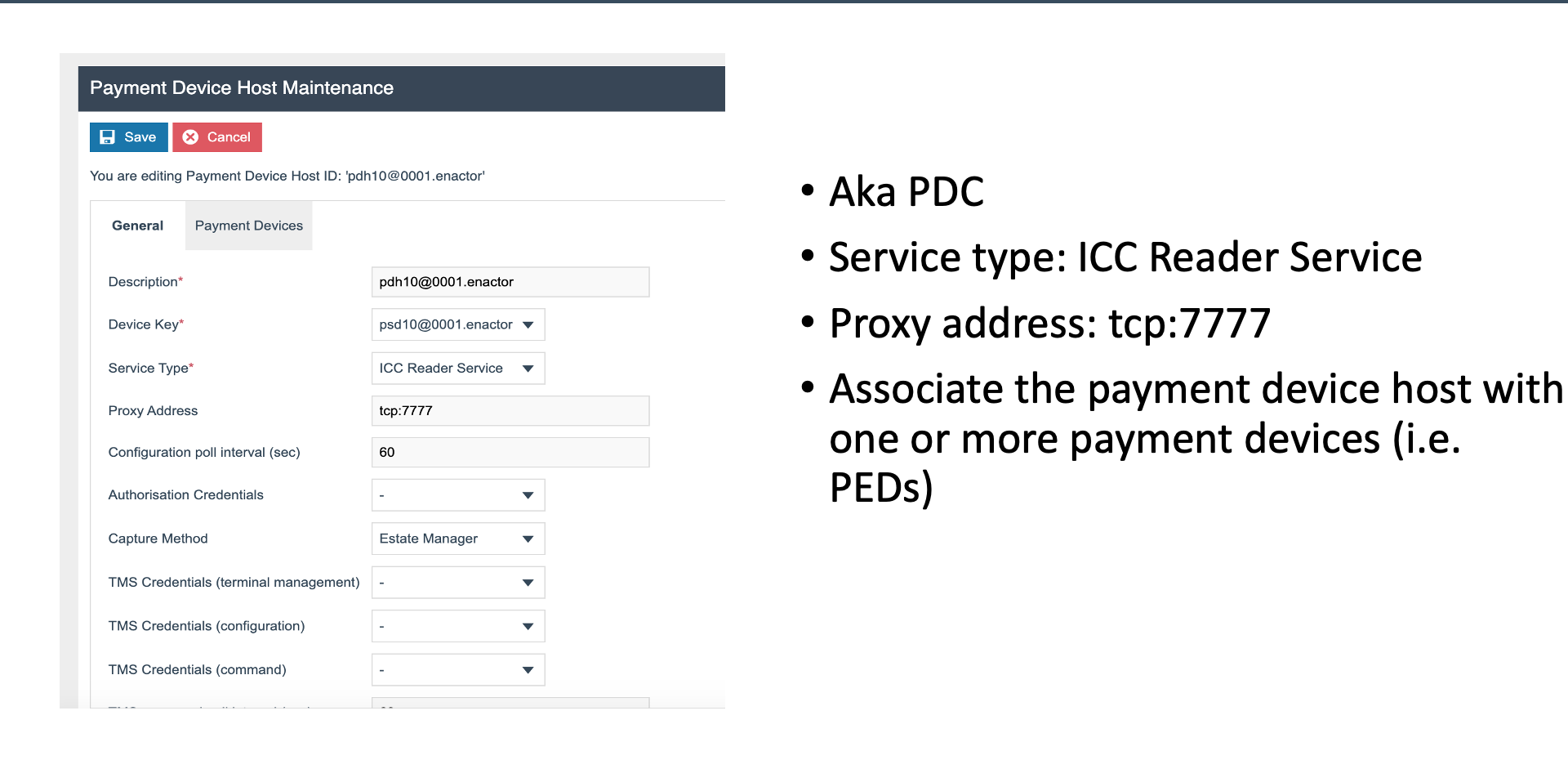
Payment Device Host Maintenance
Payment Device Host / PDC (pdh10@0001)
- Description - descriptive name for the PDC
- Device Key - unique identifier for the PDC instance
- Service Type - payment service type
- Proxy Address -
tcp:7777 for POS connections - Config Poll - configuration polling interval
- Auth Credentials - authentication credentials for the PDC
- Capture Method - transaction capture method
- TMS Credentials - Terminal Management Service credentials
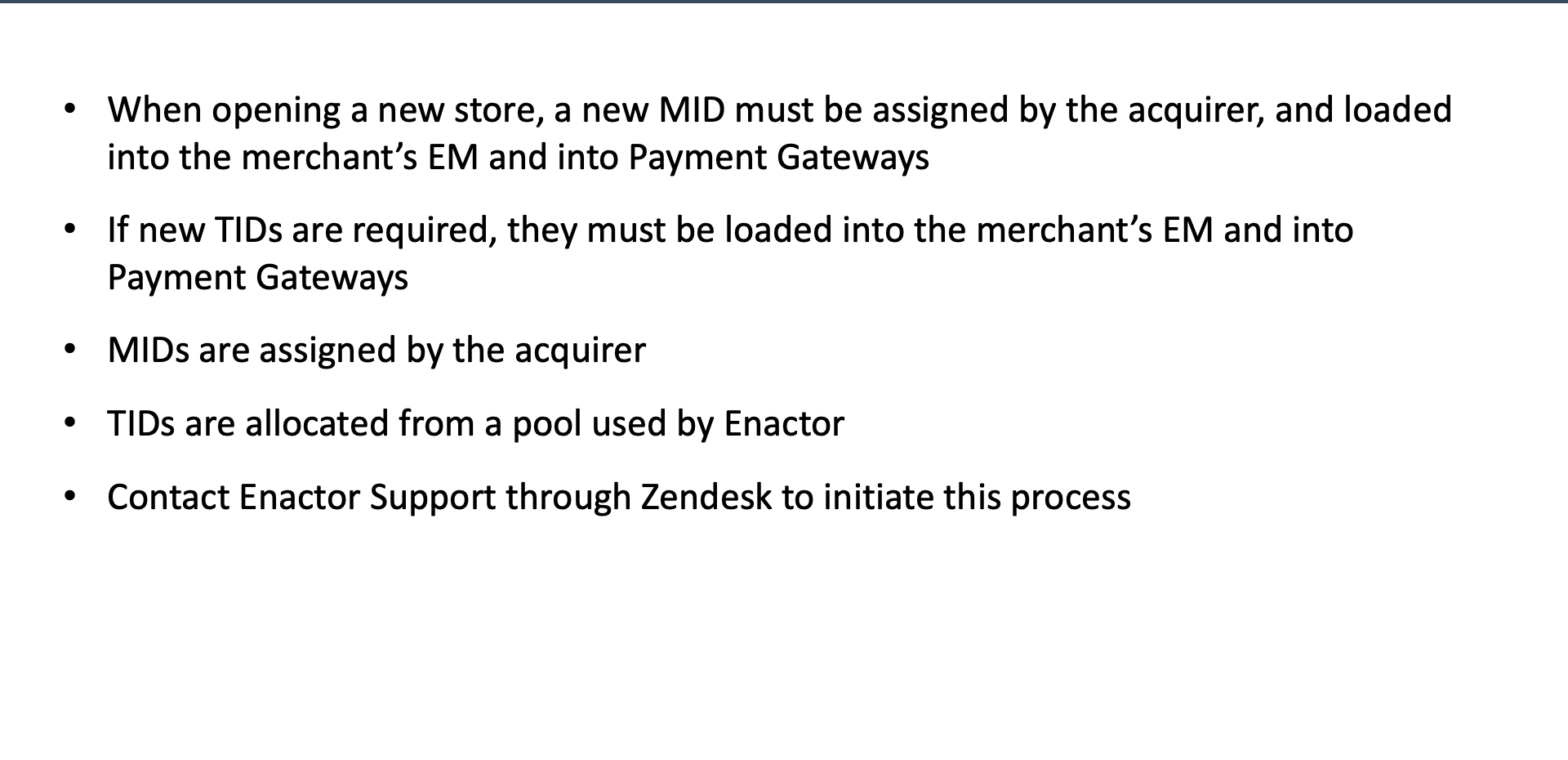
MIDs and TIDs
New Store Requirements
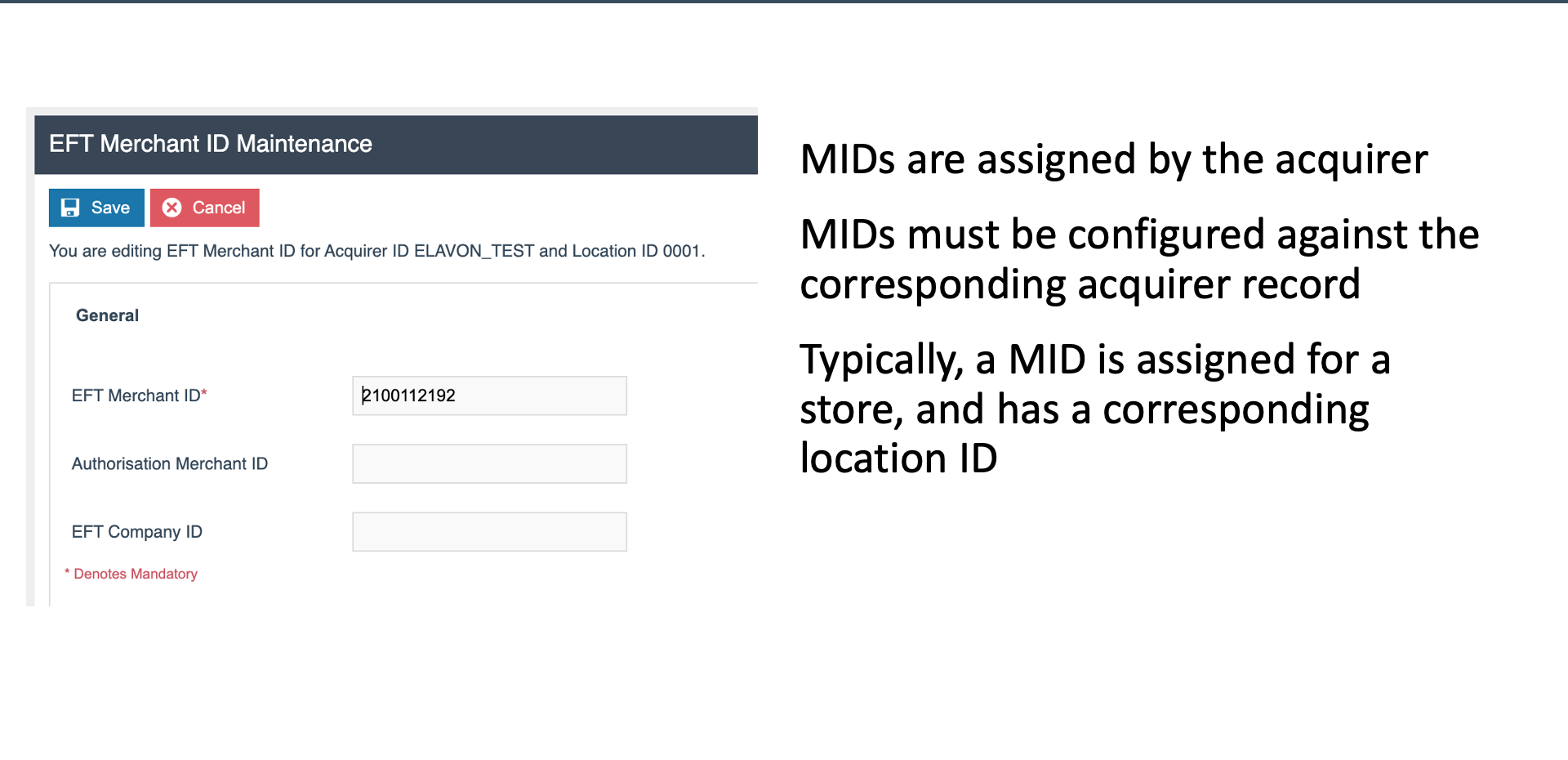
- A new store requires a MID (Merchant ID) from the acquirer
- TIDs (Terminal IDs) are allocated from the Enactor pool
- Contact Zendesk to request TID allocation for new stores or additional terminals
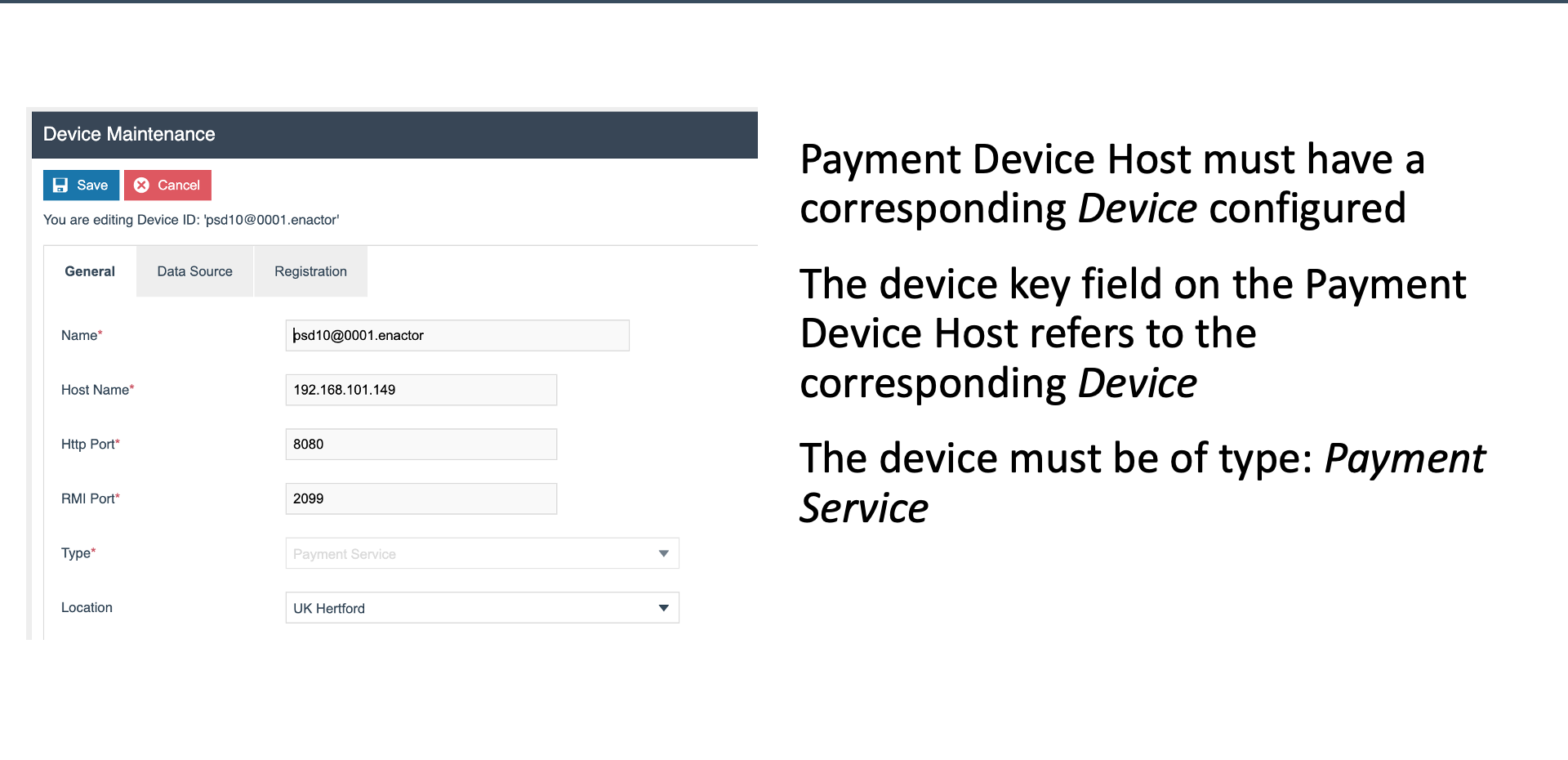
Device Maintenance
Device (psd10@0001)
- Host Name - network hostname of the payment service device
- HTTP Port -
8080 - RMI Port -
2099 - Type - Payment Service
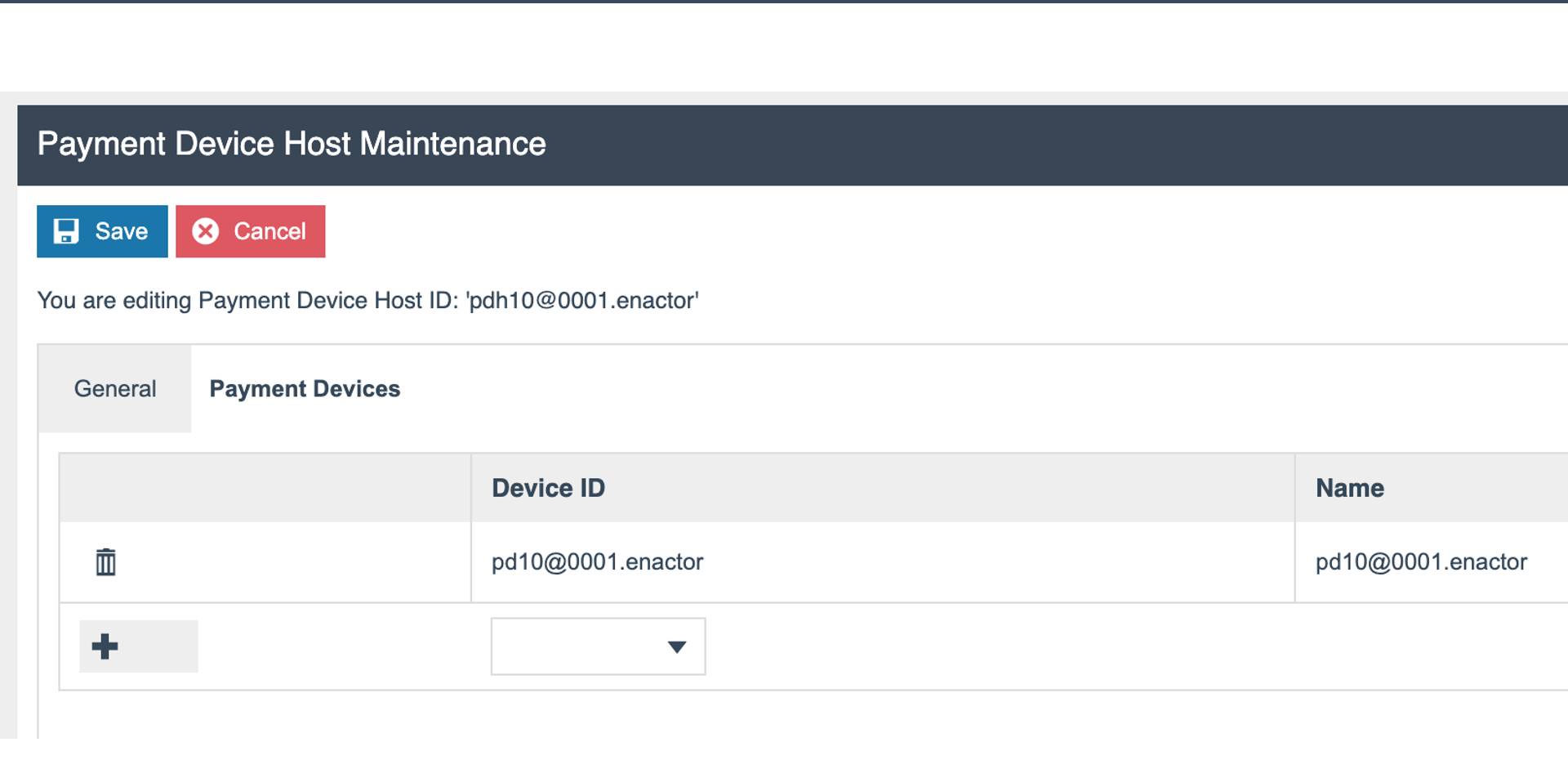
Payment Device Host - Payment Devices
Associated Devices
- The Payment Devices tab on the Payment Device Host shows all PEDs associated with this PDC
- Displays a table of payment devices linked to the host
- New PEDs are added here after physical deployment
ICC Reader Maintenance
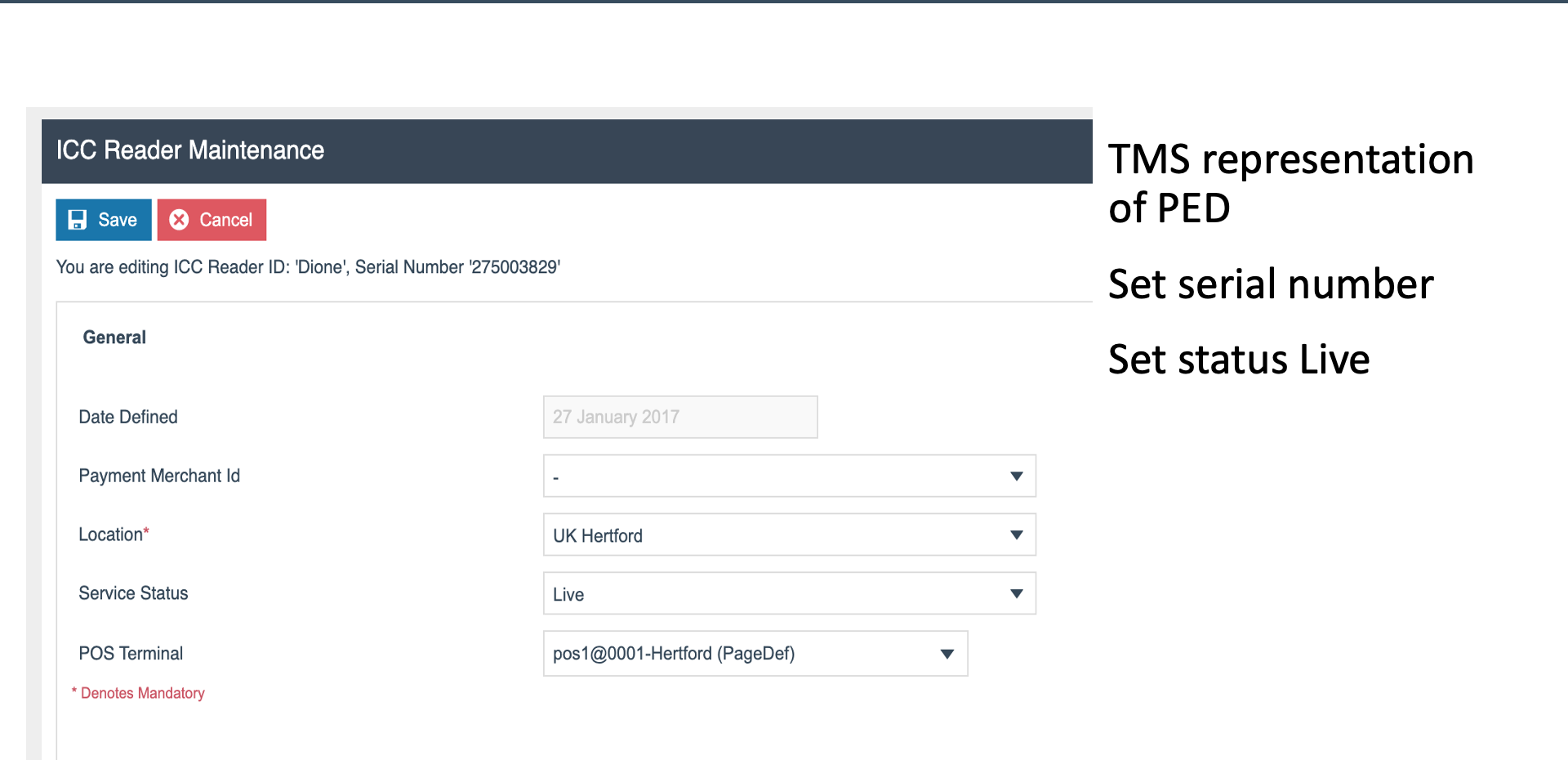
ICC Reader Configuration
- Type - Dione (Verifone PEDs)
- Serial Number - the PED's serial number for identification and PIM tracking
- Location - store where the reader is deployed
- Status - Live when active and operational
- POS Terminal - the POS terminal this reader is assigned to
POS Terminal - Payment Peripherals
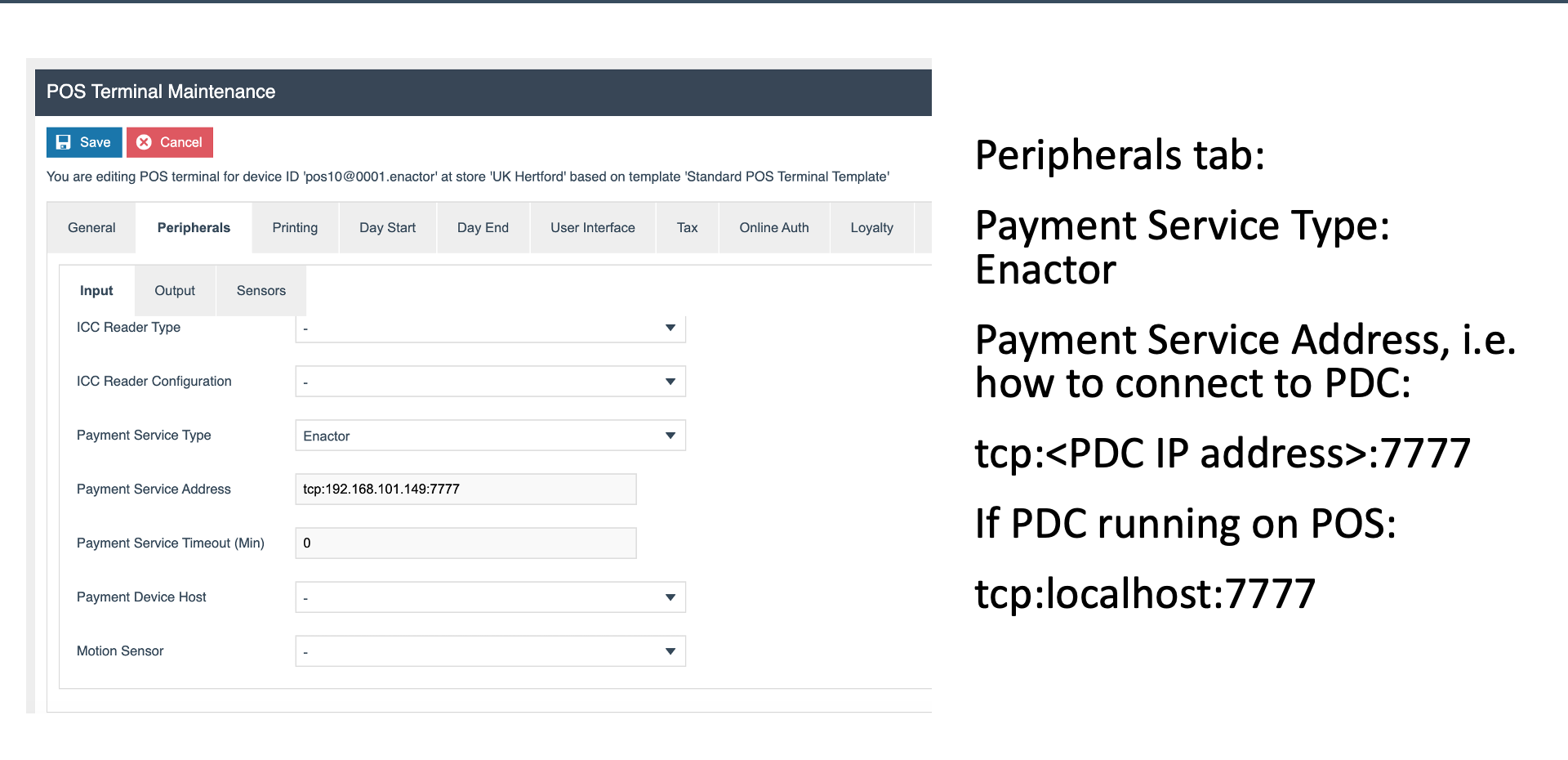
Peripherals / Input
- ICC Reader Type - the type of chip card reader
- Config - ICC Reader configuration template
- Payment Service Type - set to Enactor
- Address -
tcp:<IP>:7777 - connection to the PDC - Payment Device Host - links this POS terminal to its PDC
EFT Merchant ID Maintenance
EFT Merchant ID
- Acquirer - e.g.
ELAVON_TEST - MID - Merchant ID assigned by the acquirer, e.g.
2100112192
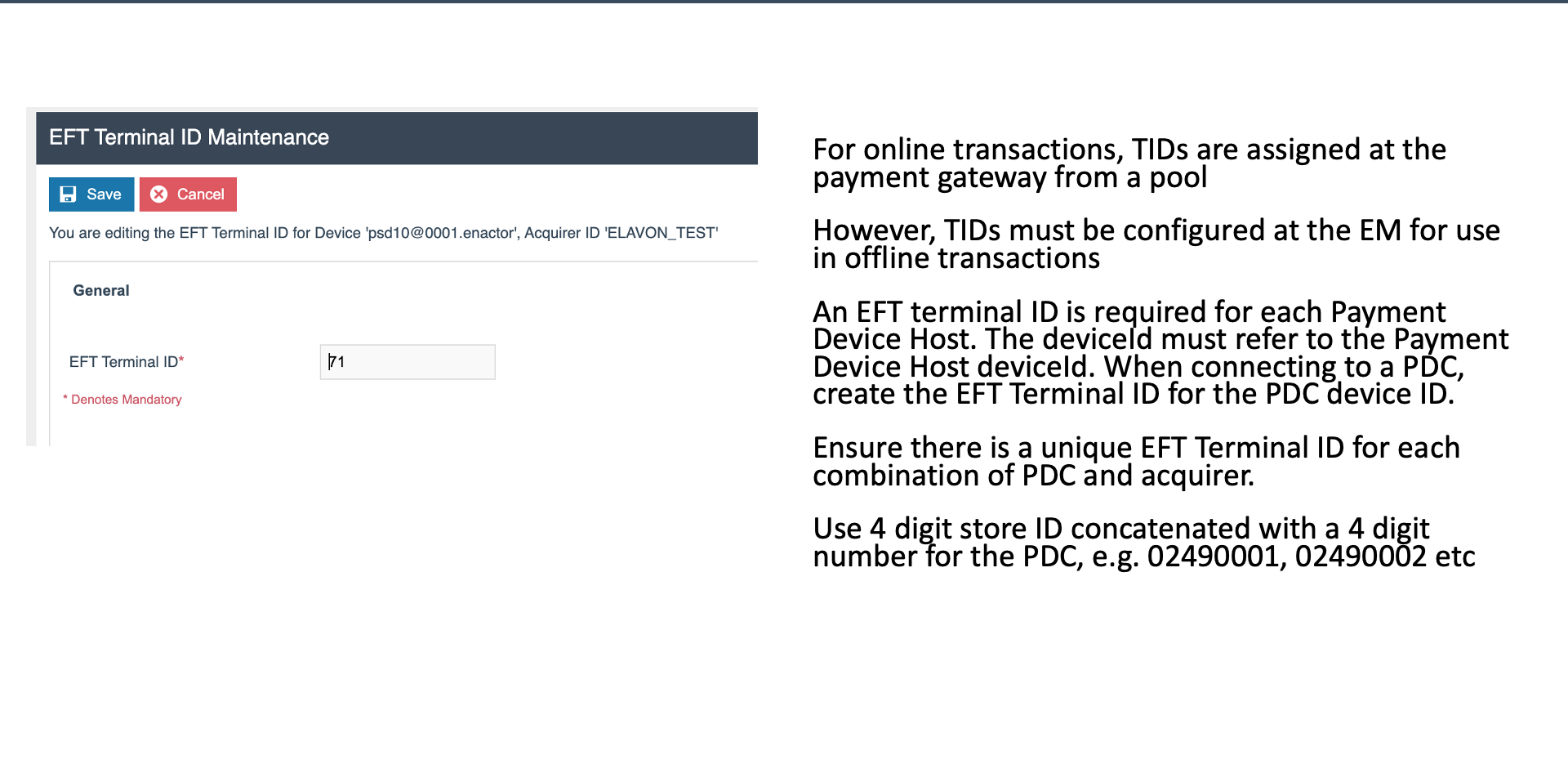
EFT Terminal ID Maintenance
EFT Terminal ID
- Device - the payment service device, e.g.
psd10 - TID - Terminal ID, e.g.
71
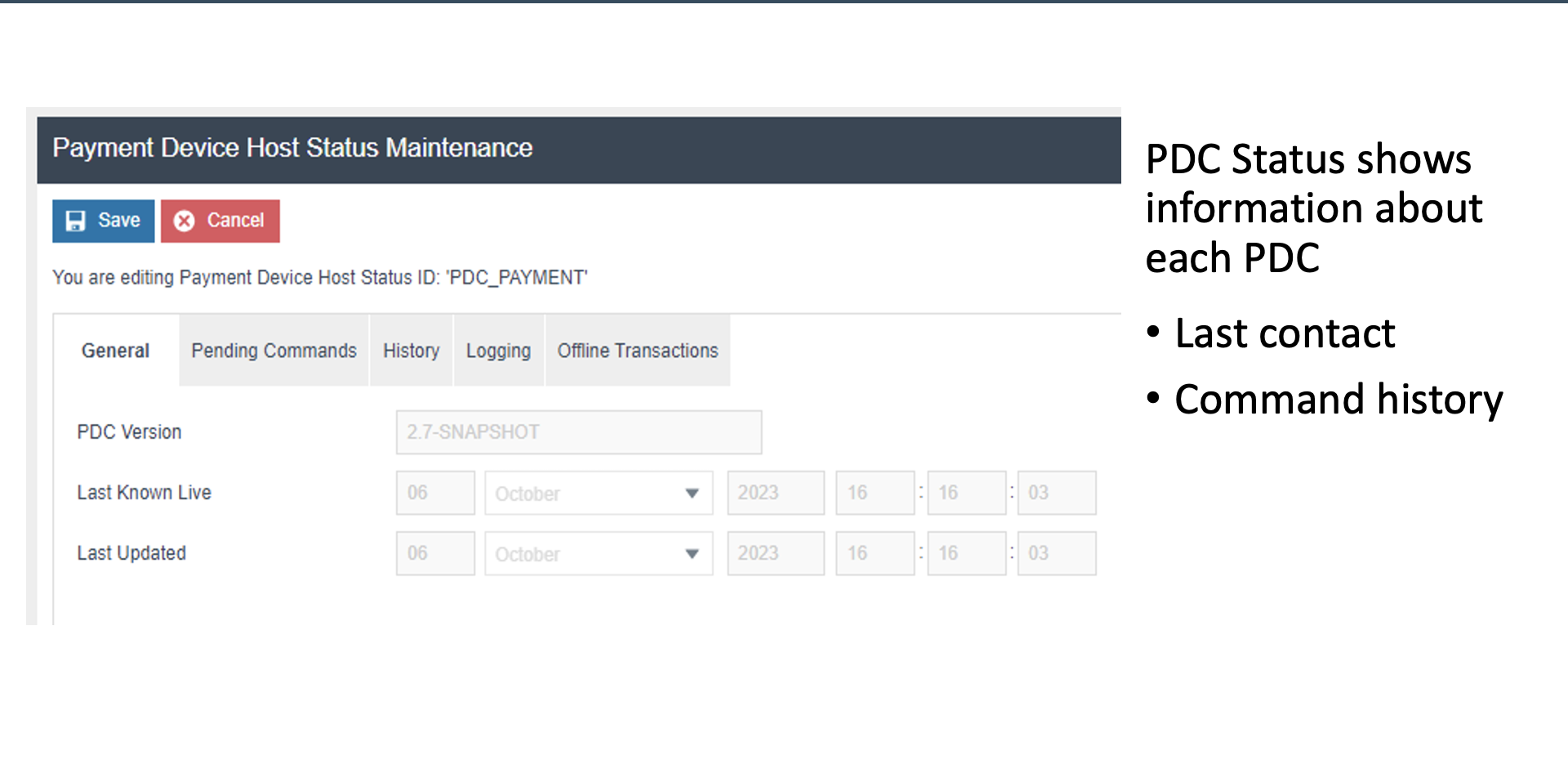
Payment Device Host Status
PDC Status Monitoring
- PDC Version - the software version running on the PDC
- Last Known Live - timestamp of the last confirmed live status
- Last Updated - when the status was last refreshed
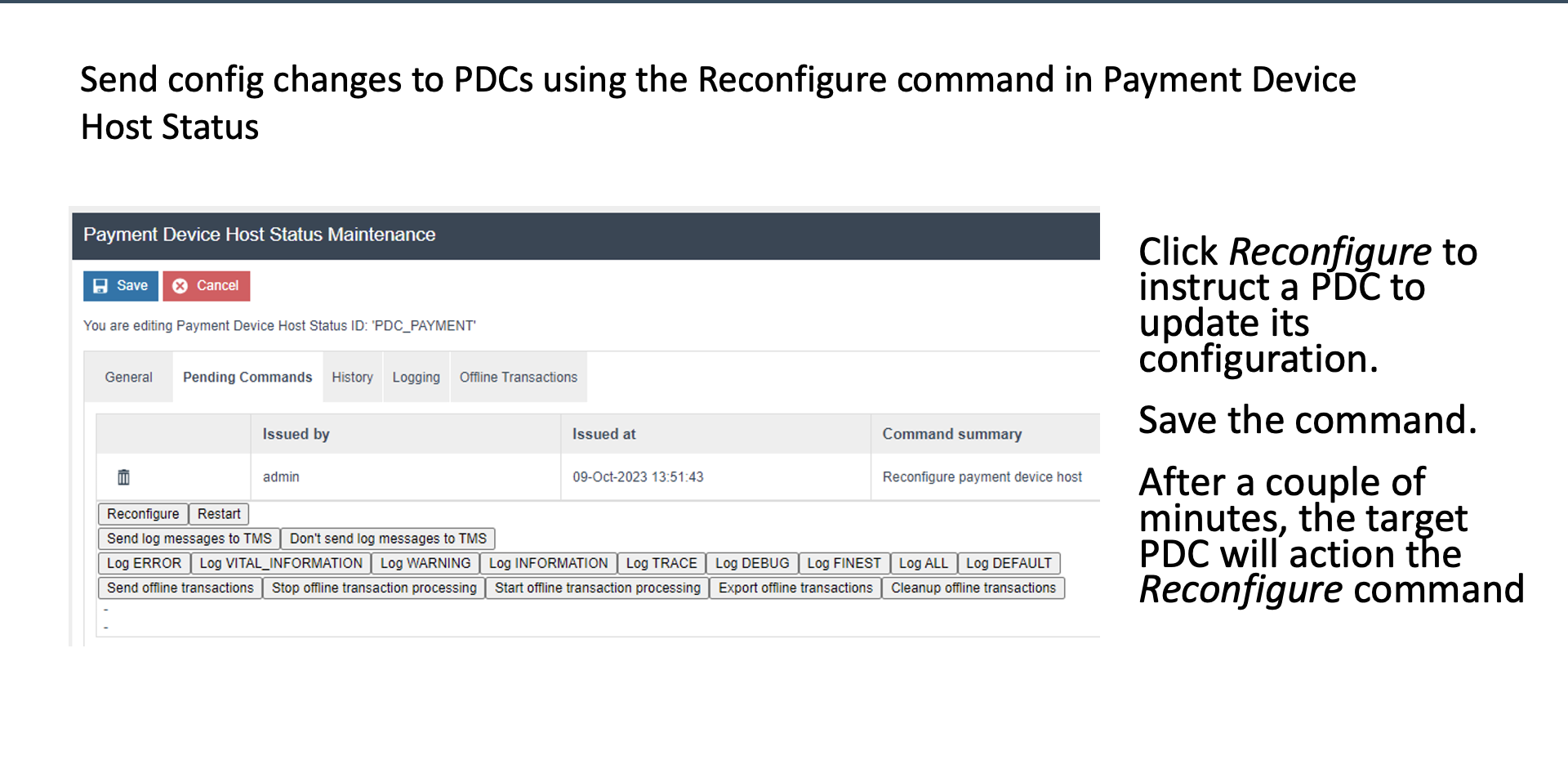
Payment Device Host Status - Commands
Remote Commands
- Reconfigure - push updated configuration to the PDC
- Restart - remotely restart the PDC service
- Logging Levels - adjust logging verbosity for troubleshooting
- Offline Transaction Management - manage transactions captured while offline
Further Reading
For additional information and further reading on Device Configuration, please see the following guides: