Settlement

Settlement Process Overview
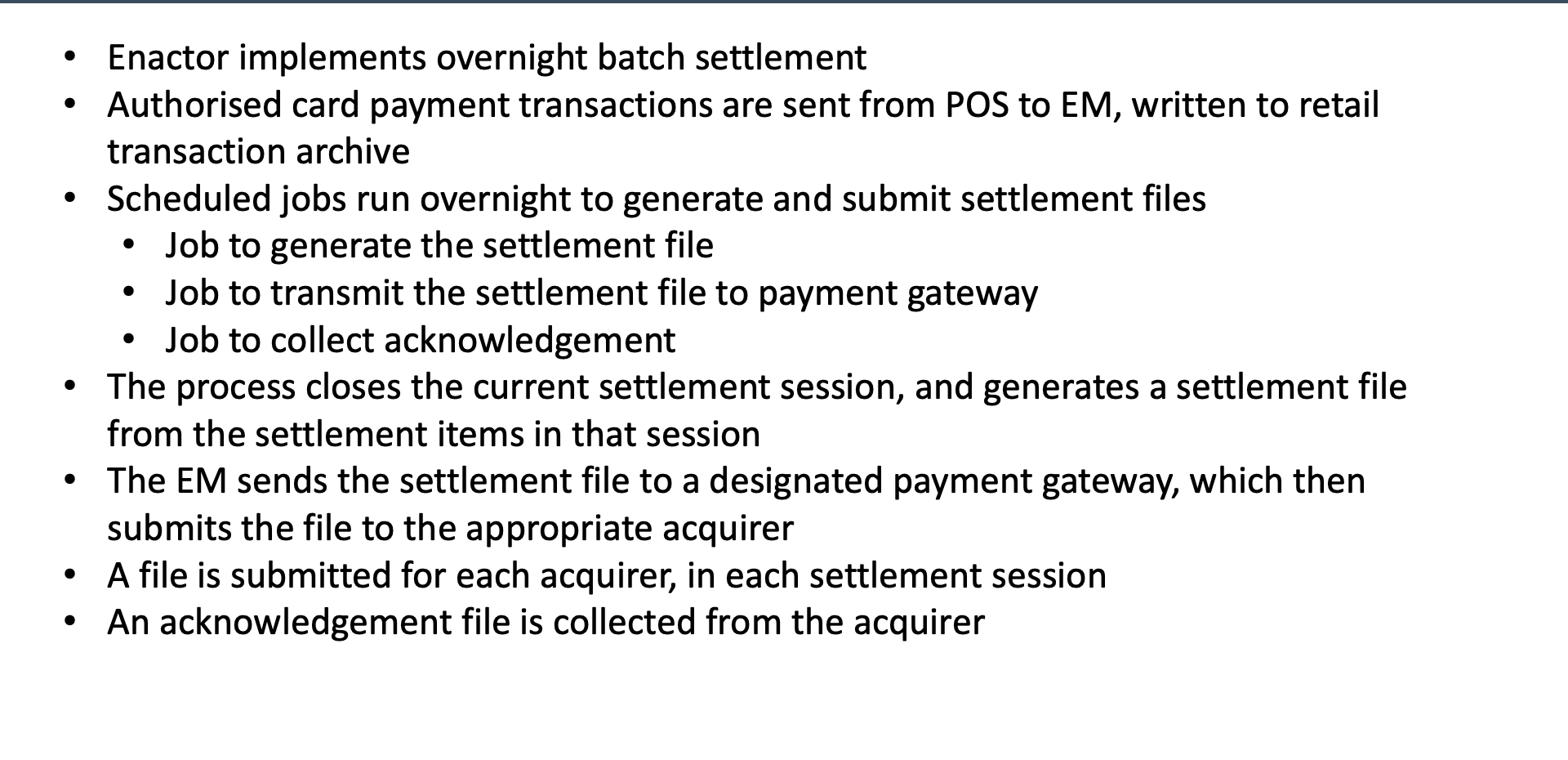
Overnight Batch Settlement
- Authorised transactions flow from POS to Estate Manager during the day
- Overnight, scheduled jobs process the settlement batch:
Settlement Steps
- Generate - create settlement files from the day's authorised transactions
- Transmit - send settlement files to the acquirer
- Collect Acknowledgement - retrieve acknowledgement responses from the acquirer
File Structure
- One settlement file per acquirer per session
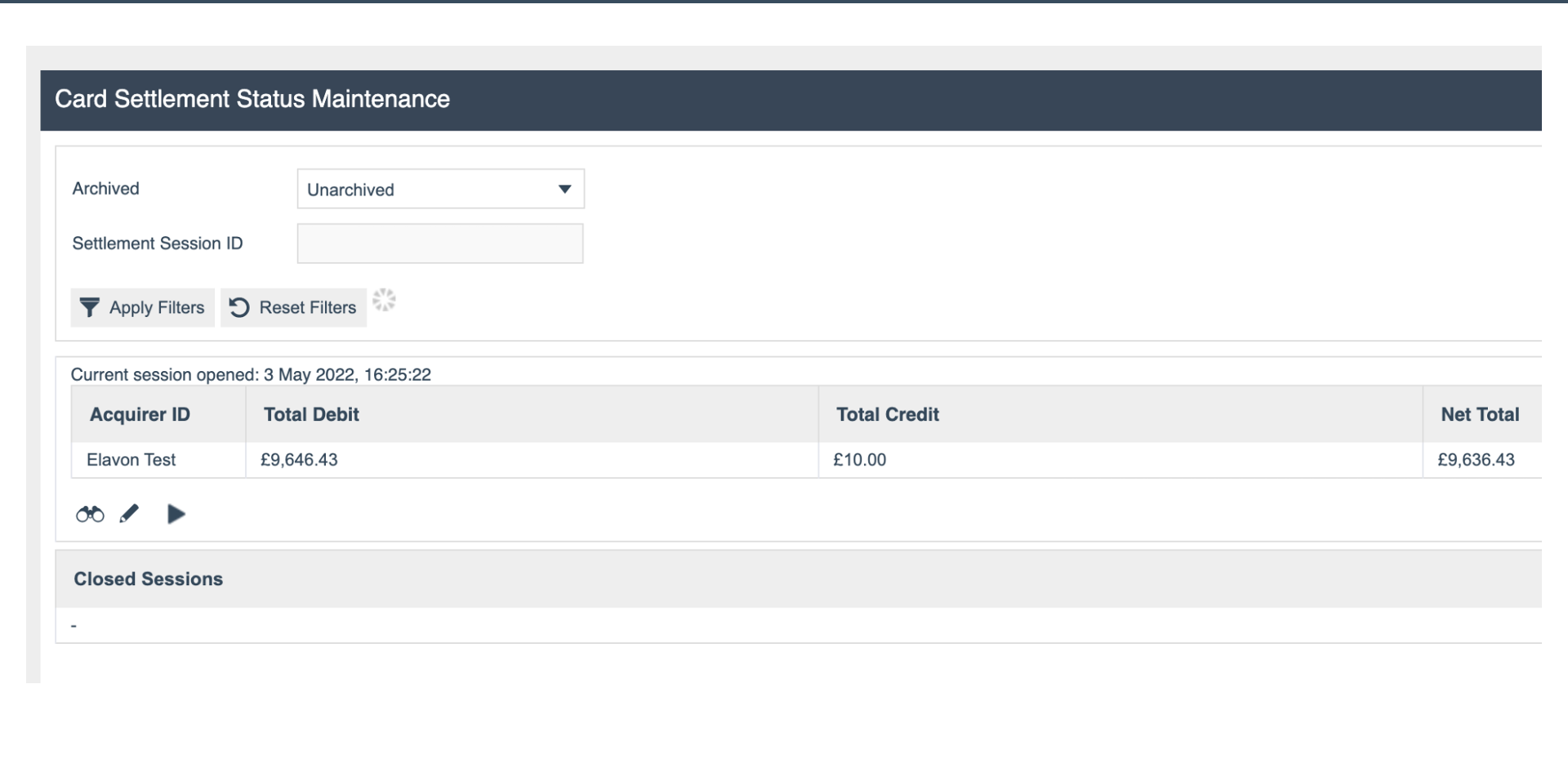
Card Settlement Status
Settlement Status
- Current Session - the active settlement session
- Acquirer Totals - summary per acquirer showing:
- Debit - total debit card transaction value
- Credit - total credit card transaction value
- Net - net settlement value
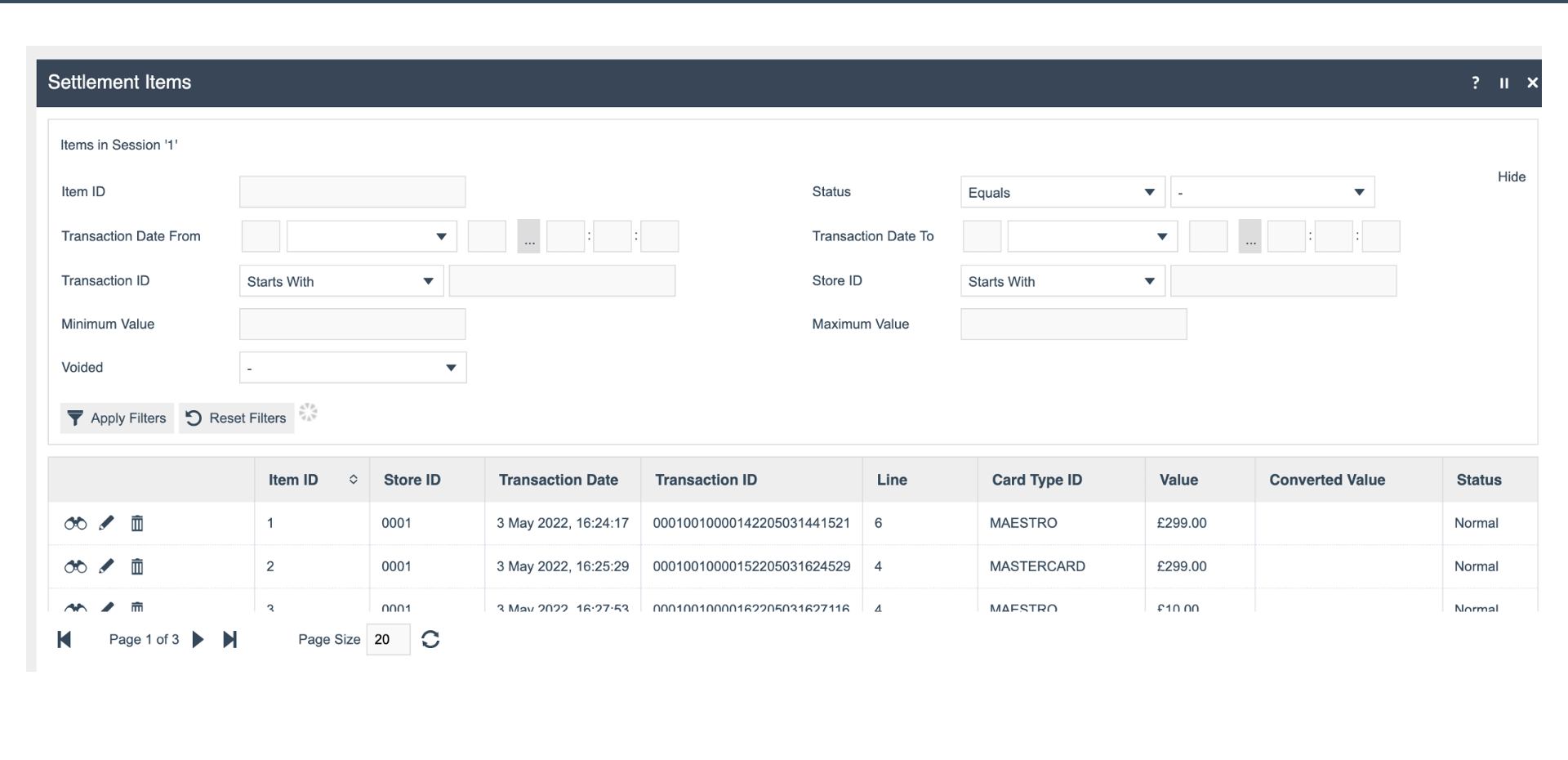
Settlement Items
Individual Items
- Item ID - unique identifier for each settlement item
- Store - the store where the transaction originated
- Transaction Date - when the transaction was processed
- Card Type - the card type used
- Value - the transaction amount
- Status - current settlement status of the item
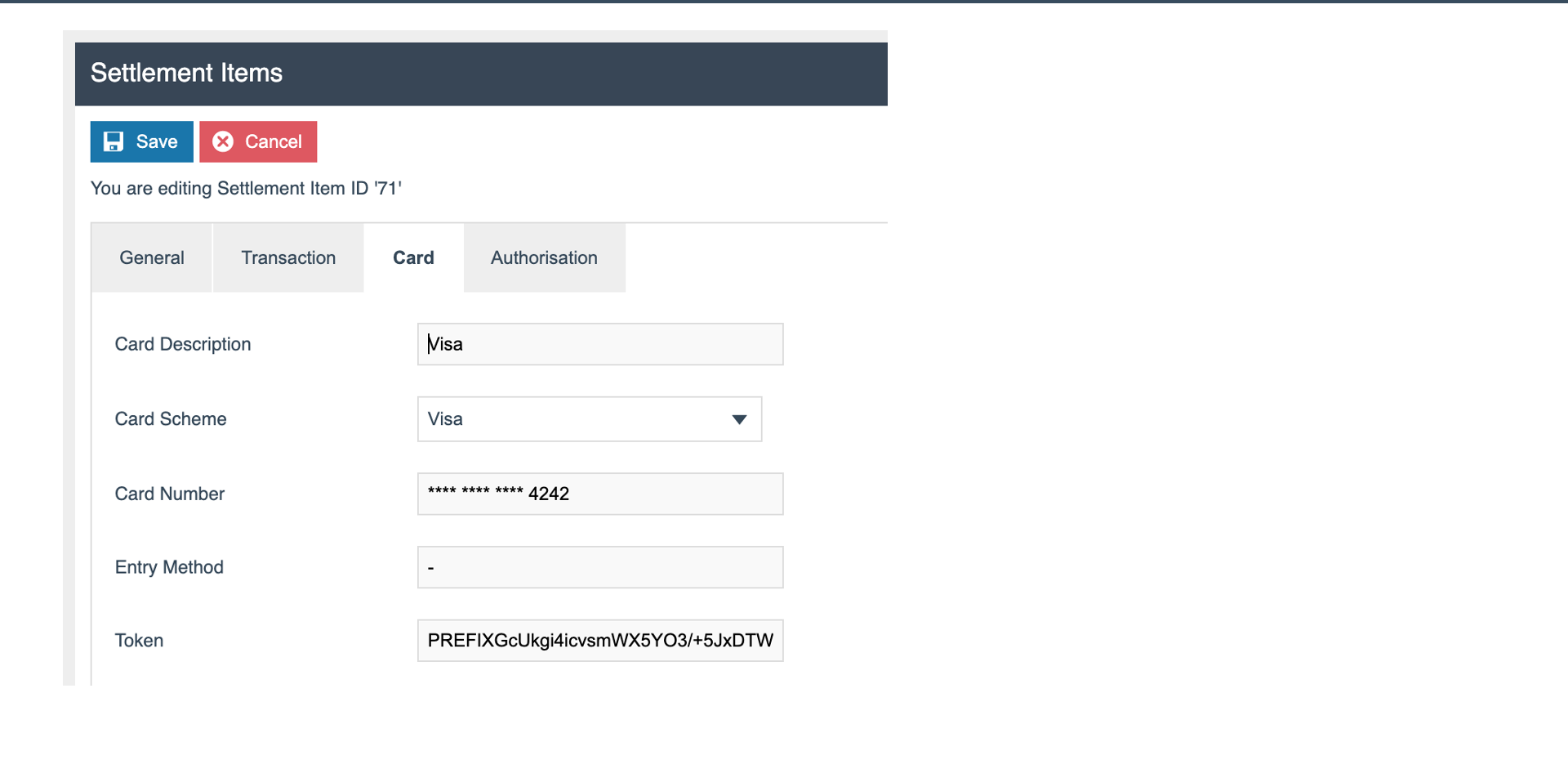
Settlement Item - Card Details
Card Tab
- Card Description - the card type description
- Scheme - the card scheme (Visa, Mastercard, etc.)
- Masked PAN - partially masked Primary Account Number for reference
- Token - the payment token stored for the transaction
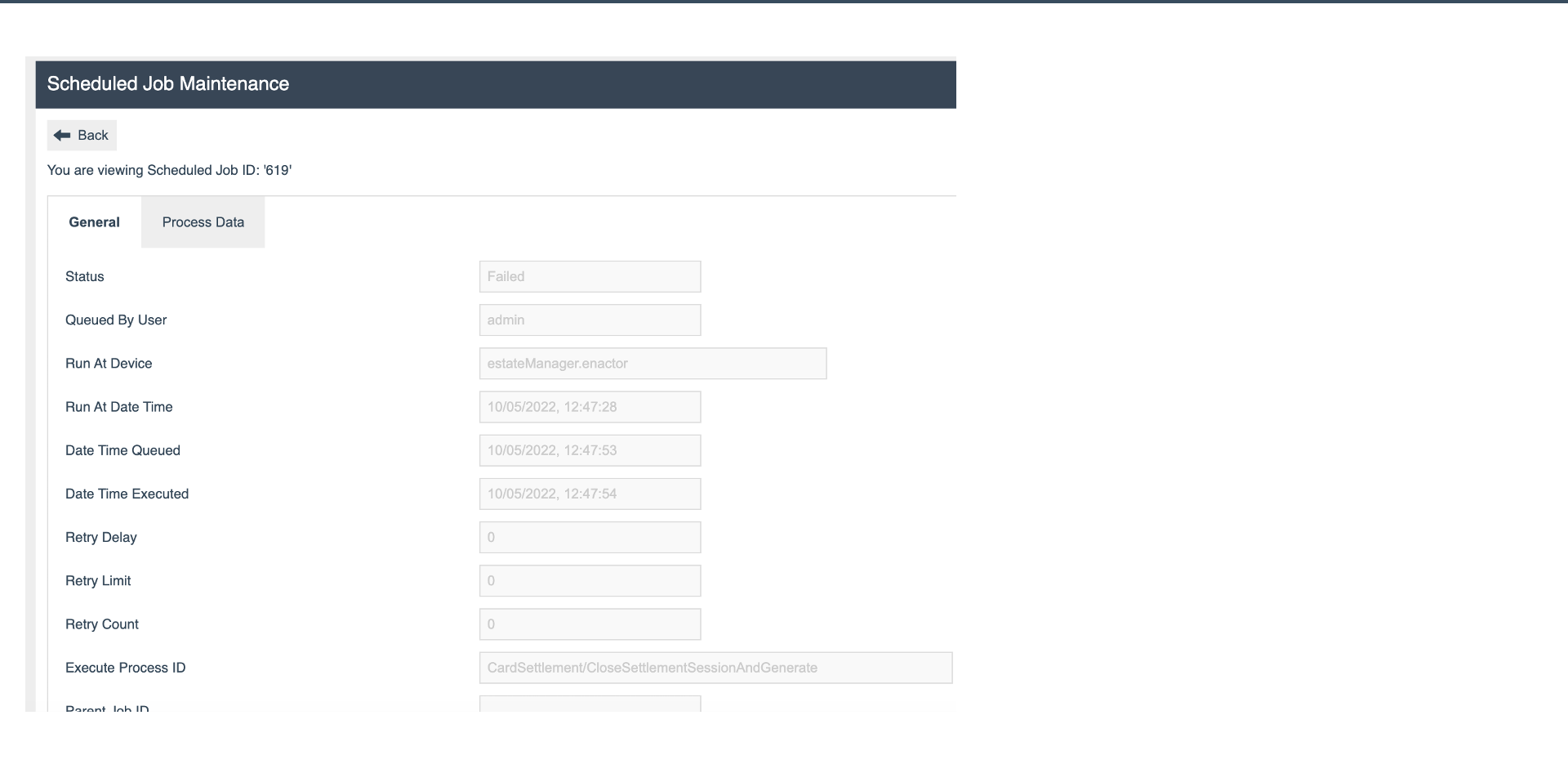
Settlement Scheduled Job
Scheduled Job
- Status - e.g. Failed if the job encountered an error
- Process ID -
CardSettlement/CloseSettlementSessionAndGenerate - This is the first of three scheduled jobs in the settlement sequence
Acknowledgement Files
Acknowledgement Process
- Acknowledgement files are retrieved from the acquirer after settlement submission
- Viewed in Settlement Status to confirm successful processing
- Shows whether the acquirer has accepted or rejected the settlement batch