Enactor Store Architecture
Enactor Store Architecture
Topics
- Enactor Solution Architecture
- Architecture Principles
- Store Deployment Models
- Enactor Fixed POS Application Components
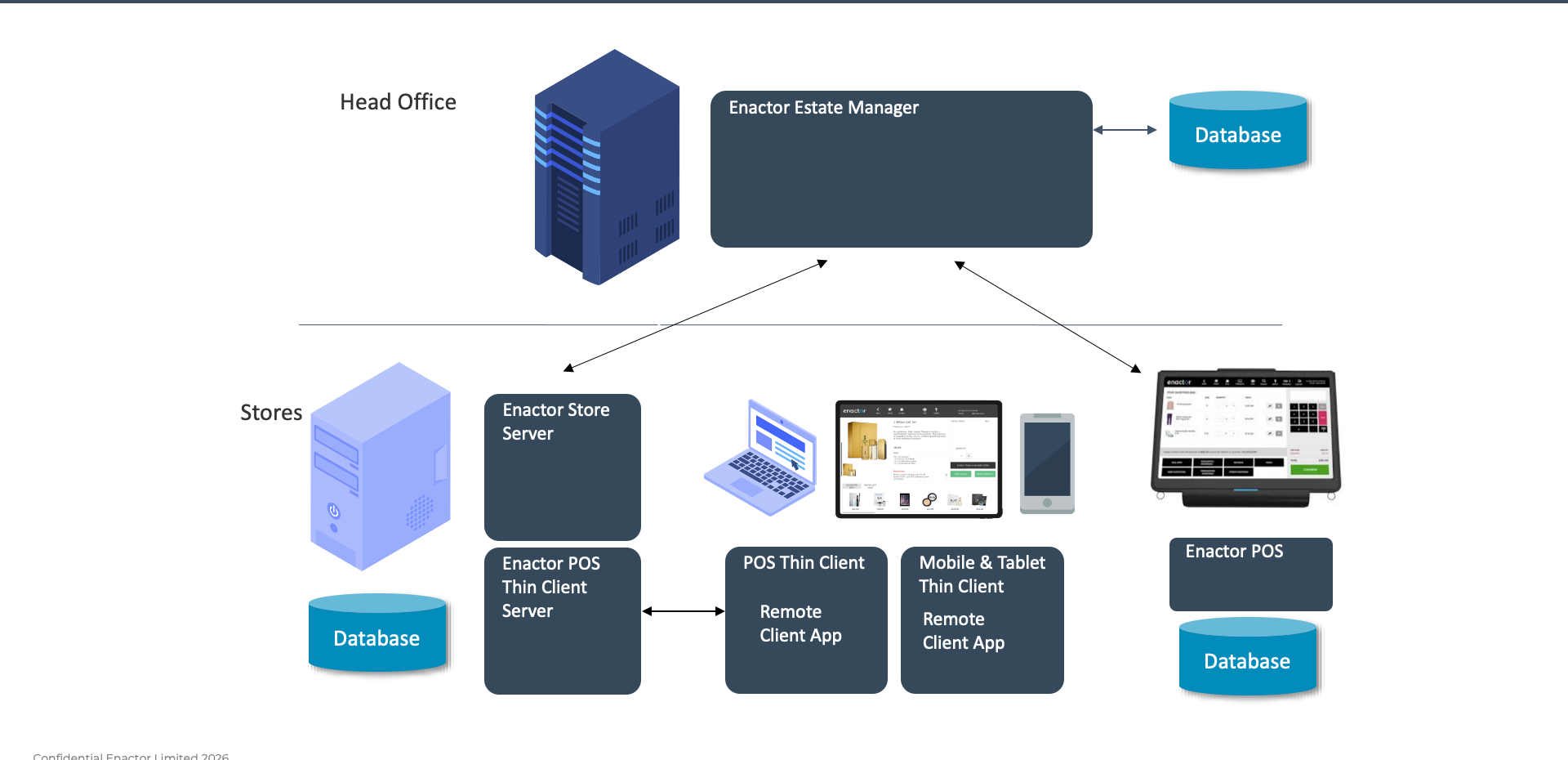
Typical Deployment of Thick POS and Mobile Devices
Head Office
- Enactor Estate Manager with Database
Stores
- Enactor Store Server with Database
- Enactor POS Thin Client Server
- POS Thin Client (Remote Client App)
- Mobile and Tablet Thin Client (Remote Client App)
- Enactor POS with local Database
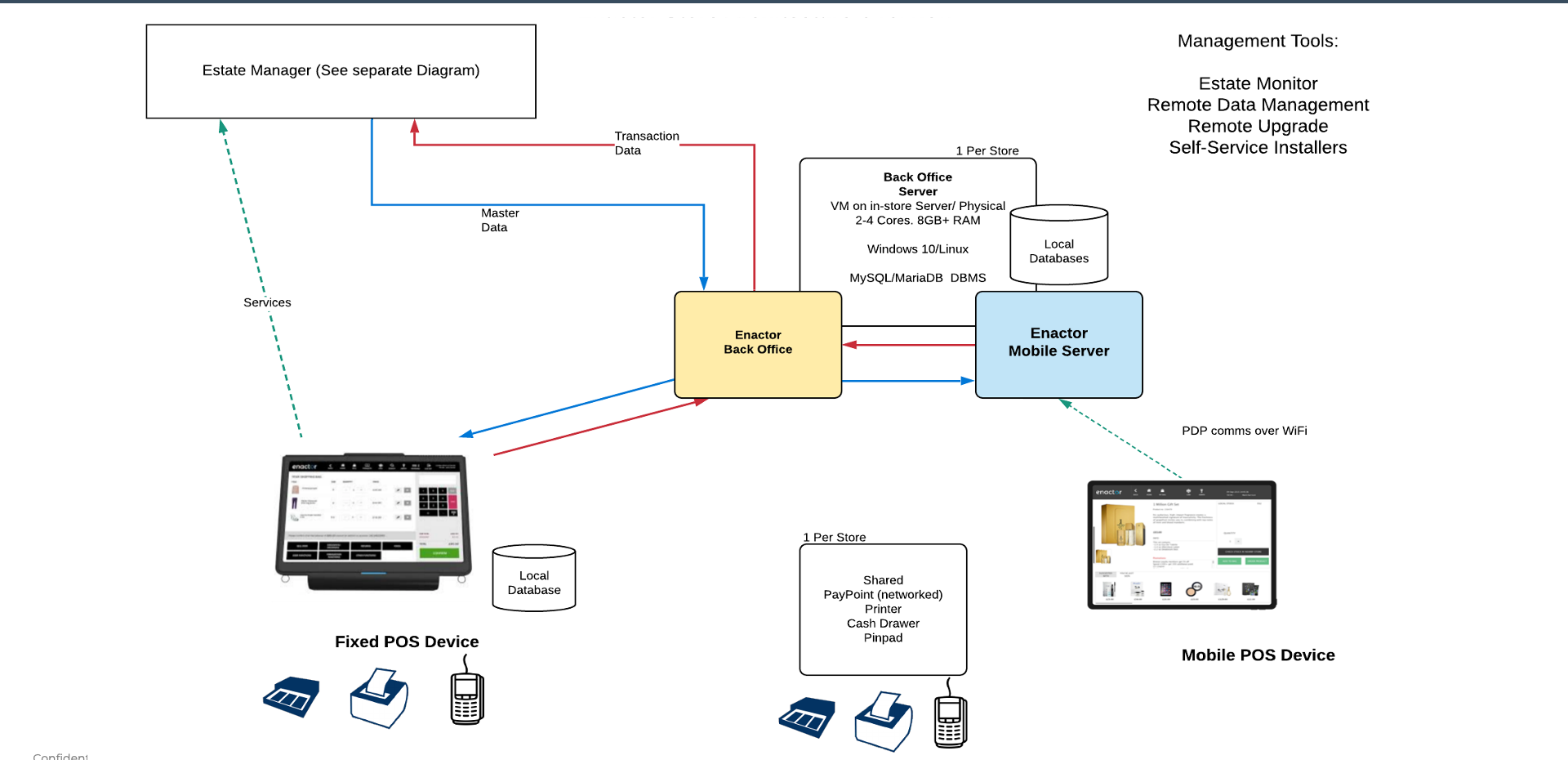
Enactor In-Store Architecture
Back Office Server (1 Per Store)
- VM on in-store server or physical device
- 2-4 Cores, 8GB+ RAM
- Windows 10 / Linux
- MySQL / MariaDB DBMS
- Contains Enactor Back Office with local databases
Enactor Mobile Server
- Connects to Back Office Server
- PDP comms over WiFi to Mobile POS devices
Fixed POS Device
- Local Database
- Peripherals: scanner, printer, pinpad
Shared Peripherals (1 Per Store)
- PayPoint (networked), Printer, Cash Drawer, Pinpad
Management Tools
- Estate Monitor
- Remote Data Management
- Remote Upgrade
- Self-Service Installers
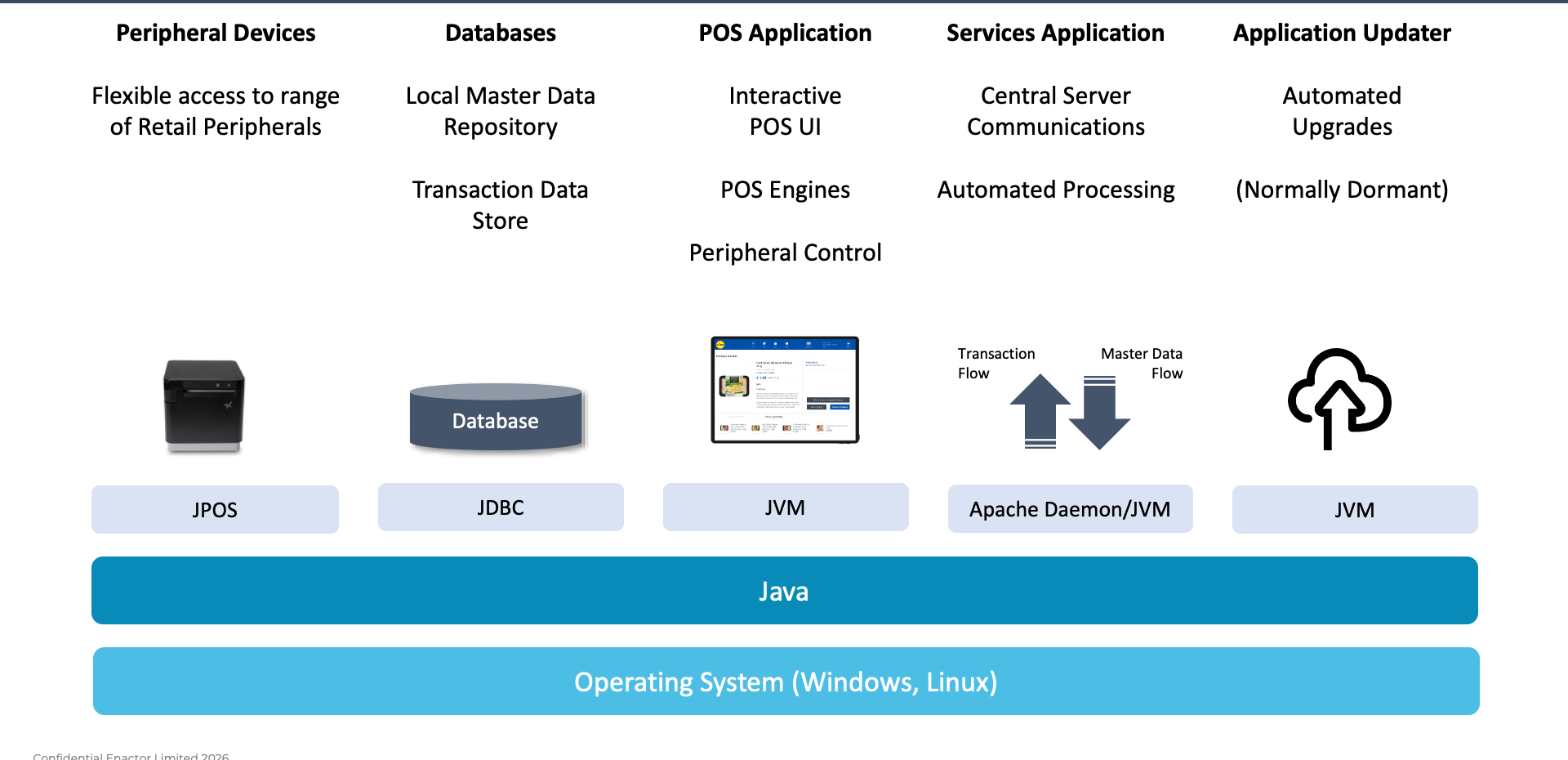
Enactor POS Internal Architecture
Component Stack
- Peripheral Devices - Flexible access to range of retail peripherals (JPOS)
- Databases - Local master data repository, transaction data store (JDBC)
- POS Application - Interactive POS UI, POS Engines, peripheral control (JVM)
- Services Application - Central server communications, automated processing (Apache Daemon / JVM)
- Application Updater - Automated upgrades, normally dormant (JVM)
Foundation Layers
- Java - runtime environment
- Operating System - Windows, Linux
Further Reading
For additional information and further reading on Store Architecture, please see the following guides: