Viewing Enactor Code
Overview
This task will show how to view the Enactor source for the React POS modules.
What You Will Learn
- Searching and viewing Enactor React POS components
Pre-requisite
- Should have followed Workspace Setup and have a working Webs POS.
Exercises
Retreive Process ID and Prompt Url
Start the Web Pos, and go to any screen. In this example we are going to use the SignOn screen
Open the developer tools -> console
Look in the console for logs for the process id, and prompt url.
Process ID: Pos/SignOn/SignOn || Page URL: HTMLPosVite/index.html || Prompt URL: Pos/SignOn/EnterUser || Client URL: undefined || Prompt timeout: 120000
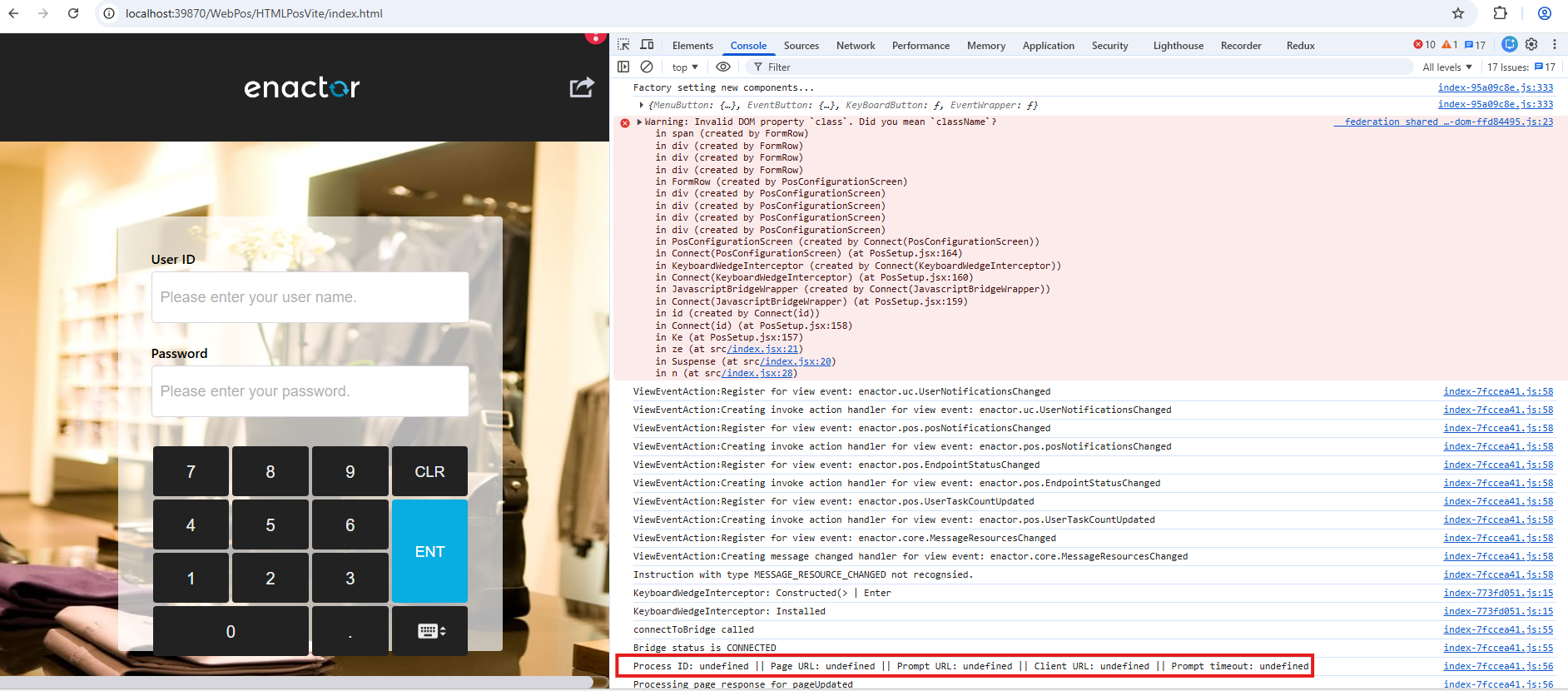
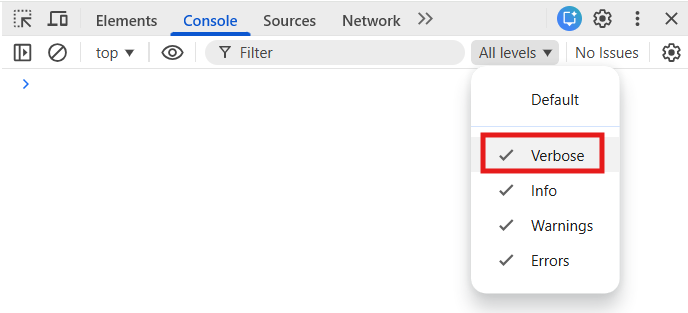
Make sure to tick verbose in the chrome developer tools to make this visible.
Find the Prompt State
Navigate to eclipse and go to Window -> Show View -> Other -> Resource Library
Once the resource library is opened, search for the process using the latter part of the processID.
Example : p:SignOn (Refer Resource Library Search for more details.)
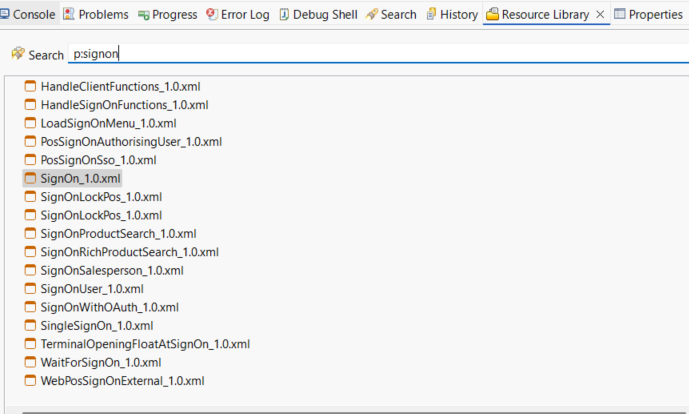
Open the process by double clicking on it.
Then open the outline using Window -> Show View -> Outline
Under states find the state simillar to the latter part of the relevant PromptUrl and double click on it so that the prompt state is getting highlighted on the Application process.
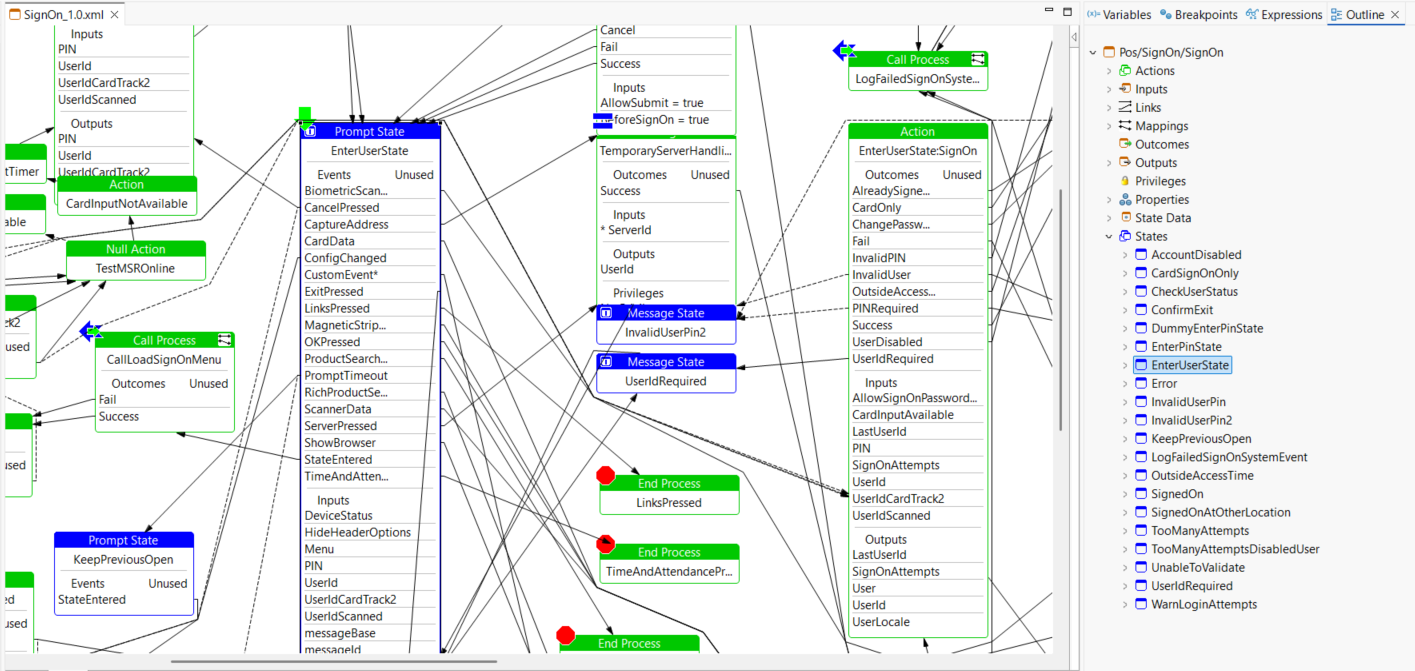
To verify the promptUrl, right click on the selected prompt state and select show properties. Check whether the URL matches the PromptUrl.
React Component Indexing
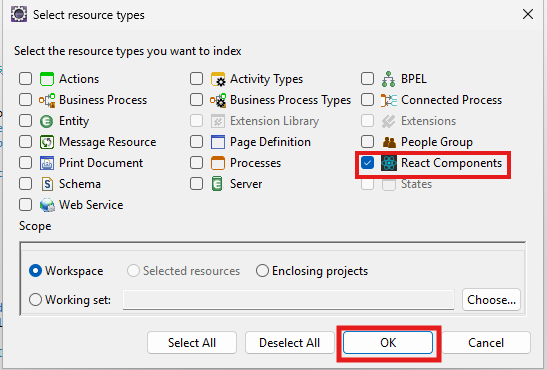
Now go to the Resource Library and select Update Indexing.
- In the Resource Library view, click the menu icon (three dots) and select the
Update Indexesoption to update the indexes.

- Then make sure the React Component is selected and index it. Wait until the index is finished.
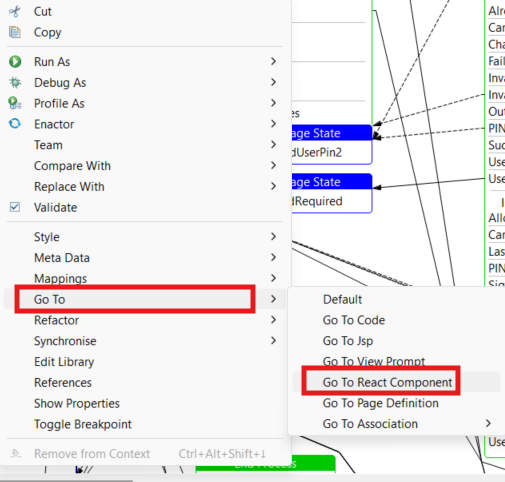
Open Enactor source code
To open the react component, right click on the prompt state and select Go To -> Go To React Component
React Component should be opened
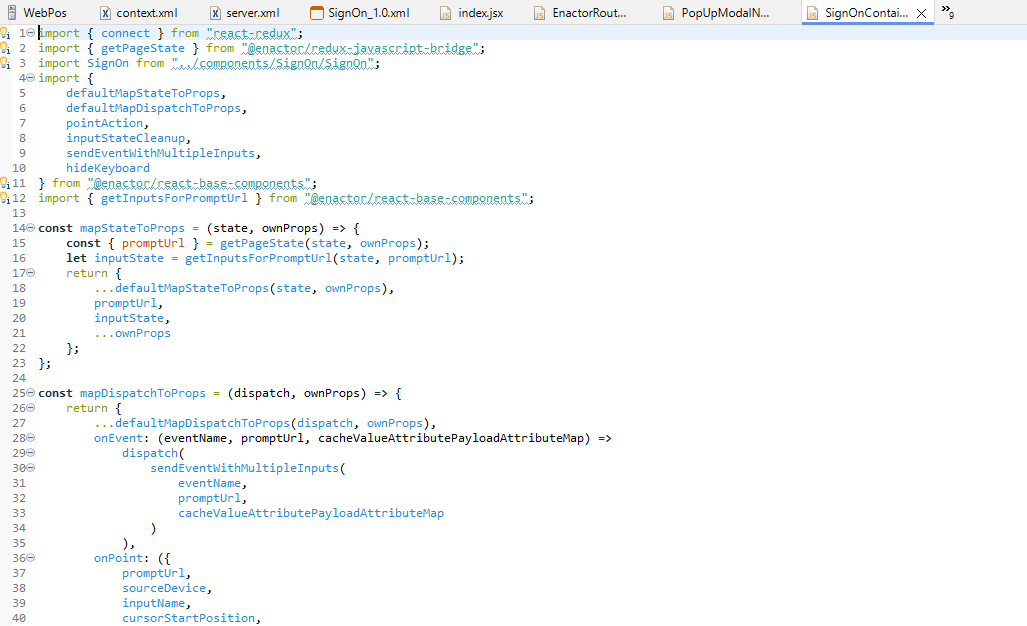
If you have selected VS Code as your prefered editor for js it will open in VS Code.