Create a web project for an existing React Application
Overview
This tutorial will guide you how to create a Web Project for an existing React Application.
What you will learn
How to generate a Web Project for an existing React Application.
Pre-requisites
-
Should have an already generated React application by following the Create a New Enactor React Application.
-
Should have followed Create a New Enactor React Application with Web Launch.
Exercises
Generating the Web Project.
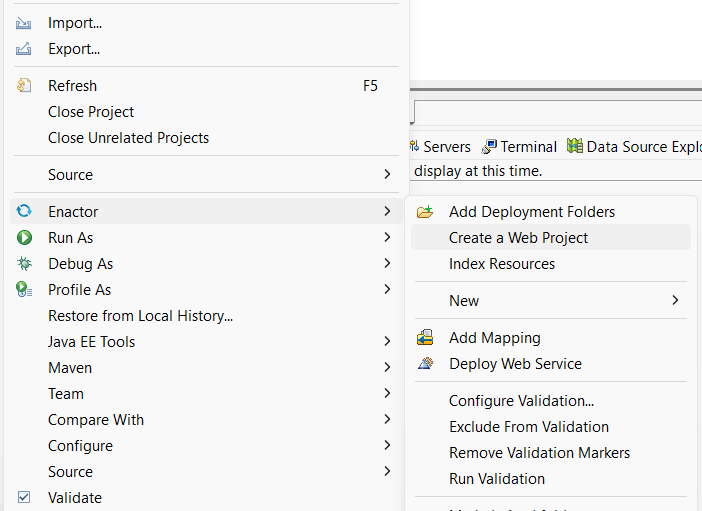
Right click on the existing react application and select Enactor -> Create a Web Project.
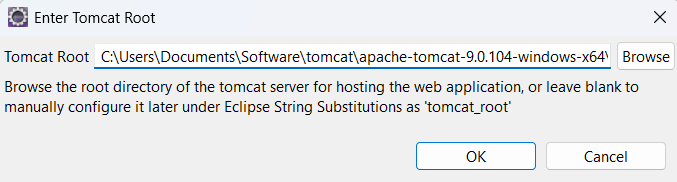
If you have already given the tomcat root for String substitutions in Create a New Enactor React Application with Web Launch, Tomcat Root field will automatically be updated.
If not, browse and update the field with the path to the Tomcat Root directory.
Wait for the Web project setup to complete.
Build the generated application
Follow the stpes in Build the generated Application
Run the generated application
Follow the stpes in Run the generated Application